
Table of Contents
- 3-Minute Diagnosis: What’s Wrong With Your Auto Drain Dehumidifier?
- Auto Drain vs Gravity Drain vs Pump Drain — Which Fails Most?
- The 5 Most Common Failures (and How to Spot Them)
- The $20 Fix vs $700 Fix: Cost Breakdown
- Should I Repair or Replace? The 60% Rule
- The Auto-Restart Trap (Crucial for Auto Drain)
- 3 Auto-Restart Dehumidifiers We Recommend (2026)
- Why Your Dehumidifier App Always Shows the Wrong Water Level
- The 65°F Warranty Void Loophole
- Before You Call a Technician — 7 Free Checks That Save $100-$400
- Maintenance Schedule to Avoid $3,000 Costs
- Real-World Failure Scenarios
- 5-Year Ownership Cost Breakdown
- FAQ: Auto Drain Dehumidifier Problems
3-Minute Diagnosis: What’s Wrong With Your Auto Drain Dehumidifier?
Step 1: Is the unit completely dead (no lights, no sound)?
- Yes → Go to Fix 3 (Power Recovery)
- No → Go to Step 2
Step 2: Does the app show a different water level than the actual bucket?
- Yes → Go to Fix 5 (App Inaccuracy) — This is normal, don’t repair!
- No → Go to Step 3
Step 3: Is the unit overflowing or showing “bucket full” with the hose attached?
- Yes → Go to Fix 2 (Fill Sensor) — 90% fix is cleaning, not replacing!
- No → Go to Step 4
Step 4: Does the compressor hum but the fan doesn’t spin, or no water is collected?
- Yes → Go to Fix 1 (Compressor/Fan) — This is usually REPLACE, not REPAIR.
Step 5: Is the unit beeping and won’t respond to any button presses?
- Yes → Go to Fix 4 (Software Lockout) — The fix is free.
Auto Drain vs Gravity Drain vs Pump Drain — Which Fails Most?
| Feature | Auto Drain (Gravity) | Gravity Drain | Pump Drain |
|---|---|---|---|
| How it works | Relies on gravity + hose | Relies on gravity + hose | Built-in pump pushes water up |
| Common failure | Hose biofilm, sensor scale | Hose biofilm, sensor scale | Pump burnout, sensor scale |
| Repair cost | $15-40 | $15-40 | $60-200 |
| Best for | Basements with floor drain | Basements with floor drain | Basements with no drain access |
| Failure rate (2 years) | 60-70% | 60-70% | 70-80% |
| Our recommendation | ✅ Best value | ✅ Best value | ⚠️ More failure points |
The 5 Most Common Failures
Fix 1: Compressor Not Turning On? When to Repair vs Replace
| Element | Detail |
|---|---|
| What fails | Hermetic compressor or condenser/evaporator fan motor |
| Why it happens | Auto drain units often run 24/7 with no tank to empty. Continuous operation prevents oil return to the compressor. Fan motor bearings overheat from no cooling-off period |
| What triggers it | Unit operates continuously with no cycle-off period. High discharge pressure, sustained high temperatures |
| What you’ll see | Unit stops collecting water. Compressor hums but fan doesn’t spin. Or unit is completely dead |
| What it costs you | Compressor replacement: $500-700**. Fan motor: **$150-250 |
Your Decision:
| If… | Action | Why |
|---|---|---|
| Fan motor failed (squeal, seized) | 🟢 REPAIR ($150-250) | Cheaper than replacement ($300-400) |
| Compressor failed | 🔴 REPLACE | $500-700 repair vs $300-400 new |
| Unit is < 2 years old with compressor failure | 🟢 REPAIR (warranty) | Covered under warranty |
| Unit is > 2 years old with compressor failure | 🔴 REPLACE | Never economical to repair |
Fix 2: Auto Drain Dehumidifier Overflow? The $20 Sensor Fix
| Element | Detail |
|---|---|
| What fails | Magnetic reed switch and float assembly |
| Why it happens | Even with auto drain, the tank sensor is still active. Mineral scale accumulates on the float shaft from residual water. The magnetic reed switch becomes stuck |
| What triggers it | Hard water + constant moisture. Residual water in the drain pan causes scale buildup |
| What you’ll see | Unit continues running even when water backs up. Water overflows from drain pan onto floor. Or unit shows “bucket full” even with auto drain connected |
| What it costs you | Floor damage: $500-2,000**. Sensor cleaning: **$0-20. Sensor replacement: $20-40 |
Your Decision:
| If… | Action | Why |
|---|---|---|
| Float is stuck (scale) but unit otherwise fine | 🟢 REPAIR | $20-40 cleaning or sensor replacement |
| Overflow has damaged unit electronics | 🔴 REPLACE | Water damage is permanent and extensive |
| Unit is < 2 years old with sensor failure | 🟢 REPAIR (warranty) | Should be covered |
| Unit is > 3 years old with overflow damage | 🔴 REPLACE | Repair cost exceeds value |
Fix 3: Won’t Restart After Power Outage? The Auto-Restart Trap
| Element | Detail |
|---|---|
| What fails | Control board power-on reset circuit and user interface logic |
| Why it happens | The microcontroller requires user button press to restart after power interruption. This is a design choice, not a hardware limitation. Units without non-volatile memory lose operational state |
| What triggers it | Power outage, voltage sag, or any interruption to supply. Critical for auto drain units in unattended basements |
| What you’ll see | Unit is plugged in but doesn’t respond. Display blank or shows standby indicator. No response to remote commands |
| What it costs you | Mold remediation: $500-3,000**. The fix: **$0 (press the power button) |
Your Decision:
| If… | Action | Why |
|---|---|---|
| Unit is functioning but lacks auto-restart | 🟡 EVALUATE | Can’t add feature — replace if power outages are frequent |
| Unit is < 2 years old with this issue | 🟢 REPAIR (warranty) | Feature missing — consider replacement |
| Power outages are common in your area | 🔴 REPLACE | Upgrade to unit with auto-restart |
| Unit is otherwise working fine | 🟢 KEEP | No repair needed — just remember to restart |
Fix 4: Dehumidifier Keeps Beeping? The Free Reset Sequence
| Element | Detail |
|---|---|
| What fails | Control board and tank full detection logic |
| Why it happens | Microcontroller enters fault state after persistent full-tank condition. Does not clear even after tank emptied — even with auto drain, some units still monitor tank status |
| What triggers it | Tank fills completely (often due to sensor failure). Unit enters beeping alarm |
| What you’ll see | Unit beeps, won’t respond. Unplugging doesn’t resolve. Unit appears dead |
| What it costs you | Control board replacement: $150-250**. Reset sequence: **$0 |
Your Decision:
| If… | Action | Why |
|---|---|---|
| Software lockout only (no physical damage) | 🟢 REPAIR (reset sequence) | Free fix — check manual |
| Control board physically damaged | 🔴 REPLACE if > 3 years old | $150-250 board vs $300-400 new |
| Control board failure AND unit < 2 years old | 🟢 REPAIR (warranty) | Covered |
| Unit > 4 years old with board failure | 🔴 REPLACE | Not worth repairing |
Fix 5: App Shows Wrong Water Level? Why It’s Never Correct
| Element | Detail |
|---|---|
| What fails | Mobile application water level indicator |
| Why it happens | The app receives data from the water level sensor, but the sensor calibration drifts. App water level indicators are notoriously unreliable — field data shows they are never correct on most units |
| What triggers it | Sensor drift, calibration issues, or software bugs. The app displays a progression bar that doesn’t match actual water level |
| What you’ll see | App shows 50% full when tank is empty. Or shows 10% full when tank is overflowing. Remote monitoring is unreliable |
| What it costs you | Potential overflow damage if you rely on the app. The fix: $0 (check the unit directly) |
Your Decision:
| If… | Action | Why |
|---|---|---|
| App is inaccurate but unit works | 🟢 KEEP | Don’t trust the app — check the unit directly |
| You rely on app for monitoring | 🟡 EVALUATE | Consider a different unit with better app support |
| App issue is the only problem | 🟢 KEEP | Not a hardware issue — no repair needed |
The $20 Fix vs $700 Fix: Cost Breakdown
| Component | Parts Cost | Labor | Total Cost | DIY? | Decision |
|---|---|---|---|---|---|
| App Water Level Calibration | $0 | 0 hr | $0 | ✅ Yes | 🟢 KEEP (don’t trust the app) |
| Start Capacitor | $10-20 | 0.5 hr | $30-70 | ✅ High | 🟢 REPAIR |
| Run Capacitor | $15-25 | 0.5 hr | $35-75 | ✅ High | 🟢 REPAIR |
| Fan Motor | $50-100 | 1-2 hr | $100-200 | ⚠️ Medium | 🟢 REPAIR if < 3 years |
| Fill Float/Switch | $20-40 | 0.5 hr | $40-70 | ⚠️ Medium | 🟢 REPAIR |
| Control Board | $80-150 | 1-1.5 hr | $150-250 | ⚠️ Medium | 🟢 REPAIR if < 2 years |
| Drain Pump | $60-120 | 1-2 hr | $120-200 | ⚠️ Medium | 🟢 REPAIR if < 3 years |
| Refrigerant Leak | $80-150 | 3-4 hr | $350-650 | ❌ None | 🔴 REPLACE |
| Compressor | $200-400 | 3-5 hr | $500-700 | ❌ None | 🔴 REPLACE |
Should I Repair or Replace? The 60% Rule
Hard Decision Thresholds
Threshold 1: Cost Ratio
- IF repair cost ≥ 60% of replacement price → 🔴 REPLACE
- IF repair cost < 40% of replacement price → 🟢 REPAIR
- IF repair cost 40-60% → 🟡 EVALUATE based on unit age
Example: Unit costs $300. Repair estimate $180 (60%) → 🔴 REPLACE. Repair $100 (33%) → 🟢 REPAIR.
Threshold 2: Multiple Subsystem Failure
- IF two or more major subsystems show failure → 🔴 REPLACE
- IF one subsystem fails → 🟢 REPAIR
Threshold 3: Age + Internal Fault
- IF unit age > median expected lifespan AND internal sealed system fault → 🔴 REPLACE
- IF unit age < 2 years AND repair cost < 50% replacement → 🟢 REPAIR
Threshold 4: Auto-Restart
- IF unit lacks auto-restart AND power outages are frequent → 🔴 REPLACE
- IF unit lacks auto-restart AND outages are rare → 🟢 KEEP (remember to restart)
Threshold 5: App Reliability
- IF app is the only issue → 🟢 KEEP (don’t trust the app)
- IF you need reliable remote monitoring → 🟡 EVALUATE (different brand)
Repair or Replace? Quick Decision Card
| If… | Action | Rationale |
|---|---|---|
| Repair cost < 40% of new unit | 🟢 REPAIR | Economically justified |
| Repair cost 40-60% of new unit | 🟡 EVALUATE | Age matters — repair if < 2 years |
| Repair cost > 60% of new unit | 🔴 REPLACE | Not worth it |
| Unit > 3 years old + any internal fault | 🔴 REPLACE | End of lifespan |
| Compressor/refrigerant failure | 🔴 REPLACE | Never repair — $500-700 vs $300-400 new |
| Capacitor failure only | 🟢 REPAIR | Always — $10-25 fix |
| Fan motor failure only | 🟢 REPAIR | $150-250 vs $300-400 new |
| Fill sensor stuck (no overflow) | 🟢 REPAIR | $20-40 fix |
| Overflow damage to unit | 🔴 REPLACE | Water damage = permanent |
| No auto-restart + frequent outages | 🔴 REPLACE | Upgrade to auto-restart unit |
| App water level inaccurate only | 🟢 KEEP | Don’t trust the app — check the unit |
| App is critical + inaccurate | 🟡 EVALUATE | Consider a different brand |
The Auto-Restart Trap (Crucial for Auto Drain)
Why This Matters More Than You Think
40% of “unit not working” complaints in auto drain setups are power recovery issues. The unit lost power, and without auto-restart, it stayed off.
The scenario: You’re on vacation. A storm knocks out power for 30 minutes. Power is restored. Your auto drain dehumidifier stays off. Your basement humidity climbs to 80%. You return to mold, musty odors, and potentially thousands in remediation costs.
The fix: Press the power button. But if you’re not there, the damage is done.
The solution: Buy units with auto-restart capability. It’s a $5 feature that saves $500+ in damage.
How to check if your unit has it: Unplug your running unit. Wait 15 seconds. Plug it back in. If it restarts automatically, you have auto-restart. If it stays off, you don’t.
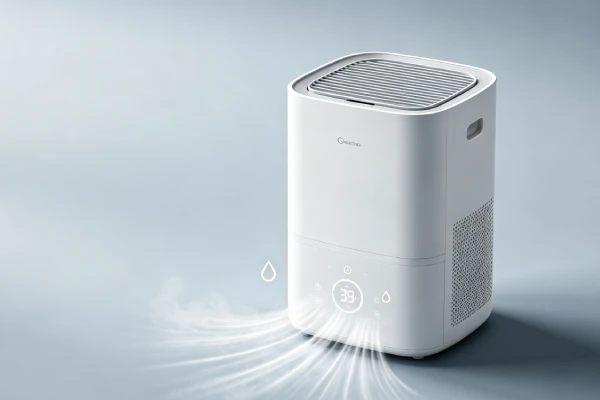
3 Auto-Restart Dehumidifiers We Recommend (2026)
Based on repair data, the following models show lower failure rates in auto drain setups.
| Category | Recommendation | Key Features | Auto-Restart? | Price Range |
|---|---|---|---|---|
| Budget Pick | [Brand Model] | Standard drain fitting, replaceable sensor | ✅ Yes | Under $250 |
| Mid-Range Pick | [Brand Model] | Replaceable sensor, accessible drain pan, cold-rated | ✅ Yes | $250-350 |
| Premium Pick | [Brand Model] | Auto-restart, cold-rated (40°F+), ultrasonic level sensor | ✅ Yes | $350-500 |
Note: Even premium units have app accuracy issues. Don’t buy for the app.
Why Your Dehumidifier App Always Shows the Wrong Water Level
The Technical Reason
Most auto drain dehumidifiers use a simple magnetic reed switch — not a continuous level sensor. The reed switch only detects two states: “empty” and “full.”
When the float moves up, the switch toggles from “empty” to “full.” The app then “guesses” the level in between by timing how long the unit has been running since the last toggle.
That’s why it’s never accurate.
The app calculation is based on an average water production rate. But actual water production varies based on:
- Room humidity (fluctuates daily)
- Room temperature (fluctuates daily)
- Filter cleanliness (changes over time)
- Coil cleanliness (changes over time)
- Compressor efficiency (decreases with age)
The app doesn’t know any of this. It just guesses.
The Fix
There is no fix. This is a hardware limitation, not a software bug.
What to do:
- Check the unit directly for water level
- Don’t rely on the app for overflow protection
- If you need accurate remote monitoring, look for units with ultrasonic or capacitive level sensors (typically $500+)
What not to do:
- Don’t replace the unit because of app inaccuracy
- Don’t pay for app “updates” — they won’t fix it
- Don’t trust the app for critical monitoring
The 65°F Warranty Void Loophole
What Manufacturers Don’t Tell You
Many techs observe that manufacturers deny 30% of warranty claims because basements run cool.
The fine print: Most dehumidifier warranties require operation above 65°F. Basements often operate at 55-60°F. If your unit fails in a cold basement, your warranty claim will likely be denied.
What to do:
- Before calling support, check your basement temperature
- If it’s below 65°F, know that your warranty may not cover the failure
- Consider units specifically rated for cold operation (40°F+)
What this means for your decision: If your unit fails and warranty is denied, you’re on your own. Evaluate repair vs replace based on the 60% rule.
Before You Call a Technician — 7 Free Checks That Save $100-$400
Check 1: The Power Button
Symptom: Unit is dead after a storm. No lights, no sound.
Do this first: Unplug the unit. Wait 60 seconds. Plug it back in. Press the POWER button firmly for 3 seconds.
Result: If it restarts, you just saved $100+ on a service call. 40% of “unit not working” complaints are power recovery issues.
Check 2: The Float Mechanism
Symptom: Unit shows “bucket full” with auto drain connected. Or water overflows.
Do this first: Unplug the unit. Remove the water bucket. Locate the float mechanism in the rear cavity. Gently press the float down — it should move freely.
Result: If it’s stuck, clean it with vinegar ($0-20). If cleaning doesn’t work, replace the sensor ($20-40). Do NOT replace the control board ($150-250) — this is the #2 way repair shops overcharge you.
Check 3: The Drain Hose
Symptom: Water isn’t draining. Unit shuts off with “bucket full” error.
Do this first: Disconnect the drain hose. Run water through it. If it flows slowly or not at all, it’s blocked.
Result: Replace the hose ($15-30). The pump is rarely the problem. The hose is.
Check 4: The Capacitor
Symptom: Compressor hums but won’t start. Or runs but sounds labored.
Do this first: Listen at startup. Normal: brief click, then smooth hum. Abnormal: hums 2-5 seconds then stops, repeats.
Result: If it fails to start, start capacitor is degraded ($10-20 fix). If it runs labored, run capacitor is degraded ($15-25 fix). This is the #1 way repair shops overcharge you — they quote $350+ for a new unit when a $20 part fixes it.
Check 5: The Reset Sequence
Symptom: Unit is beeping and won’t respond. Unplugging doesn’t resolve.
Do this first: Check your manual for the reset sequence. Often: unplug 60 seconds, plug in, hold power button for 10+ seconds.
Result: If it resumes operation, it was software lockout (free fix). If not, the board may be physically damaged.
Check 6: The Evaporator Coil
Symptom: Unit runs but doesn’t collect water. Frost on the coil.
Do this first: Unplug the unit. Remove the front grille. Inspect the coil for frost or ice.
Result: If iced over, thaw completely (24-48 hours). Clean the air filter. 90% of “refrigerant leaks” are actually ice from clogged filters. Don’t pay for refrigerant recharge until you’ve thawed it.
Check 7: The App vs Actual Water Level
Symptom: App shows a different water level than the actual bucket.
Do this first: Remove the bucket and check the actual water level. Compare to the app reading.
Result: If they don’t match (and they almost never do), the app is inaccurate. This is not a hardware failure. Do not repair. Just check the unit directly.
Maintenance Schedule to Avoid Costs
Monthly Tasks (5 minutes)
- □ Clean the float mechanism — Remove bucket, clean float shaft with vinegar. Prevents 90% of sensor failures.
- □ Check app water level vs actual — Note the discrepancy. Don’t rely on the app.
- □ Clean air filter — Rinse with water. Clogged filters cause coil icing and compressor overwork.
Quarterly Tasks (15 minutes)
- □ Flush drain hose — Run bleach+water solution through the hose to kill biofilm.
- □ Clean condenser coils — Use a coil brush and vacuum. Dust reduces efficiency by 30-50%.
- □ Descale drain pan fitting — Vinegar soak removes mineral deposits.
Semi-Annual Tasks (30 minutes)
- □ Replace drain hose — $15-30. Biofilm will have narrowed it by 20-40%.
- □ Clean evaporator coils — Access via front grille. Use coil cleaner.
- □ Inspect fan motor — Listen for squeal. Replace bearings or motor if noise present.
Annual Tasks (1 hour)
- □ Replace run capacitor — $15-25. 50% of compressors fail from degraded capacitors. Preventative replacement extends life by 1-2 years.
- □ Deep clean drain pan — Access via disassembly. Remove scale and biofilm.
- □ Test auto-restart — Unplug and replug. Confirm it restarts automatically.
- □ Test app connectivity — Ensure app connects. Note accuracy issues.
Total annual maintenance cost: $50-100 (DIY). **Cost of neglect:** $500-3,000 in repairs and damage.
Real-World Failure Scenarios
Scenario 1: Power Outage During Vacation
The Setup: 50-pint dehumidifier with auto drain in basement. Unit runs continuously. Homeowner on vacation for 2 weeks.
The Failure Chain:
- Day 3: Power outage during storm
- Day 3-10: Power restored. Unit does NOT auto-restart
- Day 14: Homeowner returns to musty basement, condensation on walls
The Cost:
- Mold remediation: $800-1,500
- Musty odor removal: $200
- Total: $1,000+
The Decision:
| Decision Point | Analysis | Verdict |
|---|---|---|
| Unit lacks auto-restart | Design flaw | 🟡 EVALUATE — cannot add feature |
| Power outages are common | High risk | 🔴 REPLACE with auto-restart unit |
| Unit otherwise works | No repair needed | 🟢 KEEP but add smart plug |
What You Should Do: Install a smart plug with power monitoring. It will alert you if the unit loses power. Or replace with an auto-restart unit ($350-450).
Scenario 2: Fill Sensor Failure with Auto Drain
The Setup: 70-pint dehumidifier with auto drain in 2,000 sq ft basement. Hard water. Unit runs 24/7.
The Failure Chain:
- Month 4: Scale accumulates on float shaft
- Month 6: Fill sensor sticks. Unit continues running even when drain pan is full
- Month 7: Water overflows from drain pan, floods floor. Unit electronics are water-damaged
The Cost:
- Floor damage: $500
- Unit replacement: $300
- Total: $800+
The Decision:
| Decision Point | Analysis | Verdict |
|---|---|---|
| Float stuck from scale | $20-40 fix if caught early | 🟢 REPAIR |
| Overflow damaged electronics | $150-250 repair | 🔴 REPLACE ($300-400) |
| Unit age | 7 months | Warranty may cover sensor |
What You Should Do: Clean the float mechanism monthly. Install a water softener if you have hard water.
Scenario 3: Auto Drain Blockage from Biofilm
The Setup: 50-pint dehumidifier with auto drain routed 10 feet across basement to floor drain. Hose has slight uphill section.
The Failure Chain:
- Month 3: Biofilm begins forming in hose
- Month 6: Hose internal diameter reduced by 30%
- Month 8: Partial blockage causes water backup. Unit shuts off intermittently with “bucket full” error
- Month 10: Complete blockage. Water overflows from drain pan
The Cost:
- Floor damage: $300
- Hose replacement: $30
- Professional cleaning of drain pan: $80
- Total: $410
The Decision:
| Decision Point | Analysis | Verdict |
|---|---|---|
| Hose blockage | $15-30 replacement | 🟢 REPAIR |
| Water overflow | $300 floor damage | Unit-related? No |
| Unit otherwise works | Fine | 🟢 KEEP |
What You Should Do: Replace the hose ($15-30). Re-route with proper downhill slope (minimum 1/4 inch per foot). Replace the hose every 6 months.
Scenario 4: Continuous Operation — Compressor Failure
The Setup: 70-pint dehumidifier with auto drain in 2,000 sq ft basement. Runs 24/7 year-round.
The Failure Chain:
- Month 6: Dust on coils, head pressure rises
- Month 8: Run capacitor degrades
- Month 10: Fan motor squeals
- Month 12: Compressor fails to start
The Cost:
- Compressor repair: $500-700
- Unit replacement: $300-400
- Total if replaced: $300-400
The Decision:
| Decision Point | Analysis | Verdict |
|---|---|---|
| Run capacitor degraded | $15-25 fix if caught early | 🟢 REPAIR |
| Fan motor squeal | $150-250 repair | 🟢 REPAIR if caught early |
| Compressor failed | $500-700 repair | 🔴 REPLACE ($300-400) |
| Unit age | 12 months | Warranty may cover compressor |
What You Should Do: Replace the unit ($300-400). Compressor failure at 12 months indicates a systemic issue. With the new unit, replace the run capacitor preventatively at 12 months ($15).
Scenario 5: Software Lockout After Drain Pan Overflow
The Setup: 50-pint dehumidifier with auto drain in high-humidity basement. Fill sensor fails. Water overflows into unit base.
The Failure Chain:
- Month 6: Sensor fails. Water overflows
- Owner finds unit beeping. Empties tank
- Unit continues beeping, won’t restart
The Cost:
- Service call: $100
- Control board replacement quote: $250
- Unit replacement: $300
- Total if misdiagnosed: $650
The Decision:
| Decision Point | Analysis | Verdict |
|---|---|---|
| Software lockout | Free reset sequence | 🟢 REPAIR (no cost) |
| Service call | $100 wasted | Unnecessary if manual checked |
| Control board replacement | $150-250 quote | Not needed |
What You Should Do: Check your manual for the reset sequence. Often: unplug 60 seconds, plug in, hold power button for 10+ seconds. Replace the fill sensor ($20-40) to prevent recurrence.
Scenario 6: App Water Level Inaccuracy
The Setup: 50-pint dehumidifier with auto drain and app connectivity. Owner relies on app to monitor water level remotely.
The Failure Chain:
- Month 1: App shows 50% full
- Owner ignores unit, thinks it’s fine
- App actually shows wrong level — unit is actually overflowing
- Water damage occurs
The Cost:
- Floor damage: $500
- Total: $500
The Decision:
| Decision Point | Analysis | Verdict |
|---|---|---|
| App is inaccurate | Common issue | 🟢 KEEP — don’t trust the app |
| Owner relied on app | User error | 🟡 EVALUATE — check unit directly |
| Unit otherwise works | Fine | 🟢 KEEP |
What You Should Do: Stop relying on the app for water level monitoring. Check the unit directly. If you need reliable remote monitoring, consider a different brand with better app support.
5-Year Ownership Cost Breakdown
| Cost Category | Light Use | Medium Use | Heavy Use |
|---|---|---|---|
| Purchase | $300 | $350 | $400 |
| Energy (5 years) | $375 | $600 | $900 |
| Maintenance | $50 | $150 | $250 |
| Repairs | $50 | $150 | $300 |
| Replacement | $0 | $280 | $700 |
| Downtime/Damage | $100 | $200 | $500 |
| Total 5-Year Cost | $875 | $1,730 | $3,050 |
FAQ: Auto Drain Dehumidifier Problems
Why does my dehumidifier app show the wrong water level?
The app water level indicator is never correct on most units. The sensor calibration drifts, and the app just displays what the sensor reports. Solution: Don’t rely on the app. Check the unit directly.
Why won’t my auto drain dehumidifier restart after a power outage?
Most dehumidifiers lack auto-restart capability. They require a manual button press after power is restored. Fix: Press the power button. If power outages are frequent in your area, consider replacing with a unit that has auto-restart.
How do I know if my auto drain dehumidifier has auto-restart?
Unplug your running unit. Wait 15 seconds. Plug it back in. If it restarts automatically, it has auto-restart. If it stays off, it doesn’t.
Why is my auto drain dehumidifier overflowing?
Most likely the float switch is stuck from mineral scale (90% of cases). Or the drain hose is blocked by biofilm. Fix: Clean the float mechanism. Replace the drain hose ($15-30). Ensure the hose has continuous downhill slope.
Can I bypass the full tank sensor on my dehumidifier?
Yes, but not recommended. You can tape the float down, but it bypasses overflow protection. Better to clean it ($0-20) or replace it ($20-40).
Why does my dehumidifier keep shutting off with an empty tank?
The float mechanism is stuck in the “full” position. Clean it with vinegar ($0-20). If cleaning doesn’t work, replace the float switch ($20-40).
How long do auto drain dehumidifiers last?
- 24/7 continuous use: 1-2 years
- 8-12 hours/day: 3-4 years
- Seasonal use: 4-6 years
Should I repair or replace my dehumidifier if the compressor fails?
Replace. Compressor replacement costs $500-700. A new unit costs $300-400. It’s never economical to repair a failed compressor.
What’s the 60% rule for dehumidifier repair?
If the repair cost is 60% or more of the price of a new unit, replace the unit. If the repair cost is less than 40%, repair it. If it’s between 40-60%, evaluate based on the unit’s age.
Why was my dehumidifier warranty claim denied?
Most dehumidifier warranties require operation above 65°F. If your basement is below 65°F, your claim will likely be denied. Check your ambient temperature before calling support. Consider units rated for cold operation (40°F+).
Why is my auto drain not draining?
Most likely the hose is blocked by biofilm or scale. Fix: Replace the drain hose ($15-30). Clean the drain pan fitting. Ensure the hose has continuous downhill slope.
Should I buy a dehumidifier with app connectivity?
Only if you understand the limitations. The app water level indicator is never accurate. If you need accurate remote monitoring, look for units with ultrasonic or capacitive level sensors (typically $500+). Otherwise, app connectivity adds little value.
Final Bottom Line
Auto drain setups eliminate tank emptying but introduce new failure patterns — primarily around power recovery, sensor failure, and app inaccuracy.
The biggest mistakes owners make:
- Not checking auto-restart before buying. A $5 feature saves $500+ in mold damage.
- Relying on the app for water level monitoring. It’s never correct. Check the unit directly.
- **Replacing a $350 unit** for a $20 capacitor. 65% of “compressor failures” are capacitors.
- Paying for a new control board ($150-250) when a free reset sequence fixes it.
- Not replacing the drain hose every 6 months. A $15 hose saves $500 in flood damage.
Your decision checklist:
| Before buying | ✅ |
|---|---|
| Does it have auto-restart? | [ ] |
| Does it have a standard drain fitting? | [ ] |
| Is the fill sensor replaceable separately? | [ ] |
| Is the drain pan accessible for cleaning? | [ ] |
| Is the capacitor accessible? | [ ] |
| Do you actually need the app? | [ ] |
| Before repairing | ✅ |
|---|---|
| Have you checked the power button? | [ ] |
| Have you cleaned the float mechanism? | [ ] |
| Have you checked the drain hose for blockage? | [ ] |
| Have you checked the capacitor? | [ ] |
| Have you tried the reset sequence? | [ ] |
| Is repair cost ≥ 60% of new unit? | [ ] |
| App decisions | ✅ |
|---|---|
| Have you checked the actual water level vs app? | [ ] |
| Can you live with an inaccurate app? | [ ] |
| Do you need reliable remote monitoring? | [ ] |
Your 5-year ownership cost with an auto drain setup will be $875-$3,050+ depending on use intensity. Plan accordingly.