
The 13 Buying Mistakes at a Glance
Most dehumidifier buying guides tell you what to look for. This one tells you what buyers get wrong—and how to avoid repeating those mistakes.
This guide is based on a review of 300+ dehumidifier repair cases collected from service records. This is not a scientific study; it is a pattern record from real service calls. The sample is not controlled, the brands and models vary, and “failure” in this context means a unit that stopped performing its primary function—collecting water—or developed a defect that required repair or replacement. Use these patterns as a buying checklist, not as universal industry conclusions.
What follows are the 13 most common buying mistakes, ranked by how often they lead to wasted money, water damage, or premature replacement.
| # | Buying Mistake | Severity | What to Do Instead |
|---|---|---|---|
| 1 | Ignoring overflow and fill-sensor complaints | 🔴 High | Check reviews for “overflow” and “sensor” |
| 2 | Choosing only by price | 🔴 High | Consider total cost of ownership |
| 3 | Trusting rated coverage without checking real performance | 🔴 High | Size up for basements; read real-world reviews |
| 4 | Ignoring auto-restart | 🟡 Medium | Confirm auto-restart before buying |
| 5 | Ignoring humidity-control problems | 🟡 Medium | Check reviews for “runs constantly” |
| 6 | Ignoring fan and noise complaints | 🟡 Medium | Check fan reliability and dB rating |
| 7 | Ignoring full-tank restart problems | 🔴 High | Check reviews for “won’t restart” |
| 8 | Ignoring filter and tank durability | 🟢 Low | Look for durable, washable filter |
| 9 | Not testing the unit during the return window | 🔴 High | Test thoroughly within return period |
| 10 | Buying smart features without checking app reliability | 🟡 Medium | Read app reviews; test during return window |
| 11 | Ignoring weight and tank access | 🟢 Low | Choose side-access bucket |
| 12 | Ignoring vent placement | 🟢 Low | Check vent location for your space |
| 13 | Not testing tank removal and water handling | 🟡 Medium | Test tank removal before return deadline |
🔴 = Major risk / 🟡 = Significant inconvenience / 🟢 = Minor annoyance
Mistake #1: Ignoring Overflow and Fill-Sensor Complaints
Why it’s a mistake: The float switch or optical sensor that detects a full water tank can fail. Without a fail-safe, water overflows onto the floor. Buyers who don’t check reviews for this specific failure risk water damage.
How to avoid it:
- Read reviews specifically for “overflow” and “sensor” complaints.
- Check whether the unit has a secondary fail-safe shut-off.
- If multiple reviews mention overflow, treat it as a pattern worth investigating.
- Compare sensor designs across models and check user reports for each.
What it costs to ignore: Floor damage: $500–5,000. Mold remediation: $1,000–5,000.
Note on data: Frequent fill-sensor or overflow complaints are a red flag worth checking before purchase. The exact failure rate varies by model and usage conditions.
Mistake #2: Choosing Only by Price
Why it’s a mistake: The cheapest unit often has the shortest lifespan, the weakest warranty, and the fewest drainage options. A $150 unit that dies in 6 months costs more than a $250 unit that lasts 5 years.
How to avoid it:
- Calculate total cost of ownership, not just purchase price.
- Consider warranty length, parts availability, and energy use.
- Factor in the cost of potential water damage.
- Read reviews for lifespan, not just initial performance.
What it costs to ignore: Buying a replacement every year: $150–300 annually, plus damage risk.
Mistake #3: Trusting Rated Coverage Without Checking Real Performance
Why it’s a mistake: Manufacturer square-footage ratings are often based on optimal lab conditions. A unit rated for 1,500 sq ft may barely make a dent in a damp basement of the same size.
How to avoid it:
- Read real-world performance reviews, not just manufacturer claims.
- Size up for basements—users with damp basements frequently report that units rated for the space still underperform.
- Expect real-world output to fall short of claimed pints in typical conditions.
- Look for reviews from users with similar space and humidity conditions.
What it costs to ignore: Buying a unit that doesn’t work for your space: $150–300 wasted.
Mistake #4: Ignoring Auto-Restart
Why it’s a mistake: After a power outage, units without auto-restart stay off. When power returns, the dehumidifier does not resume operation. Humidity rises unnoticed, causing mold and damage.
How to avoid it:
- Look for “auto-restart” or “power outage recovery” in specifications.
- Test by unplugging and plugging back in (simulates outage).
- Check reviews for “power outage” or “won’t restart.”
- Prioritize this feature for basements and unattended operation.
What it costs to ignore: Mold growth in basement: $1,000–5,000 remediation.
Mistake #5: Ignoring Humidity-Control Problems
Why it’s a mistake: The humidity sensor (hygrostat) fails or drifts, causing the unit to run continuously even when the room is already at or below the set humidity level. This wastes electricity and shortens lifespan.
How to avoid it:
- Read reviews about humidity control accuracy.
- Avoid units where multiple users mention “runs constantly.”
- Consider units with replaceable humidity sensors.
- Test with an external hygrometer during the return window.
What it costs to ignore: Higher electricity bills ($50–200/year), shorter unit lifespan.
Mistake #6: Ignoring Fan and Noise Complaints
Why it’s a mistake: Without a working fan, the unit cannot remove moisture. Fan motor failure is common in units that run 24/7. Excessive noise makes the unit unusable in bedrooms or living spaces.
How to avoid it:
- Check reviews for fan noise or failure reports.
- Look for a published dB rating (under 50 dB is quiet; over 60 dB is noticeable).
- Check the warranty length—longer coverage may indicate better component quality.
- Consider where you’ll place the unit before buying.
What it costs to ignore: Fan motor replacement ($40–60 DIY) or new unit ($150–300).
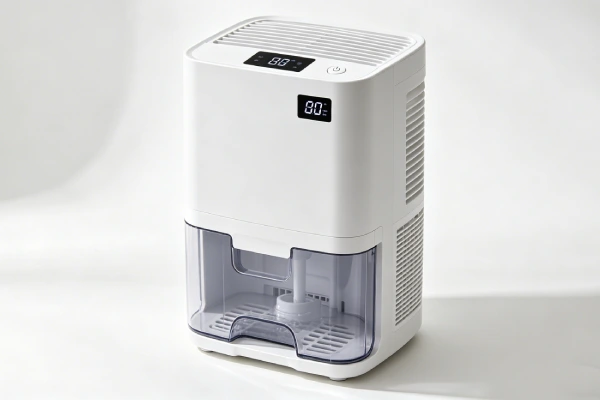
Mistake #7: Ignoring Full-Tank Restart Problems
Why it’s a mistake: After the tank fills and is emptied, the unit may refuse to restart. It may emit a faint beeping noise. You may have to unplug to reset—and even that may not work.
How to avoid it:
- Read reviews about restarting after emptying.
- Test during the return window: fill tank manually, empty, see if it restarts.
- Avoid units with multiple “won’t restart” complaints.
What it costs to ignore: Return hassle, buying a different unit.
Mistake #8: Ignoring Filter and Tank Durability
Why it’s a mistake: A flimsy plastic filter can break on first cleaning. A tank without a latch can separate when lifted, creating a spill risk. These are minor issues individually but indicate overall build quality.
How to avoid it:
- Look for washable, durable filters.
- Check if replacement filters are available and affordable.
- Check if the tank has a latch or lock.
- Test by gently lifting the unit (with empty tank) before buying.
What it costs to ignore: $10–25 for replacement filter; water spills and frustration.
Mistake #9: Not Testing the Unit During the Return Window
Why it’s a mistake: Many buyers store the unit in the box until they need it, then discover problems after the return period ends. Testing during the return window is the single most reliable way to avoid a bad purchase.
How to avoid it:
- Test within the return window—don’t wait.
- Fill the tank manually to test the fill sensor.
- Empty the tank to test restart.
- Unplug and plug back in to test auto-restart.
- Run for 24 hours to measure water collection.
- Test app accuracy if applicable.
What it costs to ignore: Return period expires; you’re stuck with a unit that doesn’t work.
Mistake #10: Buying Smart Features Without Checking App Reliability
Why it’s a mistake: For smart dehumidifiers, the app may display incorrect water levels (e.g., shows empty when tank is full). This makes remote monitoring useless. Some users report returning a unit, only to find the replacement had the same problem.
How to avoid it:
- Read app reviews specifically.
- If buying smart, test app accuracy during the return window.
- Consider that basic (non-smart) units have fewer failure points.
What it costs to ignore: Frustration, useless remote monitoring, potential overflow.
Mistake #11: Ignoring Weight and Tank Access
Why it’s a mistake: Some designs require lifting the entire heavy unit off the bucket to empty it. For elderly or physically limited users, this can be impossible. Even for able-bodied users, it’s inconvenient.
How to avoid it:
- Look for side-access buckets (pull out, don’t lift unit).
- Check weight specifications before buying.
- Consider a continuous drain option (hose to floor drain).
- Test the tank removal process during the return window.
What it costs to ignore: Difficulty using the unit, risk of dropping or damaging.
Mistake #12: Ignoring Vent Placement
Why it’s a mistake: Poor vent placement can restrict airflow, reduce efficiency, or make the unit difficult to position in your space. A unit that vents in the wrong direction may not work where you need it.
How to avoid it:
- Look for front or top vents.
- Consider where you’ll place the unit before buying.
- Check if the vent direction can be adjusted.
- Read reviews for airflow or placement complaints.
What it costs to ignore: Reduced efficiency, difficulty positioning the unit.
Mistake #13: Not Testing Tank Removal and Water Handling
Why it’s a mistake: Some tanks pour water when removed, even when you’re careful. This creates a spill risk every time you empty the tank.
How to avoid it:
- Test during the return window: fill tank, remove carefully.
- If water pours out (not just drips), return it.
- Look for tanks with a secure lid or spout.
- Read reviews for “spills” or “water pours.”
What it costs to ignore: Repeated spills, floor damage, frustration.
What 300+ Repair Cases Teach Buyers
From the service records reviewed, the most common buying mistakes follow a clear pattern:
| Pattern | What Buyers Miss | What to Do Instead |
|---|---|---|
| Overflow complaints ignored | Fill sensor failure | Check reviews for “overflow” and “sensor” |
| Price prioritized over lifespan | Premature failure | Check reviews for lifespan reports |
| Auto-restart not checked | Mold risk after outage | Confirm auto-restart before buying |
| Real performance not verified | Overclaimed coverage | Read real-world reviews; size up |
| Return window unused | Problems discovered too late | Test thoroughly within return period |
Note on data: This is a pattern record from real service calls, not a controlled study. The exact failure rates vary by model, usage conditions, and maintenance history. Use these patterns as a buying checklist, not as universal industry conclusions.
How to Avoid These Mistakes
Before you buy:
- Read 1-star and 2-star reviews first.
- Search reviews for specific terms: “overflow,” “sensor,” “died,” “stopped working,” “leaking,” “won’t restart.”
- Check for auto-restart in specifications.
- Size up for basements based on user reports.
- Confirm parts availability and warranty length.
- Check the return policy.
After you buy:
- Test within the return window—don’t store it in the box.
- Fill the tank to test the fill sensor.
- Empty the tank to test restart.
- Unplug and plug back in to test auto-restart.
- Run for 24 hours to measure water collection.
- Test tank removal and water handling.
- Check app accuracy if applicable.
FAQ
What is the most common dehumidifier buying mistake?
Ignoring overflow and fill-sensor complaints. Buyers who don’t check reviews for “overflow” and “sensor” risk water damage. Always read 1-star reviews for these specific terms before buying.
How long should a dehumidifier last?
Lifespan varies by brand, usage, and maintenance. Check reviews for real-world lifespan reports rather than relying on a single number. Avoid units with multiple “died in months” complaints—this indicates a pattern worth investigating.
Should I buy a dehumidifier with auto-restart?
Yes, especially for basements and unattended operation. Without auto-restart, a power outage will leave the unit off when power returns. Humidity rises unnoticed, causing mold and damage.
What size dehumidifier do I need for a basement?
Size up based on user reports. Units rated for a given square footage often underperform in damp basements. Many users report that units rated for the space still “barely make a dent” in basement humidity. Check reviews from users with similar conditions.
How do I test a dehumidifier during the return window?
Fill the tank manually to test the fill sensor. Empty the tank to test restart. Unplug and plug back in to test auto-restart. Run for 24 hours to measure water collection. Test tank removal. Check app accuracy if applicable.
Should I buy a smart dehumidifier with an app?
Only if you read app reviews first. Many users report inaccurate water level readings. Test app accuracy during the return window. Consider that basic (non-smart) units have fewer failure points.
What features should I look for in a dehumidifier?
Look for: auto-restart, continuous drain option, side-access bucket, published dB rating, Energy Star rating, a warranty you can verify, and available replacement parts. For sensor design, compare user reports across models rather than relying on a single specification claim.
Final Buying Checklist
- □ Checked reviews for “overflow” and “sensor” complaints
- □ Checked reviews for “died” and “stopped working”
- □ Confirmed auto-restart feature
- □ Sized up for basement based on user reports
- □ Checked real-world performance reviews
- □ Confirmed continuous drain option
- □ Checked filter and tank durability
- □ Checked dB rating for your space
- □ Checked energy consumption
- □ Confirmed warranty length and parts availability
- □ Read app reviews (if smart model)
- □ Checked weight and tank access
- □ Checked vent placement
- □ Understood return policy
- □ Plan to test within return window
Bottom line: The most common buying mistakes are ignoring overflow complaints, choosing only by price, and failing to test during the return window. Read 1-star reviews for “overflow,” “sensor,” and “died.” Confirm auto-restart before buying. Test thoroughly within the return period. A $200 dehumidifier that lasts 3–5 years is better than a $150 dehumidifier that dies in 6 months and floods your basement.