
Most smart multi-cooker problems are not about the seal, the pot, or the pressure valve. They are about the electronics that make the cooker “smart”—the Wi-Fi module, the app connection, the touchscreen, the control board, and the firmware that ties them together.
If your smart multi-cooker keeps disconnecting from Wi-Fi, the app cannot find the device, the touchscreen stops responding, or cooking programs reset mid-cycle, you are dealing with a connectivity or electronics problem. This analysis focuses on those failures: why they happen, what they cost to fix, and when the smart features stop being worth repairing.
For mechanical durability issues—seal wear, inner pot coating, pressure problems—those belong to a different topic. This guide stays on the electronic side.
Search Query Coverage Block
People search this as:
- smart multi-cooker keeps disconnecting from Wi-Fi
- smart cooker app not connecting or syncing
- multi-cooker touchscreen unresponsive
- smart cooker keeps resetting during cooking
- smart cooker display flickering or frozen
- smart multi-cooker app not working after update
- smart cooker Wi-Fi offline mid-cook
- multi-cooker firmware update failed
- smart cooker app discontinued
- is a smart multi-cooker worth repairing
- smart cooker control board failure
- smart multi-cooker repair cost
- smart cooker touch panel not responding
- smart multi-cooker keeps losing connection
- smart cooker remote start not working
- smart multi-cooker durability
- smart multi-cooker problems
What Makes a Smart Multi-Cooker Different?
A smart multi-cooker adds several electronic layers on top of a standard multi-cooker:
| Feature | What It Adds | What It Depends On |
|---|---|---|
| Wi-Fi module | Remote control, notifications, cloud recipes | Router, network band, firmware |
| Mobile app | Custom programs, monitoring, updates | App support, phone OS, account |
| Touchscreen / touch panel | Program selection, settings | Control board, power stability |
| Firmware | Bug fixes, feature updates | Manufacturer support policy |
| Automatic programs | One-touch cooking modes | Sensor calibration, control logic |
These features add convenience but also add maintenance dependencies: a stable network, a supported phone OS, an active app, an available firmware update path, and a manufacturer that keeps the cloud service running.
Important: This guide does not claim that all smart multi-cookers are less reliable than standard ones. The point is that smart features introduce failure modes that standard cookers do not have—and those failure modes need their own diagnostic approach.
Smart Multi-Cooker Wi-Fi and App Problems
The Cooker Keeps Disconnecting from Wi-Fi
What happens: The cooker connects initially, then drops offline. It may reconnect after a reset, then drop again within hours or days.
Possible causes to distinguish:
| Cause | How to Check |
|---|---|
| Router band mismatch (2.4 GHz vs 5 GHz) | Check the cooker’s required band in the manual |
| Weak signal at the cooker’s location | Test with another device at the same spot |
| App permissions or account issue | Check app settings and login status |
| Firmware bug | Check for a firmware update in the app |
| Hardware fault (Wi-Fi module or board) | Only after the above are ruled out |
Suggested first steps:
- Confirm the cooker is on the correct Wi-Fi band (many smart cookers only support 2.4 GHz).
- Move the cooker closer to the router for a test.
- Re-pair the cooker following the manufacturer’s exact pairing procedure.
- Check for a firmware update.
- If the problem persists across multiple networks, contact support.
Do not assume the control board is faulty based on disconnection alone. Network, app, and firmware issues can produce identical symptoms.
The App Cannot Find or Pair with the Cooker
What happens: The app does not detect the cooker during setup, or pairing fails repeatedly.
Possible causes to distinguish:
- Cooker not in pairing mode
- Phone on a different network than the cooker
- App permissions (location, local network) not granted
- Account or region mismatch
- Firmware version incompatible with the current app
Suggested first steps:
- Confirm the cooker is in pairing mode (usually indicated by a blinking Wi-Fi icon).
- Confirm the phone is on the same 2.4 GHz network.
- Grant all requested app permissions.
- Restart both the cooker and the phone.
- Follow the manufacturer’s pairing steps exactly—do not skip steps.
Cooking Notifications Do Not Arrive
What happens: The cooker completes a program, but no notification appears on the phone.
Possible causes to distinguish:
- App notifications disabled at the OS level
- App background restrictions (battery optimization)
- Cloud service outage
- App version outdated
Suggested first steps:
- Check phone notification settings for the app.
- Disable battery optimization for the app.
- Confirm the cooker is still connected during cooking.
- Update the app and firmware.
Remote Controls or Custom Programs Stop Working
What happens: Remote start, delayed start, or custom programs fail even though the cooker is connected.
Possible causes to distinguish:
- Firmware or app version mismatch
- Cloud service changes
- Cooker’s internal clock or state mismatch
- Hardware fault in the control panel
Suggested first steps:
- Update both the app and the firmware.
- Log out and back into the app.
- Try the same function from the cooker’s physical controls.
- If physical controls work but remote does not, the issue is likely software or cloud-side.
Touchscreen, Display and Control Problems
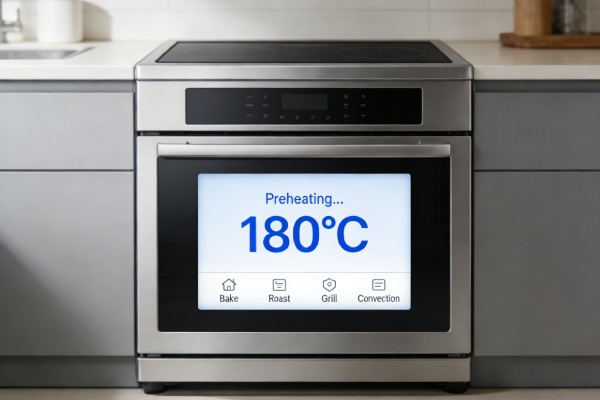
Touchscreen Does Not Respond
What happens: The touch panel does not react to taps, or only responds intermittently.
Possible causes to distinguish:
| Cause | How to Check |
|---|---|
| Temporary software freeze | Power cycle per the manual |
| Moisture or residue on the panel | Wipe dry, remove grease |
| Power supply instability | Test on a different outlet |
| Control board fault | Only after the above are ruled out |
Suggested first steps:
- Unplug the cooker and let it sit for 1–2 minutes.
- Plug it back in and test the touchscreen.
- Clean the panel with a dry, soft cloth.
- If the panel remains unresponsive after a proper reset, stop using the cooker and contact support.
Do not open the unit to inspect the control board yourself. Capacitors can hold a charge, and the panel is often integrated with the board.
Display Flickers or the Cooker Restarts
What happens: The display flickers, dims, or the cooker restarts during a program.
Possible causes to distinguish:
- Power supply fluctuation (shared circuit, extension cord)
- Firmware bug
- Overheating from blocked vents
- Control board or power board fault
Suggested first steps:
- Plug the cooker directly into a wall outlet—not an extension cord or power strip.
- Test on a different circuit.
- Confirm the vents are not blocked.
- Check for a firmware update.
- If restarts continue on a stable outlet, contact support.
Programs Stop or Settings Reset
What happens: A cooking program stops mid-cycle, or settings reset to default.
Possible causes to distinguish:
- Firmware or app bug
- Power interruption
- Overheating protection
- Control board fault
Suggested first steps:
- Note the exact program, time, and conditions when it stopped.
- Check whether the cooker displayed an error code.
- Confirm the outlet is stable.
- Check for firmware updates.
- Report the pattern to support—this is useful diagnostic information.
Software, Firmware and Long-Term Support
What Happens When an App Is No Longer Supported?
If the manufacturer discontinues the app or stops updating it:
- Remote features may stop working.
- Notifications may stop.
- Custom programs may become inaccessible.
- The cooker may still work using its physical controls.
What to check before buying: Whether the manufacturer has a published software support policy.
Can the Cooker Still Work Without Wi-Fi?
This depends on the model. Many smart multi-cookers are designed to work offline for basic cooking programs, but some rely on the app for certain functions.
What to check:
- Does the manual describe offline operation?
- Can you start a basic program without the app?
- Are the physical controls sufficient for everyday cooking?
What to Check Before Buying a Connected Appliance
- Does the manufacturer publish a software support timeline?
- Is there a way to use the cooker without the app?
- Are firmware updates delivered reliably?
- Is the app compatible with your phone’s OS version and region?
- Does the device support common home network environments (2.4 GHz band, standard routers)?
- Are replacement parts (control panel, board) available?
- Is there a clear warranty and repair channel?
Smart Features vs Hardware Failure
Not every smart-cooker problem is a hardware failure. Use this table to distinguish.
| Symptom | Causes to Distinguish | Suggested First Steps |
|---|---|---|
| Wi-Fi keeps disconnecting | Router, band, permissions, firmware, or hardware | Check router band and app settings first; re-pair per manual |
| App cannot find device | Pairing mode, account, permissions, compatibility | Follow the manufacturer’s pairing steps exactly |
| Touchscreen unresponsive | Software freeze, residue, power, or hardware | Power cycle per manual; if it persists, stop using and contact support |
| Programs stop mid-cycle | Settings, firmware, power, or hardware | Record error code and conditions; check firmware |
| App discontinued | Manufacturer support policy change | Check whether basic cooking works offline |
Important: Symptoms alone do not confirm a hardware fault. Without a proper diagnostic, do not assume the control board or capacitors have failed.
Smart Multi-Cooker Repair Cost: What Affects the Quote?
Repair costs for smart multi-cookers depend on several factors:
| Factor | Why It Matters |
|---|---|
| Part availability | Control panels and boards may be model-specific |
| Labor time | Disassembly and reassembly can be extensive |
| Diagnostic fee | Often charged separately |
| Warranty status | In-warranty repairs may be free |
| Post-repair compatibility | Replacement boards may not support all original features |
| Discontinued parts | If the part is no longer made, repair may be impossible |
What to ask before authorizing a repair:
- What exactly failed?
- Is the part available?
- What is the total cost, including diagnostic and labor?
- Is there a warranty on the repair?
- Will all smart features work after the repair?
Note: Specific price ranges vary by model and region. This guide does not quote a fixed price because repair quotes depend on the factors above.
Smart Function Long-Term Cost: What to Expect
Smart features can add costs over the life of the appliance. Some of these costs are known; others are potential risks. This is separate from mechanical consumables like seals and inner pots.
| Cost Category | Known or Potential | Notes |
|---|---|---|
| App and cloud support | Potential | Features may be reduced or discontinued if the manufacturer ends support |
| Firmware updates | Known (free) | Depend on the manufacturer continuing to release them |
| Control panel / board repair | Potential | Quoted per case; depends on part availability |
| Wi-Fi module repair | Potential | Often part of the control board; not always available separately |
| Diagnostic fees | Known | Charged by repair shops if out of warranty |
| Replacement unit if repair is not viable | Potential | Usually the largest single cost |
What this means for owners: The appliance may continue to cook even if smart features stop working. The question is whether the smart features you paid for remain available over time—and whether a board-level failure is worth repairing.
What reduces long-term cost:
- Buying a model where basic cooking works without the app.
- Choosing a model with physical controls as a fallback.
- Confirming the manufacturer has a clear software support policy.
- Confirming spare parts are available before buying.
Repair or Replace a Smart Multi-Cooker?
Consider these factors when deciding:
| Factor | Repair | Replace |
|---|---|---|
| Repair cost vs new unit price | Lower | Higher |
| Remaining warranty | Still covered | Expired |
| Part availability | Available | Discontinued |
| Offline functionality | Still works | Lost |
| Software support | Active | Discontinued |
| Age of unit | Under 2 years | Over 3 years |
When repair may make sense:
- The unit is under warranty.
- The failed part is available and the repair is straightforward.
- Basic cooking still works offline, and only smart features failed.
- The repair cost is clearly lower than a new unit.
When replacement may make sense:
- The control panel or board has failed and the part is unavailable.
- The app or cloud service has been discontinued.
- Multiple electronic components have failed.
- The repair cost approaches the price of a new unit.
Models or Designs to Avoid
Some smart multi-cooker designs create more maintenance risk than others. These are worth avoiding:
| Design Feature | Why It Is a Risk |
|---|---|
| No offline cooking | If the app or cloud service is discontinued, the cooker may be unusable |
| Heavy app dependency for basic programs | Cooking depends on software support that may not last |
| Non-replaceable control panel or board | A single electronic failure can make the entire unit unrepairable |
| Opaque or undocumented support policy | No clear timeline for firmware or app updates |
| Parts not sold separately | Repair may be impossible once the part fails |
| Smart features with no physical fallback | If the touchscreen fails, there is no way to cook |
What this means: A smart multi-cooker is more likely to remain useful over time if it can still cook without the app, if its parts are available, and if the manufacturer has a clear support policy.
Features That Make a Smart Multi-Cooker Easier to Maintain
If you are choosing a smart multi-cooker—or deciding what to look for in your next one—these design features reduce long-term maintenance risk:
- Physical controls or tactile buttons in addition to the touchscreen.
- Offline cooking for basic programs.
- Published firmware and app support policy.
- Replaceable control panel or board (not potted in resin).
- Accessible vents for cleaning and cooling.
- Clear warranty and repair channels.
- Parts availability for common failure points.
Frequently Asked Questions
Why does my smart multi-cooker keep disconnecting?
Common causes include router band mismatch (2.4 GHz vs 5 GHz), weak signal, app permissions, firmware bugs, and—less commonly—a hardware fault in the Wi-Fi module or control board. Start by checking the network and app settings before assuming a hardware problem.
Can I use a smart multi-cooker without its app?
Many models allow basic cooking programs to run from the physical controls without the app. Check your manual for offline operation. If the app is discontinued, the cooker may still be usable for basic functions.
What should I do if the touchscreen stops responding?
Unplug the cooker for 1–2 minutes, plug it back in, and test the touchscreen. Clean the panel with a dry cloth. If the panel remains unresponsive after a proper reset, stop using the cooker and contact support. Do not open the unit yourself.
Is a smart multi-cooker worth repairing?
It depends on the repair cost, remaining warranty, part availability, and whether the smart features still have software support. If the repair cost approaches the price of a new unit, or the app has been discontinued, replacement may be the better choice.
How can I check whether a model still receives software support?
Check the manufacturer’s website for firmware updates and app support policy. Look for release notes or support timelines. If the app has not been updated in over a year, or the manufacturer has announced end-of-support, the smart features may not last.
What should I check before buying a smart multi-cooker?
Confirm that basic cooking works offline, that the manufacturer publishes a software support policy, that replacement parts are available, and that the app is compatible with your phone. Look for models with physical controls as a fallback.