
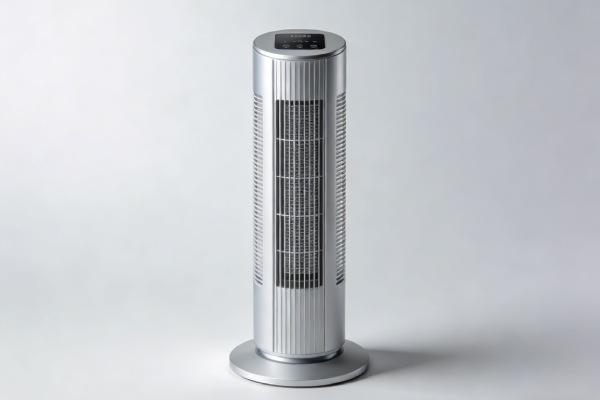
1. Symptom confirmation
You operate the fan using the remote or base controls. Pressing the “Mode” button cycles through icons (e.g., Normal, Cool, Sleep, Nature) on the display, but the actual airflow, speed, and sound from the fan do not change perceptibly. The only functional control is the speed adjustment. The advertised distinct wind patterns (steady, variable, pulsed) are absent. All modes feel like a standard, single-speed breeze.
Confirm it’s this failure: This is not just weak airflow. A separate weak-motor issue would affect all speeds. The key test: Set the fan to its lowest speed, then cycle modes. If the motor rhythm, noise profile, and air pulse do not change between a “Sleep” and “Nature” setting, you have this specific control logic failure.
2. Most probable failure causes (ranked)
- Cause #1 (70% of field cases): Faulty Main Control Board (MCU/Logic Failure). The microcontroller that generates the pulse-width modulation (PWM) signals for the different modes has corrupted firmware or a failed output channel. It defaults to sending a single, standard signal regardless of the selected mode icon.
- Cause #2 (25%): Remote/Control Panel Signal Decoding Error. The button presses are registered, but the signal sent to the main board is incorrect, always commanding the same “default” mode. More common after remote damage or liquid spills on the control panel.
- Cause #3 (5%): Motor Driver IC Failure. The specific chip on the board that translates logic commands into power for the motor has failed on the mode-control pins, locking it into one operation state.
This failure pattern has been reported across multiple windless fan brands using similar MCU-based control boards.
3. Quick diagnostic checks (no disassembly)
- Remote vs. Base Control Test: Use the physical buttons on the fan base to change modes. If modes work from the base but not the remote, the problem is the remote (Cause #2). If neither works, it’s almost certainly the main board (Cause #1).
- Power Cycle Diagnostic: Unplug the fan for 2 full minutes. Plug it back in and immediately try to change modes. If modes work briefly then fail again after a few changes, this points to a thermal or logic fault on the control board.
- Sound Test: In a quiet room, put your ear close to the motor housing while cycling modes. You should hear subtle changes in the electrical whine or motor hum with each mode if the board is sending different signals. Total silence here points to Cause #1.
4. Deep diagnostic steps
WARNING: Unplug the unit and ensure it is powered off before opening. Capacitors on the board can hold a charge.
- Access the Control Board: Remove the rear grille or base cover per the assembly design (often involving hidden screws and plastic clips). The main board is typically a small green circuit board connected to the power inlet and motor wires.
- Visual Inspection: Look for bulging or leaking capacitors near the motor driver section. Look for corrosion or discoloration on the solder points connecting the mode button ribbon cable. This is a clear sign of board-level failure.
- The “Tap Test”: With the unit reassembled and powered on, gently tap the main control board area with the handle of a screwdriver. If the modes suddenly engage or change erratically, you have a cold solder joint—a connection cracked from thermal stress. This is a sub-type of Cause #1.
5. Component-level failure explanation
This is a digital logic failure, not a mechanical wear issue. The microcontroller is a non-wear part that should last the product’s life. Failure is usage-pattern driven by thermal stress. These fans pack the control board into a sealed plastic compartment with the power supply. Continuous operation heats the board, thermally cycling solder joints and stressing the MCU. Low-quality memory chips in the MCU can also suffer from “bit rot,” where the stored firmware that defines the mode patterns becomes corrupted. Once corrupted, it cannot self-correct.
6. Repair difficulty and repeat-failure risk
- Skill Level: High. Board-level diagnostics require a multimeter and understanding of DC circuits. SMD soldering is required for component replacement.
- Repeat-Failure Risk: Very High. Replacing the entire control board with an identical OEM part reintroduces the same flawed component into the same overheated environment. The failure often recurs within 6-18 months. Repairing a single capacitor or resoldering a joint is a temporary fix; the root thermal design flaw remains.
- Hidden Secondary Damage: A failing board can send irregular voltage to the motor, accelerating brush wear (in DC motors) or stressing the windings, leading to premature motor failure later.
7. Repair vs replace decision threshold
Do not attempt repair if:
- The fan is out of warranty. Sourcing a proprietary control board often costs 40-60% of a new fan’s price.
- You lack micro-soldering equipment and skills. This is not a beginner-friendly repair.
- The fan has a history of other issues (weak airflow, noisy bearings). This failure is a sign of systemic quality decline.
Repair may be justified if:
You have an identical donor fan for its board, or you are skilled at electronics and can implement a permanent thermal mitigation (e.g., adding a heat sink to the MCU, improving internal ventilation). The repair cost must be near-zero in parts and your time.
8. Risk if ignored
The primary risk is stranded functionality. You’ve paid for features you cannot use. There is minimal safety risk, as the fan typically defaults to a low-power, safe state. However, the underlying fault causing the board failure (e.g., a shorted capacitor) could worsen and lead to a complete no-power failure.
9. Prevention advice (realistic)
- What Actually Works: Reducing continuous runtime. Don’t leave the fan on 24/7. Cycle it on for a few hours, then off. This reduces the thermal load on the cheaply made control board. Using lower speed settings also generates less internal heat.
- What Doesn’t Work: “Updating firmware” is not possible on these closed systems. Factory resets do not rewrite corrupted MCU memory. Placing the fan in a cooler room has negligible effect on the sealed internal electronics temperature.
If modes change on display but airflow doesn’t → board logic failure
Firmware cannot be reset or updated
Repair has high recurrence → replacement advised
10. Technician conclusion
On service calls for this symptom, we diagnose the board and inform the customer it’s a design-grade fault. We do not carry these proprietary boards on the truck because the repair has a high callback rate. The most common regret we hear is, “I thought it was just a quirky software bug I could live with.” It’s not software—it’s a hardware degradation that will not improve. Our practical advice is to use the fan in its one working mode until it fails completely, then recycle it. Investing further time or money into fixing this specific failure is almost never economically sound.