
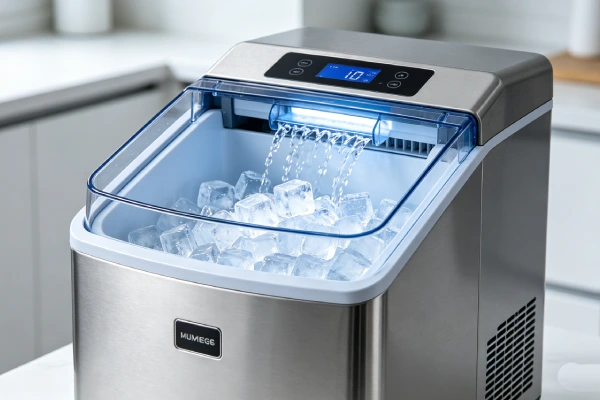
How This Guide Fits With Our Ice Maker Content Series
| Guide | Focus |
|---|---|
| Ice Maker Not Working | No power, no sounds, completely dead |
| Ice Maker Not Dispensing Ice | Ice made but won’t come out of chute |
| Ice Maker Keeps Running | Runs continuously — won’t stop |
| This guide (Running But No Ice) | Unit runs, pumps water, but no ice forms |
Read this guide if: Your ice maker sounds like it’s working — you hear water pumping, the unit cycles — but after hours of operation, there’s no ice, or only tiny fragments.
What This 30-Minute Test Can Tell You
The single most useful test for “running but no ice” is to determine whether the cooling system is actually working. Based on owner reports and repair observations in this content cluster, whether the freezing surface gets cold is the single most useful diagnostic result for “running but no ice.” Almost every other diagnostic step depends on that answer.
What the test tells you:
| Result | What It Means |
|---|---|
| Freezing surface cold | Cooling system working — check water, sensors, harvest, ice stacking |
| Room temperature | Cooling system failed |
| Slightly cool but not freezing | Cooling performance degraded |
| Cold + ice forms but does not drop | Harvest mechanism issue |
| Cold + water present + no harvest | Harvest mechanism issue |
This page is built around that single test. For the full list of causes and the repair economics, see the linked guide at the end of this page.
Before Testing: Confirm the Ice Maker Is Actually Running
Before running the cooling test, confirm the unit is actually operating:
- You can hear water pumping, or you can see water entering the freezing tray
- The compressor is running (low hum from the unit)
- The cycle timer is advancing (the unit cycles through its normal sequence)
- The unit has power and no fault indicators are active
If the unit is not running at all — no sounds, no power, no display — this is a different problem. See Ice Maker Not Working.
The 30-Minute Cooling Test
Safety note: Do not open the unit, remove panels, or touch electrical components. Do not touch the freezing surface with bare fingers if it may be extremely cold. Use the back of your hand first, and only touch briefly. Follow the model manual for any safe-access instructions.
Steps:
- Confirm the reservoir has water.
- Confirm the unit is set to make ice.
- Run the unit for 30 minutes.
- Carefully touch the freezing rods or evaporator plate (use the back of your hand first).
- Note whether the surface is cold, slightly cool, or room temperature.
- Note whether any ice has formed.
Run time note: In warm rooms or high-humidity environments, the surface may take longer to get cold. In cool rooms, it may reach temperature sooner. In low-humidity environments, the unit may cycle less frequently. The 30-minute figure is a general field-observation guideline, not a manufacturer specification. Confirm the expected cooling time in your model manual if available.
Do not continue running the unit without water. Running dry can damage the pump.
If the Freezing Surface Is Cold
What it means: The cooling system is working. The problem is elsewhere.
What to check next, in order:
- Water delivery — is water reaching the freezing surface? See Check Water Delivery After Cooling Passes.
- Sensors — false “Add Water” or “Ice Full” signals. See Check Ice-Stacking and Full-Bin Detection.
- Ice stacking — ice piled on one side, blocking the chute. See Check Ice-Stacking and Full-Bin Detection.
- Harvest mechanism — ice forms but does not drop. See Check the Harvest Cycle.
- Scale buildup — small or slushy ice. See If Ice Forms but the Machine Still Produces No Usable Ice.
Each of these is covered in the sections below.
If the Freezing Surface Is Room Temperature
What it means: The cooling system has failed. The freezing surface is not getting cold at all.
Possible causes:
- Refrigerant leak (micro-crack in welded joint or coil)
- Compressor valve failure
- Capillary tube restriction
What this means for repair:
On portable ice makers, sealed-system failure is not field-serviceable. Refrigerant work requires brazing equipment, a vacuum pump, and gauges — and the cost of that work exceeds the value of the unit. The practical fix is replacement.
On refrigerator ice makers, on most refrigerators, the ice maker uses the refrigerator’s sealed system. Some standalone ice makers have their own sealed system. Confirm in the model manual. Evaluate the whole appliance: if the refrigerator is over about 5 years old, replacement of the refrigerator may be more practical. If it is newer and under warranty, file a warranty claim.
On commercial units, sealed-system repair may be viable. Commercial units are designed for service, and parts and refrigerant access are usually available. Contact a commercial equipment service provider for a quote.
Stop here if this is a portable unit. Do not spend money on control boards, sensors, or pumps. They will not fix a sealed-system fault.
If It Is Slightly Cool but Not Freezing
What it means: The cooling system is running but not reaching full temperature. This is a performance problem, not a complete failure.
Possible causes:
- Low refrigerant charge (slow leak)
- Compressor wear
- Condenser airflow restriction
- Capillary restriction
What this means for repair:
A slow leak will worsen over time. On portable units, the leak cannot be sealed economically. On refrigerator ice makers, the sealed system is part of the refrigerator. On commercial units, leak detection and repair may be viable.
What to do:
- Check the condenser for dust or airflow restriction.
- Clean the condenser if dusty.
- Re-run the cooling test.
- If the surface is still only slightly cool, the sealed system is the issue.
Realistic expectation: A unit with low charge will produce smaller and smaller ice over time, then stop making ice. Replacement is the usual outcome on portable units.
If Ice Forms but the Machine Still Produces No Usable Ice
What it means: The freezing surface gets cold and ice forms, but the ice does not drop, or the ice is too small or slushy.
Possible causes:
- Harvest mechanism issue (thermostat, control board, heater)
- Scale buildup on the freezing surface
- Water delivery timing
- Sensor preventing the harvest cycle
What to check:
- Is the ice fully formed on the rods, or partial?
- Does the harvest cycle run (you may hear the tray drop or a solenoid click)?
- Is the ice piled on one side of the bin?
- Is there visible white scale on the freezing surface?
See the corresponding sections below.
Check Water Delivery After Cooling Passes
What to check:
- Is the reservoir full?
- Is water being pumped to the freezing tray?
- Are the water lines clear?
- Is the water inlet filter clean?
What to do:
- If the reservoir is empty, refill it.
- If the reservoir is full but water is not being pumped, check the pump and the water-level sensor.
- If the water lines are blocked, clean or replace them.
- If the inlet filter is clogged, rinse it or replace it.
Note: On some units, a false “Add Water” signal can prevent water delivery even when the reservoir is full. See Check Ice-Stacking and Full-Bin Detection.
Check Ice-Stacking and Full-Bin Detection
What to check:
- Is ice piled on one side of the bin?
- Is the “Ice Full” light on even though the bin is not full?
- Is the chute blocked by a pile of ice?
What to do:
- Sweep the ice evenly into the basket.
- Confirm the “Ice Full” light clears.
- Observe whether the unit resumes making ice.
Why it happens: Ice falls straight from the freezing tray into the basket. It piles in one spot, usually near the chute. The ice pile can block the ice-full sensor, which then reports “Ice Full” even when the bin is not full. The unit stops making ice.
When it is a fault: If the “Ice Full” light stays on with an empty bin and no ice pile, the sensor or sensor lens is faulty. Clean the sensor with a soft cloth.
Check the Harvest Cycle
What to check:
- Does the ice form fully on the freezing surface?
- Does the harvest cycle run (you may hear the tray drop or a solenoid click)?
- Does the ice release from the surface?
Possible causes of harvest failure:
- Harvest thermostat fault
- Control board fault
- Heater fault (on some models)
- Sensor preventing the harvest cycle
What to do:
- If ice forms but does not release, check for scale on the freezing surface first. Look for white or gray deposits on the freezing rods or evaporator plate. If present, descale with a 50/50 water-vinegar mix.
- If the harvest cycle runs but the ice does not release, and scale is not the cause, the harvest thermostat or heater may be faulty.
- If the harvest cycle does not run at all, the thermostat or control board may be faulty. Do not replace the control board before confirming the thermostat and the harvest circuit. The thermostat is often the cheaper part to test. Confirm in the model manual.
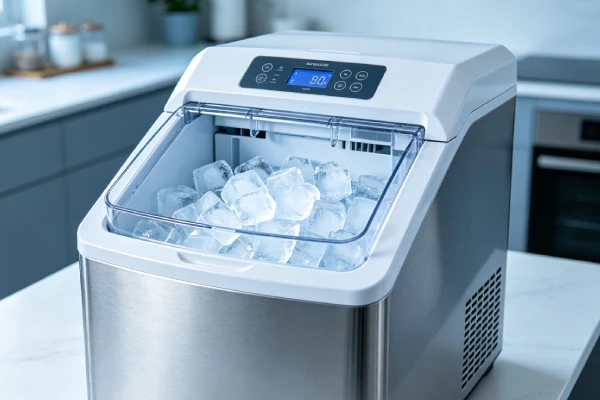
30-Minute Test Results: Symptom → Next Test
This table is the core diagnostic asset of this page. Use it to route your result to the next test.
| 30-Minute Result | What to Check Next | Section |
|---|---|---|
| No cooling | Cooling system — sealed system, compressor, refrigerant | If the Freezing Surface Is Room Temperature |
| Slight cooling (not freezing) | Refrigerant / compressor / condenser airflow | If It Is Slightly Cool but Not Freezing |
| Strong cooling + no water | Water supply — reservoir, pump, lines, filter | Check Water Delivery After Cooling Passes |
| Strong cooling + water + no harvest | Sensor / thermostat / harvest mechanism | Check the Harvest Cycle |
| Ice forms but doesn’t drop | Harvest mechanism — thermostat, control board, heater | Check the Harvest Cycle |
| Tiny or slushy ice | Cooling performance / scale / water quality | If Ice Forms but the Machine Still Produces No Usable Ice |
| Ice piled on one side | Ice stacking — sweep down; check full-bin sensor | Check Ice-Stacking and Full-Bin Detection |
| “Add Water” light on with full reservoir | Water-level sensor — clean or replace | Check Ice-Stacking and Full-Bin Detection |
| “Ice Full” light on with empty bin | Ice-full sensor — clean or replace | Check Ice-Stacking and Full-Bin Detection |
Use this table to narrow down the next test. Do not attempt to fix multiple causes at once.
When the Test Means Repair vs Replacement
| Test Result | Portable | Refrigerator Ice Maker | Commercial |
|---|---|---|---|
| No cooling (room temperature) | Replace | Replace if fridge >5 years; warranty if newer | Repair — contact commercial service |
| Slight cooling (not freezing) | Replace | Replace if fridge >5 years | Repair — leak detection |
| Strong cooling, no water | Repair (pump, lines, filter) | Repair (water valve, lines) | Repair |
| Strong cooling, no harvest | Evaluate — sensor, thermostat, board | Repair | Repair |
| Ice stacking | Sweep down | Sweep down | Sweep down |
| Scale buildup | Descale | Descale | Descale |
| Dirty sensors | Clean | Clean | Clean |
General guideline: If the quoted repair cost — parts plus labor, including any diagnostic fee — approaches 60% of the current price of a comparable new unit, replacement may be more practical. This is a general guideline, not a manufacturer or statistical threshold.
“Comparable new unit” means a new ice maker with similar capacity and features in your region, not the lowest-priced unit on the market.
Parts availability note: Parts availability varies by brand and model. Confirm before authorizing repair.
For the full list of causes and repair economics, see the linked guide below.
When to Stop DIY Troubleshooting
Stop DIY troubleshooting and consult a technician or the manufacturer if:
- The unit is under warranty — do not open the unit
- The unit has visible electrical damage, melted wiring, or a burning smell
- The unit has caused water damage
- The cooling test result is “no cooling” on a refrigerator ice maker that is under warranty
- The sealed system is the confirmed fault
- You are not comfortable touching the freezing surface or running the cooling test
If the sealed system is confirmed faulty on a portable unit, the practical choice is replacement, not repair.
If the unit is under warranty, contact the manufacturer or the retailer. Do not attempt repairs that may void the warranty.
Safety reminder: Do not open the unit, remove panels, or touch electrical components. Do not touch the freezing surface with bare fingers if it may be extremely cold. Follow the model manual for safe-access instructions.
Frequently Asked Questions
How do I know if my ice maker’s cooling system is working?
Run the 30-minute cooling test: run the unit for 30 minutes and carefully touch the freezing rods or evaporator plate. If the surface is cold, the cooling system is working. If it is room temperature, the cooling system has failed. If it is slightly cool but not freezing, the cooling system is running but not reaching full temperature.
My ice maker runs but doesn’t make ice — is it worth repairing?
It depends on the test result. If the freezing surface is cold, the issue is water, sensors, harvest, or stacking — usually repairable at low cost. If the surface is room temperature, the cooling system has failed. On portable units, this is usually not repairable. See When the Test Means Repair vs Replacement.
Why does my ice maker run, pump water, and still not make ice?
If the freezing surface is cold, the issue is likely in water delivery, sensors, ice stacking, or the harvest cycle. See Check Water Delivery After Cooling Passes, Check Ice-Stacking and Full-Bin Detection, and Check the Harvest Cycle. If the freezing surface is room temperature, the sealed system has failed and no ice will form regardless of what else runs.
How long should I run the ice maker before checking the freezing surface?
Run the unit for at least 30 minutes. In warm or humid environments, the surface may take longer to get cold. In cool environments, it may reach temperature sooner. In low-humidity environments, the unit may cycle less frequently. The 30-minute mark is a general starting point. Confirm the expected cycle time in your model manual.
My ice maker makes tiny ice fragments instead of cubes — why?
Possible causes: low refrigerant charge, scale buildup on the freezing surface, or water delivery timing. Descale first with vinegar. If the ice fragments persist, the sealed system may be losing charge — which is usually a replacement situation on portable units.
Why does the “Ice Full” light come on when the bin isn’t full?
This is often ice stacking. Ice piles on one side of the bin and blocks the sensor. Sweep the ice evenly into the basket and confirm the light clears. If the light stays on with no ice pile, the sensor lens may be dirty — clean with a soft cloth. See Is ice stacking a defect? for more.
My ice maker sounds like it’s working but there’s no ice — what should I do first?
Run the 30-minute cooling test. The result tells you whether the problem is the cooling system or something else. Do not order parts until you have run the test.
Is ice stacking a defect?
No. Ice stacking is normal for portable ice makers with bottom-drop trays. The ice falls straight from the freezing tray into the basket and piles in one spot. The ice pile can block the ice-full sensor, which then reports “Ice Full” even when the bin is not full. Sweep it down. Do not return the unit for this.
Can I add refrigerant to my portable ice maker?
No. Adding refrigerant does not fix a leak — the leak remains, and refrigerant is lost again. Even if refrigerant is added, it will leak out again. The unit will return to the same failure in a short time. This is why replacement is the practical choice. On portable units, sealed-system repair is not economically viable.
When should I replace instead of repair?
Replace if the sealed system has failed on a portable unit, if the refrigerator is over about 5 years old and the sealed system has failed, or if the repair cost approaches the price of a comparable new unit. Use the 60% rule as a general guideline.
Related Guides
- Ice Maker Not Working — for no power, no sounds, or completely dead
- Ice Maker Not Dispensing Ice — for ice made but not dispensed
- Ice Maker Keeps Running — for continuous operation without shutting off
- Ice Maker Not Making Ice? 7 Causes & Fixes — for the full list of causes and repair economics
- Ice Maker Mold — for cleaning and hygiene
- Portable Ice Maker Problems — for the wider failure overview
For the full list of causes and repair economics, see the linked Ice Maker Not Making Ice guide.
Last updated: August 2026
Applies to: Portable, refrigerator, and commercial ice makers
Page role: Ice maker 30-minute cooling diagnostic — test result → next test → repair decision