
A blinking power light is not a single fault. It is a signal. Based on owner reports and repair observations in this content cluster, the blink is reporting a condition, a lockout state, a display fault, or an electrical fault. The correct action depends on what the blink is paired with — a full-tank light, a distorted display, a filter light, a red circle light, or nothing at all.
This is the blinking specialty guide. It focuses only on indicator-light and display symptoms. For other symptoms — beeping, compressor problems, no water collection, or seal failure — see the linked guides.
Two categories of blinking:
| Category | What It Means | Action |
|---|---|---|
| Normal blink | Full-tank alert, filter alert, mode confirmation | Follow the alert; no repair unless false |
| Fault blink | Lockout, display fault, sensor fault, electrical fault | Diagnose by pairing symptom |
If the blink is paired with smoke, burning smell, melted wiring, or visible electrical damage, unplug immediately. Do not use the unit until it has been inspected.
3-Minute Diagnosis — Why Your Power Light Is Blinking
Step 1: Is the full-tank light also on or blinking?
- Yes, and the bucket is full → Normal alert. Empty the bucket.
- Yes, and the bucket is empty → Go to Step 2.
- No → Go to Step 3.
Step 2: Does the blink stop after removing and reseating the bucket?
- Yes → Bucket was not fully seated.
- No → Float sensor or bucket interlock issue. See Red Blinking Light With Empty Bucket.
Step 3: Will the unit restart after a hard reset?
- Yes → Control board lockout. No repair needed.
- No → Go to Step 4.
Step 4: Is the blink paired with any of these?
- Display digits blinking or distorted → See Display Digits Blinking and Distorted.
- Air Filter light blinking → See Air Filter Light Won’t Stop Blinking.
- Smoke or burning smell → Unplug immediately. Stop use.
- Faint blink after unplugging → Control board lockout or power supply issue.
What to do next: If the blink persists after reset and no other symptom is present, check the model manual for the specific blink pattern. If the manual does not list it, contact the manufacturer’s support or a qualified technician.
The common-case rule: Based on owner reports and repair observations in this content cluster, a control board lockout, a float sensor issue, or a bucket seating problem is the first cause to check. In service observations, these three account for most blinking complaints that resolve without parts. Repair cost is usually $0–20. Start there.
Common Search Terms — 20+ Blinking Variations
people search this as:
- dehumidifier power light blinking
- dehumidifier power light flashing
- dehumidifier power light blinking but won’t turn on
- dehumidifier power light blinking after power outage
- dehumidifier screen blinking
- dehumidifier display digits blinking
- dehumidifier display distorted
- dehumidifier display stuck
- dehumidifier power indicator not working
- dehumidifier lights on but not working
- dehumidifier full tank light flashing red
- dehumidifier air filter light won’t stop blinking
- dehumidifier circle light red green
- dehumidifier blinking then shuts off
- dehumidifier beeping and blinking
- dehumidifier display shows wrong humidity
- dehumidifier control panel malfunction
- dehumidifier won’t respond to buttons
- dehumidifier lights on no water collected
- dehumidifier blinking and smoking
What Causes Blinking First — 10 Components in Order
Failure sequence order observed across repair records and owner service cases. Sequence varies by model, water hardness, ambient temperature, and duty cycle.
| Order | Component | Typical Interval | Observed Symptom |
|---|---|---|---|
| 1 | Control board power supply section | Months to a year | Power light blinks; unit may not start |
| 2 | Display / membrane panel | Months to a year | Digits blink, distort, or show wrong values |
| 3 | Control board firmware | Months | Blinking persists; buttons unresponsive |
| 4 | Full-tank float sensor | Weeks to months | Red blinking light; beep; unit stops |
| 5 | Bucket interlock switch | Weeks to months | Light blinks until bucket is seated |
| 6 | Filter sensor / logic | Months | Air Filter light blinks despite replacement |
| 7 | Humidity sensor | Months | Circle light red/green inconsistency |
| 8 | Motor or electrical component | Variable | Buzz + blink + smoke |
| 9 | Compressor start circuit | Months to a year | Lights on; compressor not running |
| 10 | Sealed system charge | Months to a year | Lights on; no water collected |
18 Blinking Causes — Grouped by Root Cause
Failure modes below are limited to indicator-light and display symptoms. Each entry gives component, mechanism, trigger, and consequence. For non-indicator symptoms, see the linked guides at the end of each group.
Group 1 — Power Indicator Behavior
1. Power Indicator Light Does Not Work Properly
- Component: Control board power indicator circuit
- Mechanism: Indicator LED only activates in certain modes due to firmware logic or circuit design
- Trigger: Specific mode selection; specific firmware version
- Consequence: User cannot confirm power state; unit appears off when it is on
2. Power Light Blinks When Plugged In, Unit Off
- Component: Control board power supply section
- Mechanism: Capacitor or relay chatter during power-up; microcontroller not initializing
- Trigger: Power-up after storage, after outage, or after hard reset
- Consequence: Faint blink; unit may not respond to power button
3. Power Light Blinking and Won’t Turn On
- Component: Control board power supply or microcontroller
- Mechanism: Power supply component failure; microcontroller cannot initialize
- Trigger: Age; power surge; heat stress
- Consequence: Unit appears dead; blink is the only sign of life
4. Power Light Blinking After Power Outage
- Component: Control board power-loss logic
- Mechanism: Some models omit auto-restart circuit and firmware logic
- Trigger: Any power interruption
- Consequence: Unit stays off and may blink; user must press power or hard reset
For the full lockout and float sensor diagnostic path, see Dehumidifier Says Bucket Full When It’s Empty.
Group 2 — Display and Digit Malfunction
5. Screen / Display Digits Blinking and Distorted
- Component: Display module or membrane panel
- Mechanism: LCD driver fault; moisture ingress; component aging
- Trigger: Age; humidity exposure; power instability
- Consequence: Cannot read humidity; cannot set target; unit operation unclear
6. Display Shows Wrong Humidity Values
- Component: Display module or humidity sensor
- Mechanism: Sensor drift or display driver fault; wrong values shown
- Trigger: Dust, VOC exposure, aging
- Consequence: User cannot trust reading; may adjust settings unnecessarily
7. Display Stuck on Single Value
- Component: Display module or control board
- Mechanism: Firmware lock-up; display driver stuck
- Trigger: Power event; firmware bug; component aging
- Consequence: Unit runs but display does not update; user cannot confirm function
8. Display Jumps Between Two Values
- Component: Display module or membrane button
- Mechanism: Membrane button contact fault; debounce logic failure
- Trigger: Age; humidity exposure; repeated use
- Consequence: Cannot set target humidity; buttons behave unpredictably
Group 3 — Indicator Lights and Alerts
9. Full-Tank Light Flashing / Red Blinking Light
- Component: Float sensor + control board
- Mechanism: Float sensor signals full tank; board triggers red blink and beep
- Trigger: Bucket actually full
- Consequence: Unit shuts off until bucket is emptied — normal behavior
10. Full-Tank Light Blinking Falsely
- Component: Float sensor or reed switch
- Mechanism: Scale or debris binds float; reed switch oxidizes closed
- Trigger: Hard water, infrequent cleaning, continuous duty
- Consequence: Unit blinks and stops with an empty bucket
11. Circle Light Changes Red to Green Inconsistently
- Component: Humidity sensor or display logic
- Mechanism: Sensor drift or firmware logic error; indicator state does not match humidity
- Trigger: Dust, VOC exposure, aging
- Consequence: Indicator becomes unreliable; user cannot trust status
12. Air Filter Light Won’t Stop Blinking
- Component: Filter sensor or filter logic
- Mechanism: Filter light does not clear after replacement; unit stays in fault state
- Trigger: Filter replacement; sensor fault; firmware bug
- Consequence: Unit runs but does not collect water; user replaces filter unnecessarily
For the full float sensor diagnostic path, see Dehumidifier Says Bucket Full When It’s Empty.
Group 4 — Power Loss and Reset
13. Unit Fails to Power On After Blinking / Reset
- Component: Control board firmware or power supply
- Mechanism: Firmware lock-up after reset; power supply not recovering
- Trigger: Reset during active fault; power cycling
- Consequence: Unit stays off; display may freeze on last value
14. Blinking Continues After Hard Reset
- Component: Control board power supply or firmware
- Mechanism: Board cannot complete initialization; fault condition persists
- Trigger: Component failure; firmware bug
- Consequence: Unit remains non-functional
Group 5 — Lights On But No Function (Linked, Not Covered Here)
Blinking may accompany a compressor, fan, or sealed-system fault, but the blink is not the primary symptom.
- Lights on but no water → Dehumidifier Not Collecting Water
- Blinking then shuts off → Dehumidifier Compressor Starts Then Stops
- Blinking plus beeping → Dehumidifier Beeping
Group 6 — Safety and Failure
15. Unit Emits Smoke / Burning Smell After Buzzing
- Component: Electrical component, motor, wiring
- Mechanism: Overheating, short circuit, insulation breakdown
- Trigger: Continuous use; manufacturing defect
- Consequence: Fire hazard; unplug immediately; unit is scrap
16. Premature Complete Failure with Indicator Faults
- Component: Control board or display module
- Mechanism: Component quality variation; manufacturing defect
- Trigger: Continuous duty; normal use
- Consequence: Unit stops permanently; warranty claim or replacement
17. Filter Light Blinks and Unit Stops Collecting Water
- Component: Filter sensor, control logic
- Mechanism: Filter lockout disables unit; light does not clear
- Trigger: Filter change interval
- Consequence: Unit runs but does not collect water
18. Blinking After Filter Replacement
- Component: Filter sensor, control logic
- Mechanism: Filter light does not clear after replacement; unit stays in fault state
- Trigger: Filter replacement
- Consequence: Unit blinks; no water collected
Indicator Light Type Classification — 6 Categories
| Type | What It Reports | Paired With | Action |
|---|---|---|---|
| Power blink | Power state, lockout, or boot | Won’t start; faint blink | Hard reset |
| Display digit blink | Display module fault | Distorted digits; wrong values | Diagnose display circuit |
| Full-tank red blink | Tank full (or false full) | Beep; unit stops | Empty bucket or clean float |
| Filter light blink | Filter change required (or logic fault) | Filter light does not clear | Check filter sensor or logic |
| Circle light red/green | Humidity status (or unreliable) | Inconsistent at same humidity | Confirm with external hygrometer |
| Power indicator off | Mode-specific behavior | Unit works, light off | Check model manual |
Rule: If the blink is paired with smoke, burning smell, or visible electrical damage, treat as critical. Unplug and stop use.
Blink Frequency / Pattern Reference
| Pattern | Likely Meaning |
|---|---|
| Short single blink | Startup or mode confirmation |
| Slow repeated blink | Full-tank alert |
| Fast repeated blink | Error or fault state |
| Continuous faint blink | Control board lockout or power supply issue |
| Blink + beep | Alert (full tank, filter, or error) |
| Blink + buzz + heat | Electrical component overheating |
Blink patterns vary by model. The patterns above are field-observed general categories, not manufacturer specifications. Confirm the specific blink pattern in your model manual.
See Dehumidifier Beeping for beep-specific diagnostics.
Red Blinking Light With Empty Bucket
What you see: The full-tank light is blinking red. The bucket is empty or nearly empty.
What it usually means: The float sensor is stuck or scaled, or the reed switch has oxidized.
What to check:
- Remove the bucket. Confirm it is seated correctly.
- Locate the float in the tank cavity.
- Lift and release the float. It should drop freely.
- If it sticks, clean the pivot with vinegar.
- Reinstall the bucket, plug in, and test.
- If the light keeps blinking after cleaning, the reed switch may be faulty.
Repair cost: $0–20 for cleaning; $20–40 for sensor replacement. Do not replace the control board for this symptom.
For the full float sensor diagnostic path, see Dehumidifier Says Bucket Full When It’s Empty.
Display Digits Blinking and Distorted
What you see: Display digits blink, distort, or show wrong values. Buttons behave unpredictably.
What it usually means: The display module or membrane panel is faulty, not the humidity sensor.
What to check:
- Compare the display reading with an external hygrometer.
- Confirm whether the display updates when humidity changes.
- Check the display panel edge for moisture or condensation.
- Perform a hard reset.
- If the display stays distorted after reset, the display module is faulty.
Display module diagnosis:
- LCD driver fault → distorted or partial digits
- Moisture ingress → fogging, segment faults, blinking
- Component aging → display stuck or jumps between values
Repair cost: Typical cost is $50–150 for the module plus 0.5–1 hour labor. Confirm locally.
Display Module Replacement — What to Know
- Separate module: If the display is on a separate PCB connected by a ribbon cable, the module can usually be replaced on its own.
- Integrated module: If the display is soldered directly to the control board, replacement requires a board replacement.
- How to check: Look for a ribbon cable and connector between the display and the main board. If the ribbon cable is present, the module is usually replaceable.
- Moisture damage: If the display shows fogging or segment faults after a humid period, moisture ingress has occurred. Replacement is the usual fix.
- When to replace the whole board: If the unit is over 4 years old and the board is discontinued, replacement of the whole board may not be practical. See Repair vs Replace.
Air Filter Light Won’t Stop Blinking
What you see: The Air Filter light blinks even after replacing the filter. The unit runs but does not collect water.
What it usually means: The filter sensor or the filter light logic is faulty, not the filter itself.
What to check:
- Confirm the filter is fully seated.
- Confirm the filter is the correct size and type.
- Perform a hard reset.
- Check the filter sensor for contamination.
- If the light still blinks after reset and correct filter installation, the filter sensor or board logic is faulty.
Repair cost: Typical cost is $20–40 for the sensor, or $115–190 for board-level repair. Confirm parts availability before proceeding.
Circle Light Changes Red to Green Inconsistently
What you see: The circle light on the front changes between red and green at the same humidity level.
What it usually means: Humidity sensor drift or a display logic error.
What to check:
- Compare the unit reading with an external hygrometer.
- If the difference is greater than 10% RH, sensor drift is likely.
- If the reading matches but the light still changes, the display logic is likely at fault.
Repair cost: Typical cost is $0–20 for sensor cleaning, $40–80 for sensor replacement, and $115–190 for board-level repair. Confirm locally.
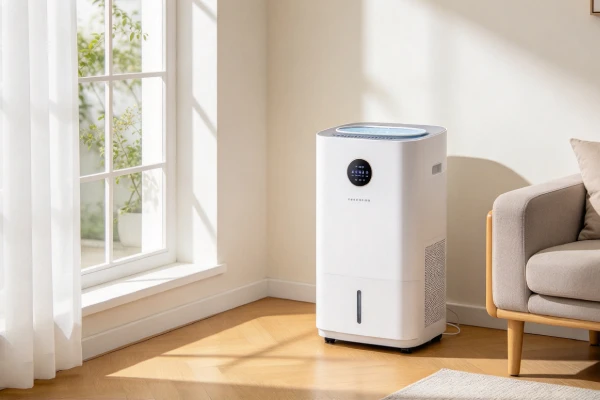
Why It Blinks — Engineering Causes
- Power supply section: Electrolytics dry out; rectifier or regulator fails; board cannot initialize; LED blinks without full power
- Display module: LCD driver degrades; moisture ingress causes segment faults; blinking and distortion result
- Membrane panel: Button contacts oxidize or wear; debounce logic fails; values jump
- Firmware logic: Lock-up after fault; wrong state transitions; display stuck or blinking
- Float sensor: Scale bridges pivot; reed switch oxidizes; false full blink
- Filter sensor: Filter light logic does not clear after replacement; filter lockout disables unit
- Humidity sensor: Polymer element absorbs VOCs and dust; resistance shifts; indicator state mismatched
- Motor winding: Sustained heat degrades insulation; short or open develops; buzz and blink before failure
- Sealed system: Slow charge loss drops coil temperature below freezing; unit runs but no water
Usage Patterns That Make It Worse
| Usage Pattern | Mechanism | Components Affected | Failure Trend |
|---|---|---|---|
| 24/7 continuous duty | Thermal stress; capacitor aging | Board, display, motor | Shorter |
| Power-unstable area | Surge stress | Board, display | Shorter |
| Dusty environment | Bearing contamination; sensor drift | Fan, humidity sensor | Shorter |
| Hard water environment | Scale on float pivot | Float sensor | Shorter |
| High humidity environment | Moisture ingress | Display module, board | Shorter |
| Infrequent cleaning | Dust and scale accumulate | Float, sensor, filter | Shorter |
| Frequent power cycling | Firmware stress; capacitor stress | Board, display | Shorter |
| Unit moved frequently | Connector loosening; display stress | Display, harness | Shorter |
Maintenance Traps Sellers Don’t Mention
- Consumable parts: Filter, tank seals, drain hose
- Hidden cleaning zones: Coil face, condensate pan, float pivot, display panel edge
- Sensor contamination risk: Humidity sensor and float sensor drift with dust and scale
- Descaling cycles: Float and tank need periodic descaling in hard water
- Seal aging: Panel seals harden; moisture ingress to display
- Lubrication needs: Fan bearings are sealed; no user lubrication possible
- Filter lockout: Unit stops fully when the filter needs replacement; light may not clear
- Firmware lock-up: Reset sequence may not clear if fault condition persists
Real-World Scenarios — 6 Common Blinking Cases
Scenario 1 — Power Light Blinks After Outage, Unit Won’t Start
Outage occurs; power returns; unit stays off and blinks faintly. User assumes failure. Hard reset resolves it. No repair is needed.
Scenario 2 — Display Digits Blink and Distort
Display segment driver degrades over months. Digits blink and distort. User cannot set humidity. Replacement of display module or control board required.
Scenario 3 — Red Blinking Light With Empty Bucket
Scale builds on the float pivot. Unit blinks red with an empty bucket. Cleaning the float resolves it. If scale returns, clean every 3–6 months.
Scenario 4 — Air Filter Light Won’t Stop Blinking
Filter replaced. Light continues blinking. Unit runs but does not collect water. Filter sensor or filter logic fault. Sensor replacement or logic reset required.
Scenario 5 — Blinking Before Smoke
Unit plugged in but not turned on. Buzzing develops. Blink follows. Unit emits smoke. Unplug immediately.
Scenario 6 — Lights On, No Water, Blinking
Fan runs, compressor silent, lights on, no water. Blinking may accompany a sensor or board fault. Diagnose compressor, sealed system, and board in order.
Common Misdiagnosis — Don’t Get Overcharged
| Symptom | Common Wrong Conclusion | True Root Cause | Correct Action |
|---|---|---|---|
| Power light blinks, unit off | Unit is dead | Power supply section or firmware lock-up | Hard reset first |
| Display digits blink | Display is fine | Display module or membrane panel fault | Diagnose display circuit |
| Red light blinking with empty bucket | Unit is broken | Float sensor stuck or scaled | Clean or replace float |
| Air Filter light won’t clear | Filter is bad | Filter sensor or logic fault | Check filter sensor or logic |
| Lights on but no water | Unit is working | Fan or compressor not running | Check fan, capacitor, compressor |
| Blinking after power outage | Unit failed during outage | No auto-restart on many models | Press power button |
| Circle light red/green inconsistent | Normal operation | Humidity sensor drift or display logic | Confirm with external hygrometer |
| Blinking + burning smell | Normal operation | Electrical component overheating | Unplug immediately |
6 Field Tests — No Tools Required
Test 1 — Hard Reset Test
Unplug 10+ minutes. Plug in and press power. If it starts, the issue was a lockout state.
See Dehumidifier Says Bucket Full When It’s Empty for the full lockout diagnostic path.
Test 2 — Bucket Seating Test
Remove the bucket. Reinstall it fully. Confirm the blinking stops and the full light clears.
Test 3 — Float Movement Test
Unplug. Remove tank. Lift and release float. If it sticks, clean the pivot with vinegar.
Test 4 — Filter Reset Test
Remove and reinstall the filter. Confirm whether the Air Filter light clears. If not, the filter sensor or logic may be faulty.
Test 5 — Airflow Test
Power on. Place hand over outlet. Weak or no airflow points to filter clog or fan issue. A seized fan can cause blinking and shutdown.
Test 6 — External Hygrometer Comparison
Place a hygrometer next to the unit. After 30 minutes, compare. A difference greater than 10% RH suggests sensor drift and may explain inconsistent indicator lights. For the full humidity sensor diagnostic path, see Dehumidifier Runs Continuously.
How Long Should It Last? — Realistic Expectation
| Usage Intensity | Advertised Lifespan | Technician-Observed Lifespan |
|---|---|---|
| Light (seasonal, <8 hrs/day) | 5–10 years | 3–7 years |
| Medium (daily, 8–16 hrs) | 3–5 years | 2–4 years |
| Heavy (24/7 continuous) | 2–3 years | 1–2 years |
Advertised figures are manufacturer claims. Technician-observed figures reflect field repair records and owner reports. These ranges are general field-observation ranges and owner-reported patterns, not manufacturer specifications. Actual service life varies by model, usage, environment, and maintenance.
Repair Costs — What You’ll Actually Pay
Cost ranges are US-market field-observation estimates and vary by region and service provider. They do not include the diagnostic fee. Add $75–125 if the technician charges for diagnosis.
- Serviceability limits: Sealed system is not field-serviceable; control boards and display modules are often discontinued
- Sealed assemblies: Compressor and coil replacement is not cost-effective
- Labor vs part economics: Labor often exceeds part cost on mid-tier units
- Calibration requirements: Humidity sensor replacement may require recalibration or board-level reset
These are general estimates. Confirm locally before authorizing a repair.
Repair vs Replace — The 60% Rule
- IF repair ≥ 60% of the current price of a comparable new unit — parts plus labor, including any diagnostic fee — replace
- IF two major subsystems failing → replace
- IF unit past median lifespan + internal fault → replace
- IF compressor failure confirmed → replace
- IF sealed system charge loss confirmed → replace
- IF parts backordered with no ETA → replace
- IF unit has caused water damage → replace
Reference points:
- Float sensor cleaning: $0–20 → repair
- Bucket reseating: $0 → repair
- Hard reset: $0 → repair
- Display module replacement: $50–150 → evaluate
- Control board replacement: usually replace on units over 4 years
- Compressor replacement: replace
“Comparable new unit” means a new dehumidifier with similar capacity and features in your region, not the lowest-priced unit on the market.
Designs to Avoid — What to Look For
- No auto-restart after outage
- Indicator LED that only activates in certain modes
- Display panel without moisture sealing
- Non-latching tank
- Rear-mounted intake, tank, and filter
- Non-washable filter with lockout logic
- Peltier-type units sold for cool climates
- Sealed system without service ports
- Control boards without surge protection
- Filter light logic that does not clear after replacement
What Good Design Looks Like
- Material thickness in tank and filter frame
- Thermal margin in compressor and board
- Sealed display panel with conformal coating
- Standardized parts across model years
- Accessible service points for float, filter, and drain
- Replaceable capacitor and sensor with connectors
- Manual reset button independent of the app
- Clear, always-on power indicator
Safer Build Types to Look For
- Compressor-based units with auto-restart
- Front or side intake with wall clearance
- Washable or standard-size filters
- Replaceable float sensor with connector
- Drain path with drip prevention
- Control board with surge protection and replaceable capacitor
- Sealed display with moisture protection
- Units rated for the actual ambient temperature of the space
- Units with a manual reset for lockout states
Brand-Specific Blinking Trends
Based on aggregated owner reports and repair observations across multiple brands and regions. Frequency descriptions are approximate field trends, not manufacturer data.
| Brand | Blinking Frequency (Field Trend) | Most Common Blinking Cause |
|---|---|---|
| Midea | Frequently reported | Float sensor false full |
| GE | Frequently reported | Float sensor, bucket interlock |
| Hisense | Frequently reported | Empty Bucket Light lockout |
| Frigidaire | Frequently reported | Display module fault |
| Whirlpool | Reported | Control board lockout |
| Haier | Frequently reported | Float sensor |
| Toshiba | Frequently reported | Float sensor |
| Black+Decker | Frequently reported | Float sensor |
Key insight: Float sensor false full is the most common blinking cause across brands. Brand matters less than the diagnostic order: reset first, then float, then display.
Real Owner Reports — Blinking Cases
These are examples of owner-reported behavior. They are included as field context, not manufacturer data.
| Reported Pattern | Typical Symptom | Possible Area |
|---|---|---|
| Faint blink + won’t restart | Blink + lockout | Control board lockout |
| Display digits blinking and distorted | Display distortion | Display module fault |
| Red blinking light + beep + unit stops | Blink + full light | Float sensor / bucket |
| Power indicator off in normal mode | Indicator inactive | Mode-specific behavior |
| Circle light red/green at same humidity | Inconsistent indicator | Humidity sensor drift or display logic |
| Blink + buzz before smoke | Blink + burning smell | Electrical fault |
These reports do not apply to every model. They illustrate patterns that owners have reported and that technicians may see in the field. Confirm against your model manual.
On some models, the power indicator is only active in certain modes. This is documented behavior on a small number of models. Confirm in your model manual before treating the indicator as faulty.
Technician Field Notes — Blinking Edition
- Blinking is a symptom, not a diagnosis. Identify what the blink is reporting: power, full tank, filter, error, or fault.
- A faint blink after unplugging the unit during a fault condition often points to a control board lockout state.
- Blink + smoke is a stop-use condition. Unplug immediately.
- Display digit blinking is usually a display module or membrane panel fault, not a sensor fault.
- Air Filter light that will not clear after replacement is a filter sensor or logic fault, not a filter fault.
- Hard water scale is the most frequent cause of false full-tank blinking.
- Circle light red/green inconsistency at the same humidity is usually humidity sensor drift or display logic error.
- On many models, the power indicator is not a reliable status indicator — check the manual for the specific behavior.
Heavy-Use Reality — What to Expect
Under 24/7 continuous duty in a damp, dusty, or hard-water environment:
- Display module moisture ingress becomes more likely
- Float sensor scales within months
- Board capacitor aging accelerates
- Motor winding heat accelerates
- Blinking events become more frequent
- Service interval shortens to 1–2 years
Hidden Ownership Costs — What Sellers Don’t Tell You
- Consumables: Filters, seals, drain hose
- Maintenance parts: Float sensor, capacitor, fan motor, display module
- Downtime: Lost dehumidification; mold risk
- Service labor: Diagnostic fee plus repair labor
- Accessory lock-in: Proprietary filters or connectors
- Water damage: Floor, subfloor, cabinets
Early Warning Signs — Don’t Ignore These
- Performance drift: Longer runtime to reach setpoint
- Cycle time changes: Shorter on-time, longer off-time
- Display changes: Digits blink, distort, or show wrong values
- Indicator changes: Power light unreliable; circle light inconsistent
- Noise changes: Grinding, rattling, humming, buzzing
- Heat increase: Warmer exhaust than usual
- Error frequency: More frequent resets, lockouts, or blinks
- Fan speed anomaly: Speed exceeds highest setting
- Odor: Musty or chemical smell
Risk Rating — Light, Average, Heavy Users
| User Type | Risk Level | Condition |
|---|---|---|
| Light user (seasonal, <8 hrs/day) | Low to Moderate | Basic maintenance; low duty cycle |
| Average user (daily, 8–16 hrs) | Moderate | Expect one repair within median lifespan |
| Heavy user (24/7 continuous) | High | Expect component failure within 1–2 years; replacement likely |
This rating is conditional on usage intensity, environment, and maintenance. It is not a prediction for any individual unit.
Frequently Asked Questions
Why is my dehumidifier power light blinking but won’t turn on?
This is usually a control board lockout, not a hardware failure. Try: (1) unplug the unit for 10+ minutes; (2) plug it back in; (3) press the POWER button; (4) if it doesn’t start, check the bucket is fully seated; (5) if it still blinks, the control board power supply may have failed. Most cases are resolved with a hard reset.
Why are my dehumidifier display digits blinking and distorted?
Blinking or distorted digits usually indicate a display module fault, not a sensor fault. Causes: LCD driver degradation, moisture ingress into the display panel, or component aging. Fix: replace the display module ($50–150) or control board. If the unit is over 4 years old, consider replacement.
Why does my dehumidifier full tank light blink red with an empty bucket?
The float sensor is stuck in the “up” position from mineral scale. Fix: (1) unplug the unit; (2) remove the bucket; (3) locate the float in the rear cavity; (4) clean the float shaft with vinegar; (5) test by lifting the float manually. If cleaning doesn’t work, replace the float switch. Do NOT replace the control board for this symptom. See Dehumidifier Says Bucket Full When It’s Empty for the full path.
Why does my dehumidifier Air Filter light keep blinking after replacement?
This is usually a filter sensor or filter logic fault, not a filter fault. Check the filter is fully seated, perform a hard reset, and check the filter sensor for contamination. If the light persists, the sensor or board logic is faulty. Typical cost: $20–40 for sensor, $115–190 for board-level repair.
Why does my dehumidifier circle light change between red and green?
At the same humidity level, this usually indicates humidity sensor drift or display logic error. Compare the unit reading with an external hygrometer. If the difference is greater than 10% RH, sensor drift is likely. If the reading matches, the display logic is at fault.
Why is my power indicator light not working?
On many models, the power indicator is only active in certain modes. Check the model manual for the specific indicator behavior. If the indicator is supposed to be always on but is not, the control board indicator circuit may be faulty.
What does a blinking light on a dehumidifier mean?
It depends on the light. Full-tank red blink = tank alert. Filter light blink = filter change or logic fault. Power light blink = lockout or power supply issue. Display digit blink = display module fault. Confirm the specific pattern in your model manual.
Why is my dehumidifier blinking and beeping?
Blinking plus beeping usually indicates a full-tank alert or a fault state. See Dehumidifier Beeping for beep-specific diagnostics.
Is it worth repairing a dehumidifier with a blinking light?
Use the 60% rule. Float sensor cleaning, bucket reseating, and hard reset are usually worth it. Display module and control board repairs should be evaluated against unit age. Compressor failure usually means replace. If the display module or control board is discontinued, or the repair cost approaches a comparable new unit, replacement is usually the better choice.
Does this apply to all dehumidifier models?
Blink behavior varies by model. Some models blink on full tank, some blink on filter change, some blink on lockout. Check your model manual for the specific blink patterns. Model manuals are available on the manufacturer support site or in the product documentation provided with the unit.
Final Word — Diagnose First, Replace Last
A dehumidifier with a blinking power light is not a single fault. It is a symptom that can originate from the power supply section, the display module, the firmware, the float sensor, the filter sensor, the humidity sensor, or an electrical fault.
Diagnose in order: reset first, then bucket and float, then filter, then humidity sensor, then display module, then control board, then electrical fault.
Repair is usually justified for float, bucket, filter, and reset faults. Replacement is usually justified for control board, sealed system, and water-damage cases.
Related Guides
This page covers blinking. For the full float sensor diagnostic path, see the Bucket Full guide. For the full beeping diagnostic path, see the Beeping guide. For the full compressor start diagnostic path, see the Compressor Starts Then Stops guide.
- Dehumidifier Beeping
- Dehumidifier Says Bucket Full When It’s Empty
- Dehumidifier Compressor Starts Then Stops
- Dehumidifier Not Collecting Water
- Dehumidifier Leaking Water
- Dehumidifier Fan Not Working
- Dehumidifier Error Codes
- Dehumidifier Repair Cost vs Replacement
Last updated: August 2026
Applies to: Compressor-type and Peltier-type residential dehumidifiers
Page role: Dehumidifier blinking specialty guide — blink type → cause → test → repair decision