
How to Fix a GE Dehumidifier Drain Hose That Won’t Drain
If your GE dehumidifier drain hose is not draining, start by checking the hose connection, the hose itself, and the route to the drain. A kink, blockage, loose fitting, or unsuitable drainage path can interrupt water flow.
A GE dehumidifier drain hose not draining or overflowing can look like two different problems, but they often share the same root cause. If water leaks from the unit even though the hose appears clear, do not assume the hose is the only problem. Check whether water is backing up, leaking at the connection, or triggering the bucket-full protection. These symptoms can have different causes.
Unplug the dehumidifier before disconnecting the hose or cleaning accessible components. Follow the instructions for your specific model. If the hose and connection are clear but water still does not drain, further inspection may be needed before replacing parts.
GE Dehumidifier Troubleshooting: Is This a Drain Hose Problem or Something Else?
Use this section as the starting point for GE dehumidifier troubleshooting. Many symptoms that look like a drain hose issue have a different cause.
| What You See | What It Usually Points To | Related Section |
|---|---|---|
| GE dehumidifier drain hose not draining | Hose blockage, kink, or routing issue | Check the Hose |
| GE dehumidifier overflowing | Tank-level detection, drain pan, or routing issue | Overflow Even With Hose |
| GE dehumidifier leaking from bottom | Internal drain path, drain pan, or fitting | Leaks Around Connection |
| GE dehumidifier leaking around the hose connection | Loose fitting, damaged seal, or mismatched hose | Leaks Around Connection |
| Water backs up into the unit | Uphill routing, kink, or partial blockage | Route the Hose |
| GE dehumidifier beeping and won’t restart | Possible lockout | GE Dehumidifier Reset |
| GE dehumidifier won’t turn on | Power or control issue | GE Dehumidifier Won’t Turn On |
| GE dehumidifier not collecting water | Airflow, humidity, or cooling system | Not Collecting Water |
| GE dehumidifier float switch not working | Tank-level detection | Float Switch Not Working |
| GE dehumidifier E6 error | Sensor-related fault | E6 and EB Error Codes |
| GE dehumidifier EB error code | Different fault | E6 and EB Error Codes |
This page focuses on the drain hose and the drainage path. Each alternate symptom above has its own section below so you can move to the right diagnostic path.
Why a GE Dehumidifier Drain Hose Stops Draining
These are the most common causes when a GE dehumidifier drain hose stops draining.
| Symptom | Likely Cause |
|---|---|
| Water flows slowly or not at all | Biofilm, scale, or a partial blockage inside the hose |
| Water backs up into the unit | Uphill section, sag, or kink in the hose |
| Water drips from the connection | Loose fitting, worn seal, or incorrect hose size |
| Water overflows even with the hose connected | Tank-level detection, drain pan, or drain path issue |
| Unit beeps and does not respond | Possible lockout—not a hose issue |
Important: Do not assume the hose is the problem just because the unit is overflowing. Check where the water is actually coming from first.
How to Check the Drain Hose for Kinks and Blockages
Do this with the unit unplugged.
- Unplug the unit.
- Disconnect the drain hose from the unit.
- Inspect the hose visually along its full length.
- Look for kinks, sharp bends, sags, or visible debris.
- Run water through the hose (in a sink or bucket) to check flow.
- If flow is slow or blocked, clean or replace the hose.
- If flow is clear, check the unit’s drain fitting for blockage.
How to tell hose blockage from unit-side blockage:
- If water flows freely through the hose on its own, the hose is clear. The issue may be at the unit’s drain fitting or drain pan.
- If water does not flow through the hose on its own, the hose is blocked or kinked.
Do not mix vinegar and bleach. This combination releases toxic chlorine gas. Rinse with clean water first. If a cleaning solution is needed, follow the hose material and the unit’s manual, and never mix different cleaning agents.
How to Route a GE Dehumidifier Drain Hose Correctly
Gravity drainage depends on the hose staying lower than the drain fitting and sloping continuously toward the drain.
General routing principles:
- Keep the hose on a continuous downward slope from the unit to the drain.
- Avoid uphill sections, sags, and sharp bends.
- Keep the hose as short as practical.
- Confirm the hose end is not submerged in standing water.
- Confirm the hose is not pinched behind the unit.
Note on model differences: Specific slope requirements vary by model. Check your manual for the manufacturer’s guidance on drain hose routing.
Why Water Leaks Around the Drain Hose Connection
If water is leaking at the connection point rather than from the hose itself, the cause is usually one of these:
- The hose is not fully seated on the fitting.
- The fitting is cracked or worn.
- The hose size does not match the fitting.
- The seal or gasket inside the connection is damaged.
What you can check safely:
- Unplug the unit.
- Inspect the connection point for visible cracks or wear.
- Confirm the hose is fully pushed onto the fitting.
- Check for a missing or damaged seal.
- Reconnect and test with the unit running.
If the fitting is cracked, replacement is usually a small part. If the hose size does not match, use a hose specified for your model.
If water is leaking from the bottom of the unit rather than at the connection: The source may be the internal drain pan or a fitting inside the housing. On most models, these parts are not user-accessible. If you cannot see the leak source without disassembly, stop and contact GE support or a qualified technician.
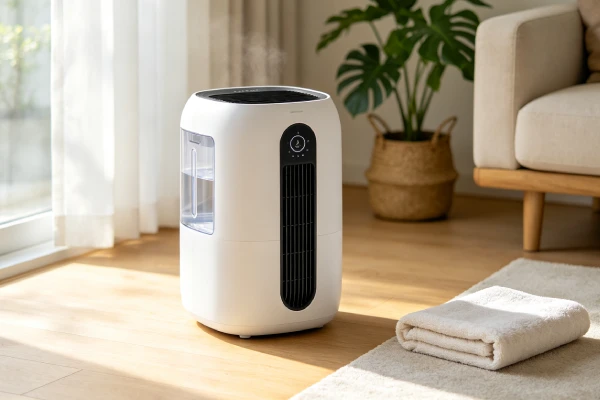
GE Dehumidifier Overflows Even With the Drain Hose Connected
If the unit overflows even though the hose is connected and appears clear, the issue may not be the hose. Check in this order:
- Confirm the hose is draining freely (see the hose check above).
- Confirm the hose is routed downhill with no kinks or sags.
- Confirm the hose end is not submerged.
- If the hose and routing are clear, check the tank-level detection.
Tank-level detection: A stuck float or misreading tank sensor can cause the unit to keep running past the full point, which may look like a drain hose problem. This is a different diagnostic path. See the section below on the float switch, or the tank-level guide for how to check whether the float moves freely.
Do not bypass the tank-level protection, and do not operate the unit with exposed electrical components.
Water Spills When Removing the Hose or Water Bucket
On some units, residual water in the drain pan or hose can spill when you disconnect the hose or remove the bucket. This is a common behavior on units without a check valve or anti-spill mechanism.
What to do:
- Turn off the unit and wait 5–10 minutes before disconnecting.
- Have a towel ready to catch drips.
- Keep the hose end elevated above the drain pan while disconnecting.
- Do not tilt the unit while disconnecting.
Note on model differences: Not all GE models behave the same way. Some units have a different drain pan design. Check your manual for guidance specific to your model.
GE Dehumidifier Float Switch Not Working
If your GE dehumidifier float switch is not working, the unit may overflow or show a full-bucket warning with an empty tank. This is often mistaken for a drain hose problem. Check this symptom separately.
What to check:
- Confirm the hose is clear and draining (see the hose check above).
- Unplug the unit.
- Remove the bucket.
- Locate the float mechanism (per the manual).
- Gently press the float down and release it—it should move freely.
If the float is stuck: Clean the accessible parts per the manual if you see visible scale or debris. Do not bypass the float or operate the unit with exposed electrical components.
If the float moves freely but the overflow continues: The issue may involve the reed switch, wiring, or control board. Professional diagnosis may be needed. See the related float switch guide for the full diagnostic path.
GE Dehumidifier Reset: When the Unit Beeps and Won’t Restart
If the unit beeps and does not respond after the bucket is emptied, this may indicate a lockout. This is not a drain hose issue.
What to check first:
- Confirm the bucket is fully seated.
- Confirm the float is not stuck in the up position.
- Confirm the unit has power (lights/display).
- Check the manual for the GE dehumidifier reset procedure specific to your model.
- If the unit beeps and does not respond, note the exact behavior and any error codes.
What to do next:
- Follow the manufacturer’s reset procedure in the manual.
- Do not assume a particular button combination works for every model.
- If the unit still does not respond after following the manual, contact GE support or a qualified technician.
GE Dehumidifier Won’t Turn On
If your GE dehumidifier won’t turn on, this is a power or control issue—not a drain hose issue. Check this separately.
What to check first:
- Confirm the outlet is working (test with another device).
- Confirm the power cord is not damaged.
- Confirm the plug is fully inserted.
- Check the manual for the reset procedure for your model.
- Confirm the tank is seated and the tank sensor is not blocking operation.
When to stop and seek service: If the unit still does not turn on after these checks, do not open the housing or test internal wiring. Contact GE support or a qualified technician.
GE Dehumidifier Not Collecting Water
If your GE dehumidifier is not collecting water, this is a different diagnostic path from the drain hose. The unit may be running but producing no condensation, or condensation may not be reaching the tank or drain.
Common causes:
- Room humidity already below the setpoint.
- Airflow restricted by a clogged filter or blocked vents.
- Coils frozen.
- Tank-level detection preventing operation.
- Cooling system issue.
What to check first:
- Confirm the actual room humidity with a separate hygrometer.
- Confirm the airflow at the outlet.
- Confirm the filter is clean.
- Confirm the tank is seated and the float moves freely.
- Confirm the room temperature is within the unit’s rated range.
When to stop and seek service: If the room humidity is above the setpoint, airflow is normal, and the unit still collects no water, the cooling system may need professional diagnosis. See the related “not collecting water” guide.
GE Dehumidifier E6 Error and EB Error Code
If your GE dehumidifier shows a GE dehumidifier E6 error or a GE dehumidifier EB error code, this is a sensor-related or control-related fault—not a drain hose issue.
What to check first:
- Check the manual for the specific meaning of the code.
- Confirm the tank is seated and the float is not stuck.
- Try the reset procedure in the manual.
- Note the exact conditions when the code appears.
When to stop and seek service: If the code does not clear after following the manual, contact GE support or a qualified technician. Do not open the control board housing or test wiring yourself.
How to Test the Drainage System After Cleaning
After cleaning or re-routing, test the system before normal operation.
- Reconnect the hose fully to the fitting.
- Confirm the hose has a continuous downhill slope.
- Pour a small amount of water into the drain fitting.
- Watch whether water exits the hose end cleanly.
- Plug the unit back in and run it under normal conditions.
- Check the connection point for leaks after the first few minutes.
What a good result looks like: Water flows freely, no leaks at the connection, and the unit drains normally under operation.
When the Drain Hose Is Clear but the Unit Still Won’t Drain
If the hose is clear, the routing is correct, and the connection is tight, but the unit still does not drain, the issue may be internal.
Possible internal causes:
- Drain fitting or internal channel obstruction.
- Drain pan issue.
- Tank-level detection preventing normal drainage.
- Internal pump issue (on pump-equipped models).
What you can check safely:
- Confirm the drain fitting is not visibly blocked.
- Confirm the tank is seated correctly.
- Confirm the float moves freely (if accessible per the manual).
- Confirm the unit is in the correct drain mode.
When to stop and seek service: If the hose and connection are clear and the unit still does not drain, do not open the housing or test internal wiring. Contact GE support or a qualified technician.
GE Dehumidifier Drain Hose Repair Cost and When to Replace It
Repair and replacement costs depend on the specific issue and your model. If the issue is not the hose itself, the GE dehumidifier repair cost will depend on the actual part involved.
| Situation | What to Consider |
|---|---|
| Hose is partially blocked | Cleaning may resolve it |
| Hose is completely blocked or kinked beyond use | Replacement is usually the practical choice |
| Fitting is loose or worn | Tighten, or replace the fitting if damaged |
| Drain pan or internal channel is blocked | Professional inspection may be needed |
| Tank-level detection is involved | See the float switch section above |
| Unit under warranty | Contact GE before authorizing any repair |
What to ask before authorizing a repair:
- What exactly failed?
- Is the part available for your model?
- What is the total cost, including parts, labor, and any diagnostic fee?
- Is there a warranty on the repair?
- Is the repair cost reasonable compared with a comparable new unit?
Cost note: Actual costs vary by region, model, and service provider. This guide does not quote fixed prices. Get a written estimate before authorizing any repair, and compare it with the price of a comparable new unit in your area.
Frequently Asked Questions
Why is my GE dehumidifier drain hose not draining?
Common causes include biofilm or scale inside the hose, a kink or sag in the hose, an uphill section, or a blockage at the unit’s drain fitting. Start by checking the hose and its routing, then check the connection point, and if everything is clear, check the tank-level detection.
How do I check whether the drain hose is clogged?
Disconnect the hose from the unit (with the unit unplugged) and run water through it into a sink or bucket. If water flows freely, the hose is clear. If it flows slowly or backs up, clean or replace the hose. Never mix vinegar and bleach—this combination releases toxic chlorine gas.
Why does my GE dehumidifier leak when the drain hose is connected?
Common causes are a loose fitting, a damaged seal, a cracked fitting, or a hose that does not match the fitting size. Check the connection point for visible wear, confirm the hose is fully seated, and confirm the hose and fitting sizes match. If the leak is from the bottom of the unit rather than the connection, the source may be internal.
Why does my GE dehumidifier overflow even with a clear drain hose?
If the hose is clear and routed correctly, the issue may be tank-level detection, a drain pan problem, or an internal blockage. A stuck float or misreading tank sensor can cause the unit to keep running past the full point. See the float switch section above for how to check this.
When should I replace the drain hose instead of cleaning it?
Replace the hose if it has visible cracks, permanent kinks, or a smell that does not clear after cleaning. If cleaning restores normal flow, cleaning is usually the better first step. Replacement is a small-part repair, and the correct hose depends on your model.
Does the GE dehumidifier reset procedure help with drain hose problems?
No. The GE dehumidifier reset procedure is for control-related issues like a lockout after a full-tank event. If the unit beeps and won’t restart, that is a separate symptom from the drain hose. Check the manual for the reset steps, but do not expect a reset to fix a physical hose blockage.
What do the GE dehumidifier E6 error and EB error code mean?
The GE dehumidifier E6 error and EB error code refer to sensor-related and control-related faults, not to the drain hose. Check the model’s error code guide for the specific meaning and diagnostic steps.
Why is my GE dehumidifier leaking from bottom?
A leak from the bottom of the unit usually points to the internal drain path, the drain pan, or a fitting inside the housing. On most models, these parts are not user-accessible. If you cannot see the leak source without disassembly, contact GE support or a qualified technician.
Why won’t my GE dehumidifier turn on?
If your GE dehumidifier won’t turn on, this is a power or control issue—not a drain hose issue. Check the outlet, the power cord, and the manual’s reset procedure. If the unit still does not respond, contact GE support or a qualified technician.
Why is my GE dehumidifier not collecting water?
If the unit runs but collects no water, this is a different diagnostic path from the drain hose. It may involve airflow, room humidity, the tank-level sensor, or the cooling system. See the “not collecting water” section above or the related guide.
Is the GE dehumidifier float switch not working the same as a drain hose problem?
No. The float switch controls the tank-level detection. When it is not working, the unit may overflow or show a full-tank warning with an empty bucket. That is a separate diagnostic path from the drain hose. See the float switch section above.
What is the best way to troubleshoot a GE dehumidifier?
For a general starting point, use the GE dehumidifier troubleshooting table above, which covers the most common symptom patterns across models. If your symptom is specifically about the drain hose or drainage path, this page is the correct starting point.