
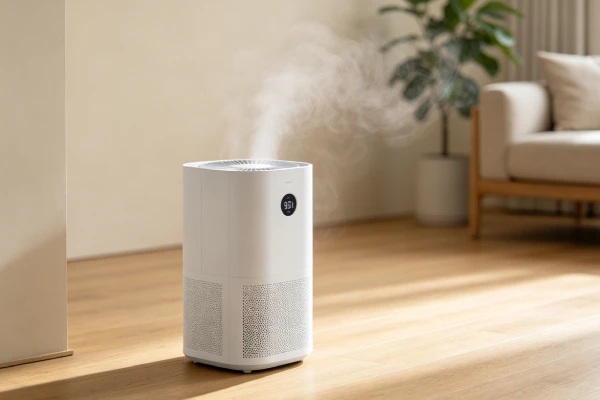
If your Midea dehumidifier keeps shutting off, the first question is not “what failed?” It is: is this actually abnormal?
Many Midea dehumidifiers are designed to shut off or pause under normal conditions — for example, when the bucket is full, when the humidity setpoint is reached, during auto-defrost, or during a short compressor protection delay. These features vary by model, so confirm against your model manual.
Only after ruling out normal behavior should you move to real fault diagnosis.
This guide covers:
- Normal shutoff behavior vs abnormal shutoff
- Shutoff diagnosis by symptom
- Midea model and product-line differences
- Auto-restart behavior by model
- When to repair and when to replace
⚠️ Safety warning: If the unit trips a breaker, smells like burning, has visible electrical damage, or shows melted wiring, unplug it immediately. Do not continue using it until it has been inspected by a qualified technician.
Evidence, Source, and Scope Note
The shutoff behaviors, model differences, and diagnostic steps on this page are based on:
- Midea dehumidifier user manuals and official product documentation
- General field observations of Midea residential dehumidifiers
- Owner reports tied to Midea dehumidifier models
They are not manufacturer statistical specifications and are not generalized from other brands.
Scope: This guide applies to Midea residential dehumidifiers. Shutoff behavior, error codes, auto-restart, and control logic can differ by model, product line, and production year. Always confirm against your model manual.
Is Your Midea Dehumidifier Actually Shutting Off Abnormally?
Before diagnosing a fault, confirm which of these you are seeing.
| What You See | What It Usually Means | Is It a Fault? | Next Step |
|---|---|---|---|
| Unit stops after reaching the humidity setpoint | Normal humidity control | No | Confirm with an external hygrometer |
| Unit stops when the bucket is full | Normal full-tank protection | No | Empty and reseat the bucket |
| Unit pauses, then resumes during cold conditions | Auto-defrost cycle | Usually no | Wait and observe |
| Unit pauses for a few minutes, then restarts | Compressor protection delay on many models | Usually no | Wait a few minutes and confirm in manual |
| Unit stops after a power outage and does not restart | Auto-restart behavior — model dependent | Usually no | Press the power button |
| Unit cycles on and off repeatedly without reaching setpoint | Possible thermal, airflow, or sensor issue | Possibly yes | Check airflow and ventilation |
| Unit shuts off and never restarts | Possible component failure | Yes | Hard reset, then diagnose |
Start here: If the unit stops only once, then runs normally again, it may be normal behavior. If it repeats, or if it never restarts, move to the shutoff diagnosis sections below.
Why Does My Midea Dehumidifier Keep Shutting Off?
Use the section that matches what you see.
It Shuts Off When the Bucket Is Full
What you see: Unit stops; full tank indicator on; bucket may or may not be visibly full.
What it usually means: Normal full-tank protection. Most Midea dehumidifiers stop the compressor when the bucket reaches the full level.
What to check:
- Confirm the bucket is seated correctly.
- Confirm the float moves freely.
- Clean the float and pivot area if there is scale.
- Confirm the bucket sensor or float switch is not stuck.
- Check your model manual for any model-specific tank or float code.
Model note: Some Midea models may display a model-specific tank or float code — for example, a P2-type code on certain models. Check your model manual for the exact code meaning before replacing any part.
When it is a fault: If the full tank light stays on with an empty bucket, or if the unit keeps stopping even with a correctly seated and empty bucket, the float sensor or tank sensor may be faulty.
Typical decision: Clean or replace the float sensor. This is usually a low-cost repair.
It Shuts Off After Reaching the Humidity Setting
What you see: Unit runs for a while, then stops; humidity in the room is at or below the setpoint.
What it usually means: Normal humidity control. Many Midea models stop the compressor when the room reaches the humidity setpoint, then restart when humidity rises again.
What to check:
- Confirm the actual room humidity with an external hygrometer.
- Confirm the setpoint on the unit.
- Check whether the unit is in a mode that automatically sets humidity.
- Check whether the unit has a continuous mode that ignores the setpoint.
Comfort mode note: On some Midea models, Comfort mode automatically sets the target humidity. In this mode, the unit may stop earlier than expected because the setpoint is being managed automatically.
When it is a fault: If the unit stops even when the room humidity is well above the setpoint, the humidity sensor may be drifting or the control board may not be processing the reading correctly.
Typical decision: Confirm with an external hygrometer before replacing the sensor or board.
It Shuts Off for a Few Minutes and Then Starts Again
What you see: Unit runs, stops, waits a few minutes, then starts again. May repeat.
Possible causes:
- Compressor protection delay
- Auto-defrost cycle
- Thermal overload
- Restricted airflow
- High ambient temperature
- Humidity sensor drift
How to narrow it down:
- Note how long the unit runs before stopping.
- Note how long it stays off before restarting.
- Check clearance around the unit — many manuals recommend at least 12 inches.
- Check the filter and airflow path.
- Compare the room temperature with the operating range in your model manual. If the room is below the rated range, the unit may pause or shut off by design.
- Check whether the pause matches a defrost cycle.
Protection delay note: Many Midea manuals describe a short delay — often around a few minutes — before the compressor restarts. Confirm the exact delay in your model manual.
When it is a fault: If the unit cycles on and off without reaching the setpoint, or if the off-time gets longer over time, this may indicate thermal overload or a developing component issue.
Typical decision: Address airflow and ventilation first. If the cycle persists with good airflow and normal ambient temperature, a technician should check refrigerant and compressor condition.
It Shuts Off and Never Starts Again
What you see: Unit stops and does not restart; may be silent, may hum, may show no display.
Possible causes:
- Power supply issue
- Control board failure
- Fan motor failure
- Compressor failure
- Sensor fault that keeps the unit in a lockout state
- Tripped breaker or GFCI
What to check first:
- Confirm outlet power.
- Check GFCI and breaker.
- Inspect the power cord.
- Perform a hard reset — unplug for 10+ minutes.
- Check the bucket, float, and sensor.
- Try to spin the fan blade by hand.
- Listen for compressor hum.
When it is a fault: If the unit remains dead after confirming power, cord, bucket, and sensor, a component has likely failed. Diagnose fan, capacitor, control board, and compressor in that order.
Typical decision: Sensor and capacitor repairs are usually worth it. Fan motor and control board repairs should be evaluated. Compressor failure usually means replace.
Midea Dehumidifier Models Can Behave Differently
Do not assume every Midea dehumidifier uses the same control logic, tank design, or shutoff behavior. Different product lines and generations can behave differently.
| Model / Product Type | What Matters for Shutoff Diagnosis |
|---|---|
| Midea Cube | Bucket interface, pump behavior, drainage design, control logic |
| EasyDry and similar standard models | Standard bucket and control behavior |
| Pump-equipped models | Pump-related shutdown, drainage faults, drain-related error codes |
| Older models | Different error codes, sensor types, reset procedures |
| Newer smart models | App-based control, scheduling, and humidity setpoint behavior |
Why this matters: Different Midea generations may use different humidity sensors, float designs, control board firmware, and error-code sets. The same symptom — for example, “shuts off after a few minutes” — can mean a normal protection delay on one model and a thermal or airflow issue on another.
Check the model number before replacing a component. Confirm shutoff behavior, auto-restart, and error codes against your model manual.
Does Your Midea Dehumidifier Have Auto-Restart?
Auto-restart behavior varies by Midea model. Do not assume every Midea dehumidifier behaves the same way after a power outage.
How to test your model:
- Run the unit normally.
- Unplug the unit for about 10 seconds.
- Plug it back in.
- Wait a short time and observe.
What the result means:
- Unit restarts automatically → your model has auto-restart.
- Unit stays off until you press the power button → your model does not auto-restart.
If your model does not auto-restart: Press the power button after power returns. If pressing power starts the unit, this is normal model behavior, not a repair issue.
Model examples: Some Midea Cube and newer smart models may behave differently from older EasyDry-style models. Confirm against your manual.
Always check your model manual for the exact auto-restart behavior of your unit.
Common Causes of Abnormal Shutoff in Midea Dehumidifiers
| Area | What to Watch | Severity | Buyer Impact |
|---|---|---|---|
| Full tank / float sensor | False full, stuck float, scale | Medium | Unit stops early or won’t restart |
| Humidity sensor | Drift, contamination | Low–Medium | Unit stops early or runs continuously |
| Compressor protection | Thermal overload, delay | Medium–High | Unit cycles on/off |
| Airflow | Filter clog, blocked vents | Medium | Overheating, cycling |
| Fan motor | Bearing wear, seizure | Medium–High | No airflow, unit stops |
| Control board | Lockout, component failure | Medium–High | Unit won’t restart |
| Compressor | Winding failure, refrigerant loss | High | Unit stops permanently |
| Power supply | Outlet, GFCI, breaker, cord | Low | Unit appears dead |
Start here: Rule out airflow, sensor, and float issues before condemning the compressor.
Diagnostic Decision Tree
Step 1: Is the unit shutting off once, or repeatedly?
- Once, then normal operation → likely normal behavior. Confirm setpoint, bucket, and defrost.
- Repeatedly → go to Step 2.
Step 2: Is the bucket full or is the full tank light on?
- Yes → Check bucket seating and float sensor.
- No → go to Step 3.
Step 3: Is the room at or below the humidity setpoint?
- Yes → Normal humidity control. Confirm with an external hygrometer.
- No → go to Step 4.
Step 4: Does the unit pause for a few minutes and then restart?
- Yes → Possible compressor protection delay, auto-defrost, or thermal overload. Check airflow and ventilation.
- No → go to Step 5.
Step 5: Does the unit restart after a hard reset?
- Yes → Lockout state. Monitor for recurrence.
- No → Diagnose fan, capacitor, control board, and compressor in order.
DIY Checks You Can Do Yourself
1. 5-Minute Power Reset
Symptom: Unit beeps and won’t restart; unresponsive after full-tank error.
What to do:
- Unplug the unit for at least 5 full minutes.
- Plug it back in and press the power button.
- If it starts, the issue was a temporary control lock-up.
Cost: $0.
2. Bucket and Float Check
Symptom: Unit stops with full tank light on, even when the bucket looks empty.
What to do:
- Unplug the unit.
- Remove the bucket.
- Inspect the float and pivot.
- Clean scale with vinegar if needed.
- Reinstall the bucket and confirm it seats correctly.
Cost: Low.
3. Filter and Airflow Check
Symptom: Unit cycles on and off; weak airflow.
What to do:
- Unplug the unit.
- Remove and clean the filter.
- Confirm at least 12 inches of clearance around the unit.
- Confirm the vents are not blocked.
Cost: Low.
4. External Hygrometer Check
Symptom: Unit stops early, or runs continuously and never reaches setpoint.
What to do:
- Place an external hygrometer next to the unit.
- Wait 30 minutes.
- Compare readings.
- If the difference is greater than 10% RH, the humidity sensor may be drifting.
Cost: Low.
Professional Repairs
Float Sensor Replacement
Symptom: False full reading; unit stops even with an empty bucket.
Typical cost: Low to medium. Confirm locally.
Worth it? Usually worth it. This is a low-cost repair.
Humidity Sensor Replacement
Symptom: Unit stops early or runs continuously; reading does not match an external hygrometer.
Typical cost: Medium. Confirm locally.
Worth it? Usually worth it on units under about 2 years old.
Capacitor Replacement
Symptom: Compressor hums but won’t start; unit may shut off.
Typical cost: Low to medium. Confirm locally.
Worth it? Often yes. This is usually the most cost-effective repair.
Safety note: Capacitors can hold a dangerous electrical charge even after the unit is unplugged. Do not attempt capacitor replacement unless you are qualified to discharge and test capacitors safely.
Fan Motor Replacement
Symptom: Fan not spinning; grinding noise; unit shuts off.
Typical cost: Medium. Confirm locally.
Worth it? If the unit is under about 2 years old and the repair is below the 60% threshold, repair is often worth it. On older units, compare against the current price of a comparable new unit.
Control Board Replacement
Symptom: Unit will not restart after reset; error codes return immediately.
Typical cost: Medium to high. Confirm locally.
Worth it? Model dependent. As a general guide, if the unit is more than about 4 years old and the repair approaches 60% of a comparable new unit, replacement is usually the better choice. Before condemning the board, confirm power, cord, float sensor, and error codes have been checked.
Compressor Replacement
Symptom: Unit runs but no cooling; confirmed compressor failure.
Typical cost: High. Confirm locally.
Worth it? Usually not. Confirm the capacitor is good and the unit is not in a lockout state and the thermal overload has not tripped before condemning the compressor.
Field Verification Tests
Test 1: Hard Reset Test
- Time: 10+ minutes
- Tools: None
Steps:
- Unplug the unit.
- Remove the bucket.
- Wait 10+ minutes.
- Reinstall the bucket.
- Plug in and press power.
Decision:
- Unit starts → Lockout state cleared.
- Unit does not start → Continue diagnosis.
Test 2: Float Sensor Test
- Time: 5 minutes
- Tools: None
Steps:
- Unplug the unit.
- Remove the bucket.
- Lift and release the float.
- Confirm it drops freely.
Decision:
- Float drops freely and full tank light turns off → sensor is working.
- Float is stuck or light stays on → clean or replace sensor.
Test 3: Thermal / Cycling Test
- Time: 30–60 minutes
- Tools: None
Steps:
- Run the unit and note run time before shutoff.
- Note off time before restart.
- Check clearance and filter.
- Compare room temperature with the operating range in your model manual.
Decision:
- Pauses briefly, then resumes → likely normal protection or defrost.
- Cycles repeatedly without reaching setpoint → possible thermal overload. Check airflow and ventilation.
Test 4: Auto-Restart Test
- Time: 1 minute
- Tools: None
Steps:
- Run the unit normally.
- Unplug for 10 seconds.
- Plug back in.
Decision:
- Unit restarts automatically → has auto-restart.
- Unit stays off → press power button. Confirm behavior in your model manual.
Test 5: Fan Spin Test
- Time: 5 minutes
- Tools: May need access panel
Steps:
- Unplug the unit.
- Access the fan blade.
- Gently spin it with your finger.
Decision:
- Spins freely → Motor electrical issue — capacitor or board.
- Stiff or won’t spin → Bearing seizure — fan motor replacement likely.
Common Misdiagnosis Patterns
Misdiagnosis 1: “The unit is broken — it keeps shutting off”
| Item | Detail |
|---|---|
| Symptom | Unit stops periodically |
| Wrong conclusion | Unit has failed |
| True root cause | Normal humidity setpoint control, full tank protection, or auto-defrost |
| Correct action | See the “Is Your Midea Dehumidifier Actually Shutting Off Abnormally?” section |
Misdiagnosis 2: “Compressor failed — replace unit”
| Item | Detail |
|---|---|
| Symptom | Unit runs but no water collected |
| Wrong conclusion | Compressor failure |
| True root cause | Fan motor seized, capacitor failed, or airflow restriction |
| Correct action | Check airflow, fan, and capacitor before condemning the compressor |
Misdiagnosis 3: “Control board failed — replace board”
| Item | Detail |
|---|---|
| Symptom | Unit won’t restart; beeping |
| Wrong conclusion | Control board replacement |
| True root cause | Control lock-up during reset |
| Correct action | 5-minute reset first |
Misdiagnosis 4: “No auto-restart means the unit is broken”
| Item | Detail |
|---|---|
| Symptom | Unit off after power outage |
| Wrong conclusion | Unit failed during outage |
| True root cause | Model does not have auto-restart |
| Correct action | Press power button; see the auto-restart section |
Misdiagnosis 5: “The unit shuts off because the sensor is bad”
| Item | Detail |
|---|---|
| Symptom | Unit stops early |
| Wrong conclusion | Sensor replacement |
| True root cause | Normal setpoint control or comfort mode |
| Correct action | Confirm room humidity with an external hygrometer |
Real-World Diagnostic Scenarios
Scenario 1: Shuts Off, Beeps, Won’t Restart
Situation: Unit stopped after a full tank error. It beeps and will not restart.
Likely cause: Control lock-up during reset.
Fix: 5-minute to 10-minute hard reset. Cost: $0.
Alternative if misdiagnosed: Control board replacement.
Lesson: Try the reset before replacing the board.
Scenario 2: Shuts Off After Reaching Setpoint
Situation: Unit runs for a while, stops, restarts later. Room humidity is at the setpoint.
Likely cause: Normal humidity control.
Fix: None needed.
Lesson: Not every shutoff is a fault. Confirm with an external hygrometer.
Scenario 3: Cycles On and Off Repeatedly
Situation: Unit runs 15–30 minutes, stops, restarts, repeats.
Likely cause: Compressor protection delay, auto-defrost, or thermal overload.
Fix: Check airflow and ventilation first. If the cycle persists with good airflow and normal ambient temperature, a technician should check refrigerant and compressor condition.
Lesson: Persistent cycling should be diagnosed, not ignored.
Scenario 4: Shuts Off After a Power Outage
Situation: Power went out briefly. Unit stayed off after power returned.
Likely cause: Model does not have auto-restart.
Fix: Press the power button. Confirm behavior in your model manual.
Lesson: See the auto-restart section. Do not assume all Midea units behave the same way.
Scenario 5: Shuts Off and Never Restarts
Situation: Unit stopped and will not restart. Hard reset did not work.
Likely cause: Fan motor, capacitor, control board, or compressor issue.
Fix decision: Diagnose in order: power, cord, bucket, sensor, capacitor, fan, board, compressor. Evaluate repair vs replacement against the 60% threshold.
Lesson: Diagnose components in order before condemning the compressor.
Why Shutoff Happens
Normal Humidity Control
- Component: Humidity sensor and control board
- Cause: Unit stops when the setpoint is reached
- Consequence: Normal behavior, not a fault
Normal Full Tank Protection
- Component: Float sensor and control board
- Cause: Unit stops when the bucket is full
- Consequence: Normal behavior, not a fault
Auto-Defrost
- Component: Coil temperature sensor and control board
- Cause: Unit pauses the compressor during cold conditions
- Consequence: Normal behavior, not a fault
Compressor Protection Delay
- Component: Control board logic
- Cause: Many models include a short delay before restarting the compressor
- Consequence: Normal behavior, not a fault
No Auto-Restart
- Component: Control board — power-loss detection
- Cause: Model-dependent; some Midea models omit power-loss memory
- Consequence: Unit stays off after a power outage until you press the power button. Check your model manual.
Thermal Overload
- Component: Compressor thermal overload protector
- Cause: Overheating from low refrigerant, poor ventilation, or high ambient temperature
- Consequence: Unit cycles on and off. If poor ventilation or high ambient temperature is the cause, the condition may be correctable. If low refrigerant is the cause, the sealed system is not field-serviceable and replacement is usually the better choice.
Fan Motor Failure
- Component: Sleeve bearing motor
- Cause: Lubricant degrades; no oil ports
- Consequence: No airflow; unit may shut off
Control Board Failure
- Component: Control board
- Cause: Component degradation or power surge. Power surges can damage the control board even if the unit is plugged into a working outlet. A surge protector can reduce this risk.
- Consequence: Unit will not restart or behaves unpredictably
Compressor Failure
- Component: Hermetic compressor
- Cause: Winding insulation breakdown or refrigerant loss
- Consequence: Unit runs but no cooling; may stop permanently
Float Sensor Scale
- Component: Mechanical float switch
- Cause: Mineral scale accumulates on pivot
- Consequence: False full or false empty readings
Usage Patterns That Accelerate Shutoff Issues
| Usage Pattern | What It Accelerates |
|---|---|
| 24/7 operation | Fan bearing failure, capacitor degradation, thermal stress |
| Hard water | Float sensor scale |
| Dusty environment | Filter clogging, fan bearing wear, sensor drift |
| Power-unstable areas | Control board failures, auto-restart frustration |
| Poor ventilation | Thermal overload, compressor stress |
Maintenance Traps Sellers Don’t Mention
- The filter needs cleaning or replacement every 3–6 months.
- The float sensor needs descaling every 3–4 months in hard water areas.
- Midea filters are often fragile. Handle with care.
- Control lock-up is common. The 5-minute reset is the fix.
- Auto-restart behavior varies by model. Check your model manual.
- Some shutoff behavior is normal — setpoint, full tank, defrost, protection delay.
- Midea parts availability is moderate. Check before committing to major repairs.
Realistic Service Life Expectation
| Usage Intensity | Typical Observation Range |
|---|---|
| Light (seasonal) | Several years with basic maintenance |
| Medium (daily, 8–16 hrs) | Shorter interval; fan and sensor issues become more common |
| Heavy (24/7 continuous) | Shorter lifespan; fan motor and compressor issues become more likely |
These ranges are based on general field observations and owner reports for Midea dehumidifiers. They are not manufacturer specifications and should not be treated as guaranteed lifespans. Actual results vary by model, environment, and maintenance.
Repair Difficulty and Cost Reality
| Component | Difficulty | Labor Time | Typical Cost Range |
|---|---|---|---|
| Hard reset | Easy | 10 min wait | $0 |
| Filter cleaning | Easy | 5 min | Low |
| Float sensor cleaning | Easy | 30–60 min | Low |
| Float sensor replacement | Moderate | 15–30 min | Low–Medium |
| Capacitor replacement | Moderate | 10–15 min | Low–Medium |
| Fan motor replacement | Moderate | 45–90 min | Medium |
| Control board replacement | Moderate | 20–40 min | Medium–High |
| Compressor replacement | Not field-serviceable | 2–4 hours | High |
Diagnostic fee reality: Many service calls charge a diagnostic fee even if you proceed with repair. Factor this into the repair vs replace decision.
Repair vs Replace Decision Guide
Step 1: Can you fix it for free?
- Normal setpoint stop → no repair.
- Full tank stop → empty and reseat the bucket.
- Auto-defrost or protection delay → no repair.
- Lock-up → hard reset.
- No auto-restart → press power button; confirm in your model manual.
- If no → go to Step 2.
Step 2: What is the repair quote?
- Float sensor cleaning or replacement → usually repair.
- Capacitor replacement → usually repair.
- Humidity sensor replacement → usually repair on units under about 2 years old.
- Fan motor replacement → evaluate against unit age and 60% threshold.
- Control board replacement → usually replace on units over about 4 years old.
- Compressor replacement → usually replace after confirming capacitor is good and the unit is not in a lockout state.
Step 3: Is repair less than 60% of a new unit?
As a general rule, if the quoted repair cost — parts plus labor, including any diagnostic fee — approaches 60% of the current price of a comparable new unit in your region, replacement may be more practical. “Comparable new unit” means a new dehumidifier of the same capacity and similar features. Also factor in parts availability, warranty status, and the risk of water damage while the unit is down.
| Repair Type | Typical Cost Range | Recommendation |
|---|---|---|
| Hard reset | $0 | Always try first |
| Filter cleaning | Low | Always repair |
| Float sensor cleaning | Low | Always repair |
| Float sensor replacement | Low–Medium | Usually repair |
| Capacitor replacement | Low–Medium | Usually repair |
| Humidity sensor replacement | Medium | Usually repair on units under about 2 years old |
| Fan motor replacement | Medium | Evaluate against unit age and 60% threshold |
| Control board replacement | Medium–High | Usually replace on units over about 4 years old |
| Compressor replacement | High | Usually replace after confirming capacitor is good and not in lockout |
Early Warning Signs Before Major Repair
| Sign | What It Means | Time Frame |
|---|---|---|
| Grinding from fan | Fan bearing wear | Weeks |
| Buzzing from compressor | Capacitor failing | Weeks to months |
| Beeping on restart | Control lock-up risk | Immediate |
| Water collection declining | Fan or compressor issue | Weeks |
| Unit running longer than usual | Sensor drift | Months |
| Weaker airflow | Filter clog or fan wear | Weeks to months |
| Dust visible on filter | Overheating risk | Immediate |
| Unit feels hot | Ventilation issue | Immediate |
| Frequent cycling | Thermal or airflow issue | Immediate |
Frequently Asked Questions
Why does my Midea dehumidifier keep shutting off?
It depends on the pattern. It may be normal humidity setpoint control, full tank protection, auto-defrost, or a compressor protection delay. If it cycles repeatedly or never restarts, it may be a fault.
Why does my Midea dehumidifier shut off randomly?
Confirm whether the room is at the setpoint, whether the bucket is full, and whether the ambient temperature is within range. If none of those apply, check airflow, ventilation, and the humidity sensor.
Why does my Midea dehumidifier turn off by itself?
Check whether the room has reached the humidity setpoint, whether the bucket is full, and whether the unit is in auto-defrost or a protection delay. If none of these apply, check airflow, ventilation, and the humidity sensor.
Why won’t my Midea dehumidifier stay on?
If the unit keeps shutting off without reaching the setpoint, check airflow, ventilation, the humidity sensor, and the compressor thermal overload. If it never restarts, see the “It Shuts Off and Never Starts Again” section.
Why does my Midea dehumidifier turn off by itself after a few minutes?
Some Midea models include a compressor protection delay and an auto-defrost cycle. If the unit restarts and runs normally, this may be normal. If it cycles repeatedly without reaching setpoint, check airflow and ventilation.
Why does my Midea dehumidifier stop running and not restart?
Start with a hard reset — unplug for 10+ minutes. Check the bucket, float, and power. If it still won’t restart, diagnose the fan, capacitor, control board, and compressor in that order.
Does my Midea dehumidifier have auto-restart?
Auto-restart behavior varies by Midea model. Test your model by unplugging for 10 seconds and plugging back in. If it does not restart automatically, press the power button. Confirm against your model manual.
Why does my Midea dehumidifier shut off when the bucket is full?
This is normal full tank protection on most Midea dehumidifiers. Confirm the bucket is seated correctly, the float moves freely, and the tank sensor is not stuck. Some models may display a model-specific tank or float code such as a P2-type code — check your manual.
Why does my Midea dehumidifier stop when the humidity is already low?
This is normal humidity setpoint control. Many Midea models stop the compressor when the room reaches the setpoint and restart when humidity rises again. Comfort mode on some models automatically sets the target humidity.
How do I reset my Midea dehumidifier?
Unplug it for at least 5–10 minutes. Remove the bucket, clean the float if needed, reinstall the bucket, plug it back in, and press power.
Is it worth repairing a Midea dehumidifier?
Use the 60% rule. If repair cost — parts plus labor, including any diagnostic fee — is below 60% of a comparable new unit, repair may be worth it. Capacitor, float, and sensor repairs are usually worth it. Fan motor and control board repairs should be evaluated. Compressor failure usually means replace.
Should I claim warranty or repair?
If the unit is under warranty, claim warranty first. Do not attempt repairs that may void coverage.
Does this apply to all Midea dehumidifier models?
No. Midea sells multiple product lines, and shutoff behavior, auto-restart, sensor types, and error codes can differ by model. Always identify your model before diagnosing.
Final Word
A Midea dehumidifier that keeps shutting off is not always broken. Normal setpoint control, full tank protection, auto-defrost, and compressor protection delays can all look like a fault if you are not watching for them.
Start with the basics:
- Confirm whether the shutoff is normal or repeated.
- Check bucket, float, and full tank sensor.
- Confirm the room humidity against the setpoint.
- Check airflow and ventilation.
- Test auto-restart behavior for your model.
- Hard reset for 10+ minutes.
- Diagnose fan, capacitor, control board, and compressor in order.
If the unit is under warranty, claim warranty. If the compressor has failed or the unit has caused water damage, replacement is usually the better choice.
Model note: Midea shutoff behavior, auto-restart, and error codes can differ by model and product line. Check your model manual before replacing a component.
Last updated: August 2026
Applies to: Midea residential dehumidifiers
Related guides: Midea Dehumidifier Repair, Midea Dehumidifier Not Collecting Water, Midea Dehumidifier Fan Not Working, Midea Dehumidifier Error Codes, Dehumidifier Keeps Shutting Off (GE)