
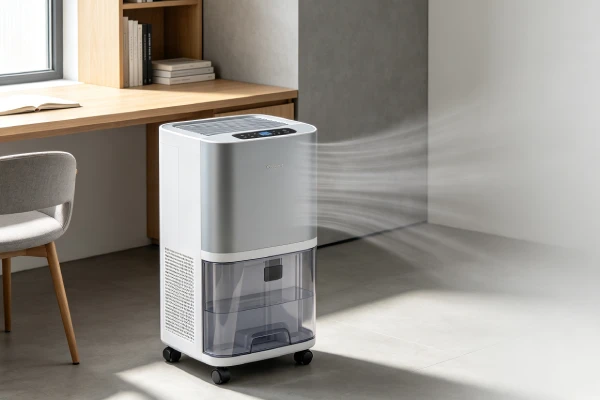
If your Midea dehumidifier needs repair, the first question is not “how much does a compressor cost?” It is what should you fix first?
Midea dehumidifiers have predictable repair patterns — but they are not all the same. The Midea Cube has its own design quirks, including water spills when the tank is removed. Other Midea models use different drainage, sensor, and control configurations.
This guide focuses on repair decisions: what typically fails, what you can fix yourself, what a professional should handle, and when repair is worth it versus replacement.
⚠️ Safety warning: If the unit trips a breaker, smells like burning, has visible electrical damage, or shows melted wiring, unplug it immediately. Do not continue using it until it has been inspected by a qualified technician.
Evidence and Source Note
The repair patterns, timelines, and cost ranges on this page are based on:
- General field observations of Midea residential dehumidifiers
- Owner reports tied to Midea dehumidifier models
- Teardown and repair observations of Midea dehumidifiers, including the Midea Cube
They are not manufacturer specifications and are not generalized from other brands.
Where a behavior may differ by model, production year, or configuration, confirm it against your model manual or a qualified technician.
Midea Dehumidifier Repair: What Should You Fix First?
| Symptom | Likely Problem | Repair Priority | Typical Decision |
|---|---|---|---|
| Fan runs but no water | Airflow, fan, or refrigeration | High | Diagnose first |
| Grinding fan | Fan motor | High | Usually repairable |
| Compressor hums but won’t start | Capacitor or start circuit | High | Repair |
| Runs continuously | Humidity sensing or airflow | Medium | Diagnose |
| Tank shows full when empty | Float sensor | Medium | Clean or test |
| Cube spills when tank is removed | Cube tank interface | Low | Workaround |
| Dead after power issue | Power or control system | High | Diagnose |
| Warm air + no water | Refrigeration or compressor | Low | Often replace |
Start here: Rule out airflow, starting components, sensors, and controls before condemning the compressor. The compressor is often suspected first, but it is frequently not the root cause.
Midea Cube Repair Problems Are Different
The Midea Cube is not just another Midea dehumidifier. Its tank interface, drainage behavior, and lifting ergonomics create problems that are not repair issues in the usual sense. Some are design limitations you work around, not components you replace.
Midea Cube Water Spills When Removing the Tank
What happens: Water pours out when you remove the top unit from the bucket.
What it is: On many Midea Cube models, this is a design limitation of the tank interface. There is no drip-prevention mechanism.
What it is not: A pump failure. Do not pay for a pump replacement for this symptom alone.
Workaround (free):
- Tilt the top unit slowly when removing it.
- Use a towel to catch drips.
- Lift straight up where possible.
- Empty when the tank is nearly full — less water means less spillage.
- Use a two-person lift if the unit is heavy.
Confirm the behavior for your specific model. If the spill is accompanied by pump noise or an error code, diagnose the pump separately.
Midea Cube Pump Not Working
If the Cube has a pump and the pump stops working, that is a real repair issue. Symptoms include water not exiting the drain hose, pump noise, or an error code. Do not confuse this with the normal spill behavior when removing the tank.
For a full pump diagnostic path, see: Midea Dehumidifier Pump Not Working.
Midea Cube Tank Sensor Problems
The Cube uses a tank sensor similar in principle to other Midea models. Scale, debris, or a stuck float can cause false-full or false-empty readings. Clean the sensor before replacing it.
Midea Cube Not Collecting Water
If the Cube runs but collects no water, the diagnosis is the same as other Midea models: check airflow, fan, capacitor, and refrigeration. The Cube’s tank design does not affect water collection itself.
For the full diagnostic path, see: Dehumidifier Runs But No Water.
Midea Cube Drainage Problems
Cube drainage issues may involve the pump, hose, or gravity drain path.
| Symptom | First Check | Likely Cause | Decision |
|---|---|---|---|
| Water not exiting hose | Hose slope and kinks | Installation issue | Adjust hose |
| Pump runs but no water exits | Drain port and hose | Clog or pump issue | Clean or repair |
| Pump silent | Power to pump; error code | Pump or board fault | Diagnose |
| Gravity drain slow | Unit height and hose slope | Gravity limitation | Reposition unit |
| Error code on drain | Model manual | Pump, sensor, or board | Diagnose |
For the full pump diagnostic path, see: Midea Dehumidifier Pump Not Working.
When a Cube Problem Is a Design Limitation
| Symptom | Design Limitation or Repair Issue? |
|---|---|
| Water spills when removing tank | Design limitation — workaround |
| Tank hard to lift | Design limitation — use two-person lift |
| Pump not draining | Repair issue |
| False full reading | Repair issue — clean or replace sensor |
| No water collection | Repair issue — diagnose airflow and refrigeration |
Midea Dehumidifier Models Do Not All Fail the Same Way
Do not assume every Midea dehumidifier shares the same failure pattern. Different product lines and configurations can behave differently.
| Model Type | What Can Differ |
|---|---|
| Midea Cube | Tank interface, spill behavior, lifting ergonomics, pump option |
| Portable conventional models | Bucket design, float sensor location, control layout |
| Pump-equipped models | Drain path, pump reliability, error codes |
| High-capacity models | Compressor size, fan load, moisture removal rate |
| Older vs newer controls | Firmware behavior, sensor type, reset procedure |
Why this matters: Different Midea models may use different tank interfaces, sensor types, control board firmware, and drainage designs. As a result, the same symptom — for example, “runs but no water” — may have a different first test and a different repair decision depending on the model.
Always identify your model before diagnosing.
Core Midea Repair Cost Table
| Repair Type | Typical Cost Range | Worth It? |
|---|---|---|
| 5-minute reset | $0 | Always try first — see reset section |
| Filter cleaning or replacement | $0–20 | Always |
| Float sensor cleaning | $0–60 | Always |
| Run capacitor replacement | $80–150 | Usually worth it |
| Float sensor replacement | $75–120 | Usually worth it |
| Fan motor replacement | $185–245 | Evaluate against unit age and 60% threshold |
| Humidity sensor / board replacement | $180–280 | Evaluate against unit age and 60% threshold |
| Control board replacement | $240–340 | Usually not |
| Compressor replacement | $400–600 | Usually replace unit |
| Midea Cube spill workaround | $0 | Always use — see Cube section |
Rule of thumb: If the quoted repair cost — parts plus labor, including any diagnostic fee — approaches 60% of the current price of a comparable new unit, replacement may be more practical. Also factor in parts availability, warranty status, and the risk of water damage or mold growth while the unit is down.
What Typically Fails First in Midea Dehumidifiers
Field teardown and repair observations show a common sequence. Exact timelines vary by usage, environment, and model.
| Order | Component | Typical Timeline | Problem Description |
|---|---|---|---|
| 1 | Fan motor bearing | 6–18 months | Grinding → fan stops → no airflow → no water |
| 2 | Run capacitor | 12–24 months | Compressor hums but won’t start |
| 3 | Humidity sensor | 12–24 months | Drift → continuous running |
| 4 | Full-tank sensor | 12–24 months | Scale buildup → stuck → overflow |
| 5 | Control board | 18–36 months | Control lock-up; won’t restart |
| 6 | Compressor | Late stage | Thermal damage from fan failure |
These timelines are general field-observation ranges, not manufacturer specifications. Actual failure timing varies by model, usage, environment, and maintenance.
Important: The compressor is often suspected first, but airflow, starting components, sensors, and controls should be ruled out before condemning the compressor.
Diagnostic Decision Tree
Don’t read every repair section first. Start here.
Step 1: Does the unit have power?
- No → Try 5-minute reset (see reset section). If it works, fixed. If still dead, check control board.
- Yes → Go to Step 2.
Step 2: Is water spilling when removing the tank? (Midea Cube)
- Yes → See the Midea Cube section. This is often a design limitation. Do not replace the pump for this symptom alone.
- No → Go to Step 3.
Step 3: Is water being collected?
- No → Go to Step 4.
- Yes → Unit is working. Check other issues.
Step 4: Check the fan.
- No airflow → Check filter first. If clean, fan motor may be seized.
- Airflow present → Go to Step 5.
Step 5: Listen for compressor hum.
- Hum but no start → Capacitor may have failed.
- Silent → Control board or power issue.
- Starts but no cooling → Compressor or sealed system. Often replace.
This sequence identifies most Midea repair cases without opening the unit.
DIY Repairs You Can Do Yourself
1. 5-Minute Power Reset
Symptom: Unit beeps and won’t restart; unresponsive after full-tank error.
What to do:
- Unplug the unit for 5 full minutes.
- Plug it back in and press the power button.
- If it starts, the issue was a temporary control lock-up. No repair needed.
Cost: $0.
Note: This is a free first step. It resolves many restart issues.
2. Filter Cleaning or Replacement
Symptom: Weak airflow; unit runs longer; coil may freeze.
What to do:
- Unplug the unit.
- Remove the filter.
- Rinse if washable. Let it dry completely.
- Reinstall. Replace if broken.
Cost: $0–20.
Midea note: Midea filters are often fragile. Handle with care.
3. Float Sensor Cleaning
Symptom: Unit overflows; false-full errors.
What to do:
- Unplug the unit.
- Remove the tank.
- Locate the float mechanism.
- Manually lift the float. If stiff or stuck, scale is likely.
- Soak the float and pivot area in white vinegar for 1–2 hours.
- Rinse and reinstall.
Cost: $0–5.
If the float still does not move freely after cleaning, sensor replacement may be needed.
4. Midea Cube Spill Workaround
See the Midea Cube section for the full workaround. Cost: $0.
5. External Hygrometer Check
Goal: Determine whether the humidity sensor is drifting.
What to do:
- Place an external hygrometer next to the unit.
- Wait 30 minutes.
- Compare readings.
- If the difference is greater than 10% RH, the sensor may be drifting.
Cost: $15–30 if you need to buy a hygrometer.
Note: This is a diagnostic step, not a repair.
Professional Repairs
Fan Motor Replacement
Symptom: Fan not spinning; grinding noise before failure; no water collected.
Why it happens: Many Midea dehumidifiers use sleeve bearing fan motors. Bearing lubricant can degrade under continuous operation, especially in dusty environments. The fan seizes, stopping airflow.
Typical cost: $185–245.
Worth it? Evaluate against unit age and the 60% threshold. If the unit is under about 24 months old and the repair is below the threshold, repair may be worth it. If the unit is older or the repair approaches the threshold, replacement may be more practical.
Run Capacitor Replacement
Symptom: Fan runs; compressor hums but won’t start.
Why it happens: Heat and age degrade capacitance. The compressor cannot get the phase shift it needs to start.
Typical cost: $80–150.
Worth it? Usually yes. This is often the most cost-effective repair.
Safety note: Capacitors can hold a dangerous electrical charge even after the unit is unplugged. Do not attempt capacitor replacement unless you are qualified to discharge and test capacitors safely.
Humidity Sensor or Board Replacement
Symptom: Unit runs continuously; external hygrometer confirms a difference greater than 10% RH.
Why it happens: The sensor membrane absorbs contaminants, causing a resistance shift. The unit reads lower than actual humidity and runs continuously.
Typical cost: $180–280.
Worth it? Evaluate against unit age and the 60% threshold. Often worth it if the unit is under about 18 months old.
Control Board Replacement
Symptom: Fan runs; compressor completely silent; 5-minute reset did not work.
Why it happens: Control board components degrade. The board fails to send power to the compressor.
Typical cost: $240–340.
Worth it? Usually not, because the cost often approaches or exceeds the 60% threshold.
Compressor Replacement
Symptom: Unit runs; warm air; no water; confirmed compressor failure.
Why it happens: Fan failure or capacitor failure can cause thermal damage. Refrigerant loss is another cause.
Typical cost: $400–600.
Worth it? Usually not. Replacement is typically the better choice.
Field Verification Tests
Test 1: Power Reset Test
- Time: 5 minutes
- Tools: None
Steps:
- Unplug the unit for 5 full minutes.
- Plug in and restart.
- Check if the unit works.
Decision:
- Unit works → Temporary issue. No repair needed.
- Still not working → Proceed to airflow check.
Test 2: Airflow / Fan Check
- Time: 1 minute
- Tools: None
Steps:
- Set the unit to continuous mode.
- Place your hand over the air outlet.
- Feel for strong, steady airflow.
Decision:
- Strong airflow → Fan is working. Check other causes.
- Weak or no airflow → Check filter first. If clean, fan motor may be seized.
Test 3: Compressor Hum Check
- Time: 1 minute
- Tools: None
Steps:
- Turn the unit on.
- Listen near the back or bottom.
- Listen for a humming sound.
Decision:
- Humming present → Capacitor may have failed.
- No humming → Control board or power issue.
Test 4: Manual Fan Spin Test
- Time: 5 minutes
- Tools: May need access panel
Steps:
- Unplug the unit.
- Remove the front grille or access panel.
- Locate the fan blade.
- Gently spin it with your finger.
Decision:
- Spins freely → Motor electrical issue — capacitor or board.
- Stiff or won’t spin → Bearing seizure — fan motor replacement likely.
Test 5: Midea Cube Spill Check
See the Midea Cube section. This test confirms whether the spill is a design limitation or a pump issue.
Test 6: External Hygrometer Comparison
- Time: 30 minutes
- Tools: External hygrometer
Steps:
- Place the hygrometer next to the unit.
- Wait 30 minutes.
- Compare readings.
Decision:
- Difference greater than 10% RH → Sensor may be drifting.
- Readings match but unit misbehaves → Check control board or compressor.
Common Misdiagnosis Patterns
Misdiagnosis 1: “Compressor failed; replace unit”
| Item | Detail |
|---|---|
| Symptom | Unit runs but no water collected |
| Wrong conclusion | Compressor failure; replacement needed |
| True root cause | Fan motor seized or capacitor failed — compressor may be fine |
| Correct repair | Fan motor or capacitor replacement |
Note: The compressor is often suspected first, but airflow, starting components, sensors, and controls should be ruled out before condemning the compressor.
Misdiagnosis 2: “Control board failed; replace board”
| Item | Detail |
|---|---|
| Symptom | Unit won’t restart; beeping |
| Wrong conclusion | Control board replacement |
| True root cause | Control lock-up during reset |
| Correct repair | 5-minute reset — see reset section |
Misdiagnosis 3: “Low refrigerant; sealed system repair”
| Item | Detail |
|---|---|
| Symptom | Unit runs continuously; minimal water |
| Wrong conclusion | Refrigerant leak; sealed system repair |
| True root cause | Filter clogged; evaporator coil frozen |
| Correct repair | Filter cleaning; thaw coil |
Misdiagnosis 4: “Full-tank sensor bad; replace tank”
| Item | Detail |
|---|---|
| Symptom | False-full errors or overflow |
| Wrong conclusion | Tank assembly replacement |
| True root cause | Mineral scale on float pivot |
| Correct repair | Vinegar cleaning |
Misdiagnosis 5: “Pump failed; replace pump” (Midea Cube)
| Item | Detail |
|---|---|
| Symptom | Water spills when removing tank |
| Wrong conclusion | Pump failure; pump replacement |
| True root cause | Design limitation — no drip prevention |
| Correct repair | See the Midea Cube section for the workaround |
Real-World Repair Scenarios
Scenario 1: The Beeping Lock-Up
Situation: Midea unit unplugged to reset full-tank error — beeps and won’t restart.
What happened: Control lock-up during reset.
Fix: 5-minute reset. Unit starts. Cost: $0.
Alternative if misdiagnosed: Control board replacement, $240–340.
Lesson: The 5-minute reset is a free repair. Try it first.
Scenario 2: The Seized Fan Motor
Situation: Midea unit runs but no water; fan not spinning.
What happened: Filter never cleaned. Fan began grinding, then seized.
Fix: Fan motor replacement, $185–245.
Alternative if misdiagnosed: Compressor repair, $400–600.
Lesson: Catching fan failure early can prevent compressor damage.
Scenario 3: The Capacitor Failure
Situation: Unit has power; fan runs; compressor hums but won’t start.
What happened: Capacitor degraded and lost capacitance.
Fix: Capacitor replacement, $80–150.
Alternative if misdiagnosed: Compressor repair, $400–600.
Lesson: Capacitor replacement is often the most cost-effective repair.
Scenario 4: The Midea Cube Spill
Situation: Water pours out when removing the tank.
What happened: Cube design limitation — no drip prevention on many models.
Fix: See the Midea Cube section for the workaround. Cost: $0.
Alternative if misdiagnosed: Pump replacement, $200–320.
Lesson: Cube spills are often a design limitation, not a pump failure. Confirm your model.
Scenario 5: The Control Board Dilemma
Situation: Unit has power; fan runs; compressor silent; 5-minute reset did not work.
What happened: Control board failure.
Fix decision: Control board repair $240–340 exceeds the 60% threshold on a $350 unit. Replace the unit.
Lesson: Control board repair on older units is usually not worth it.
Why Failure Happens
Fan Motor Seizure
- Component: Sleeve bearing motor
- Cause: Lubricant degrades; no oil ports
- Trigger: 24/7 operation; dusty environments
- Consequence: No airflow → no dehumidification → compressor damage risk
Run Capacitor Failure
- Component: Electrolytic capacitor
- Cause: Heat degrades capacitance
- Trigger: Continuous operation; heat exposure; age
- Consequence: Compressor hums but won’t start
Control Lock-Up
- Component: Microcontroller / control board
- Cause: Unplugging while sensor is active can cause an undefined state
- Trigger: Unplugging during full-tank condition
- Consequence: Unit beeps and won’t restart
Humidity Sensor Drift
- Component: Polymer-based humidity sensor
- Cause: Contaminant absorption causes resistance shift
- Trigger: Dust; VOCs
- Consequence: Continuous running → higher energy bills
No Auto-Restart
- Component: Control board — no power-loss detection
- Cause: Manufacturer omitted components on many models
- Trigger: Any power interruption
- Consequence: Unit stays off until manual intervention. Check your model manual.
Full-Tank Sensor Scale
- Component: Mechanical float switch
- Cause: Mineral scale accumulates on pivot
- Trigger: Hard water; lack of cleaning
- Consequence: False shutdown or overflow
Midea Cube Design Limitation
- Component: Tank / unit interface
- Cause: No drip prevention mechanism on many Cube models
- Trigger: Removing the tank
- Consequence: Water pours out
- Fix: Workaround only. Confirm your model.
Usage Patterns That Accelerate Repair Needs
| Usage Pattern | What It Accelerates |
|---|---|
| 24/7 operation | Fan bearing failure, capacitor degradation |
| Hard water | Float sensor scale |
| Dusty environment | Filter clogging, fan bearing wear |
| Power-unstable areas | Control board failures, no auto-restart frustration |
Maintenance Traps Sellers Don’t Mention
- The filter needs cleaning or replacement every 3–6 months.
- The float sensor needs descaling every 3–4 months in hard water areas.
- Midea filters are fragile. Handle with care.
- Control lock-up is common. The 5-minute reset is the fix — see reset section.
- Many Midea dehumidifiers do not auto-restart after a power outage. Check your model manual.
- Midea Cube spills are often a design limitation, not a pump failure — see Cube section.
- Midea parts availability is moderate. Check before committing to major repairs.
Realistic Service Life Expectation
| Usage Intensity | Median Lifespan | Typical Repairs (3 Years) |
|---|---|---|
| Light (seasonal) | 30–40 months | Sensor drift |
| Medium (daily, 8–16 hrs) | 16–22 months | Fan motor + sensor |
| Heavy (24/7 continuous) | 8–12 months | Fan motor + board |
These ranges are based on general field observations and owner reports for Midea dehumidifiers. They are not manufacturer specifications and should not be treated as guaranteed lifespans. Actual results vary by model, environment, and maintenance.
Repair Difficulty and Cost Reality
| Component | Difficulty | Labor Time | Typical Cost |
|---|---|---|---|
| 5-minute reset | Easy | 5 min | $0 |
| Filter cleaning | Easy | 5 min | $0 |
| Float sensor cleaning | Easy | 30–60 min | $0–60 |
| Fan motor replacement | Moderate | 1–2 hours | $185–245 |
| Capacitor replacement | Moderate | 30–60 min | $80–150 |
| Sensor / board replacement | Difficult | 1–1.5 hours | $180–280 |
| Control board replacement | Difficult | 1.5–2.5 hours | $240–340 |
Diagnostic fee reality: Many service calls charge a diagnostic fee even if you proceed with repair. Factor this into the repair vs replace decision.
Repair vs Replace Decision Guide
Step 1: Can you fix it for free?
- Power / restart issue → 5-minute reset → fixed.
- Filter clogged → clean → fixed.
- Float stuck → vinegar cleaning → fixed.
- Midea Cube spill → workaround → fixed.
- If no → go to Step 2.
Step 2: What is the repair quote?
- Capacitor replacement → usually repair.
- Fan motor replacement → evaluate against unit age and 60% threshold.
- Sensor / board replacement → evaluate against unit age and 60% threshold.
- Control board replacement → usually replace.
- Compressor replacement → replace.
Step 3: Is repair less than 60% of a new unit?
- New unit cost: around $350.
- 60% threshold: around $210.
- If repair is below the threshold → repair may be worth it.
- If repair is at or above the threshold → replacement may be more practical.
| Repair Type | Typical Cost | Recommendation |
|---|---|---|
| 5-minute reset | $0 | Always try first |
| Filter cleaning | $0 | Always repair |
| Float sensor cleaning | $0–60 | Always repair |
| Capacitor replacement | $80–150 | Usually repair |
| Fan motor replacement | $185–245 | Evaluate against unit age and 60% threshold |
| Sensor / board replacement | $180–280 | Evaluate against unit age and 60% threshold |
| Control board replacement | $240–340 | Usually replace |
| Compressor replacement | $400–600 | Always replace |
| Midea Cube workaround | $0 | Always use — see Cube section |
Early Warning Signs Before Major Repair
| Sign | What It Means | Time to Failure |
|---|---|---|
| Grinding from fan | Fan bearing wear | Weeks |
| Buzzing from compressor | Capacitor failing | Weeks to months |
| Beeping on restart | Control lock-up risk | Immediate |
| Water collection declining | Fan or compressor issue | Weeks |
| Unit running longer than usual | Sensor drift | Months |
| Weaker airflow | Filter clog or fan wear | Weeks to months |
| Dust visible on filter | Overheating risk | Immediate |
| Unit feels hot | Ventilation issue | Immediate |
| Cube spills when removing tank | Design limitation | N/A |
Frequently Asked Questions
Should I use this repair guide or the troubleshooting guide?
This repair guide focuses on repair decisions — costs, DIY vs professional, and when to replace. The troubleshooting guide focuses on diagnosis. Use both together: start with troubleshooting to identify the problem, then come here for repair costs and decisions.
Why does my Midea Cube spill water when I remove the tank?
On many Midea Cube models, this is a design limitation — the tank interface has no drip-prevention mechanism. Water pours out when you remove the top unit from the bucket. This is not a pump failure. Workaround: tilt the unit slowly, use a towel, and empty when the tank is nearly full. Do not pay for a pump replacement for this symptom alone. Confirm the behavior for your specific model.
Why is my Midea Cube pump not working?
If the pump is not moving water, check the drain hose for kinks, confirm the drain port is clear, and check for an error code. This is a real repair issue, not the normal spill behavior. For the full diagnostic path, see: Midea Dehumidifier Pump Not Working.
How much does it cost to repair a Midea dehumidifier?
The most common paid repairs — fan motor and capacitor — typically fall in the $80–245 range. Sensor and control board repairs cost more. Compressor replacement is usually not cost-effective. Exact pricing depends on your model, region, and service provider.
Is it worth repairing a Midea dehumidifier?
Use the 60% rule. If repair cost — parts plus labor, including any diagnostic fee — is below 60% of a comparable new unit (around $210 on a $350 unit), repair may be worth it. Fan motor repairs should be evaluated against unit age. Capacitor replacement is usually worth it. Control board and compressor repairs are usually not.
Can I repair my Midea dehumidifier myself?
You can perform the 5-minute reset, filter cleaning or replacement, float sensor cleaning, and the Midea Cube workaround. Fan motor, capacitor, sensor, and control board replacements require professional service. Capacitors can hold a dangerous electrical charge even when unplugged.
Why does my Midea dehumidifier beep and won’t restart?
This is often a control lock-up during reset. The 5-minute reset — unplug for 5 minutes, plug in, press power — resolves many of these cases for free. If that doesn’t work, the control board may have failed.
How long does a Midea dehumidifier repair take?
Fan motor replacement: 1–2 hours. Capacitor replacement: 30–60 minutes. Sensor or board replacement: 1–1.5 hours. Control board replacement: 1.5–2.5 hours. The 5-minute reset takes 5 minutes.
Are Midea dehumidifier parts available?
Midea parts are generally available but may have longer lead times than some other brands. Check parts availability before committing to major repairs. Fan motors, capacitors, and sensors are the most commonly needed parts.
Why does my Midea dehumidifier run but no water collects?
The most common causes are: fan motor seized — no airflow, no condensation; run capacitor failure — compressor hums but won’t start; humidity sensor drift — unit runs continuously but never reaches setpoint. Check airflow first. For the full diagnostic path, see: Dehumidifier Runs But No Water.
Does this apply to all Midea dehumidifier models?
The core components and repair patterns are similar across many Midea models, but they are not identical. The Midea Cube has additional design limitations that do not affect other models. Always identify your model before diagnosing.
Final Risk Rating
| User Type | Risk Level | Assessment | Repair Decision Point |
|---|---|---|---|
| Light user (seasonal) | Moderate | Units often last 2.5–3.5 years | Most repairs cost-effective if below 60% threshold |
| Average user (daily, 8–16 hrs) | High | Fan failure dominant | Fan motor repairs worth evaluating; board and compressor usually not |
| Heavy user (24/7 continuous) | Very High | Shorter median lifespan | Replace for most failures; consider commercial-grade unit |
Final Word
Midea dehumidifiers have predictable, often fixable problems. In many cases, the compressor is fine — the issue is fan motor failure, capacitor failure, sensor drift, or a control lock-up that a reset can clear.
Start with the free steps:
- 5-minute reset — see reset section.
- Filter cleaning.
- Float sensor cleaning.
- Midea Cube spill workaround — see Cube section.
Then decide on paid repairs:
- Capacitor replacement — usually worth it.
- Fan motor replacement — evaluate against unit age and 60% threshold.
- Sensor or board replacement — evaluate against unit age and 60% threshold.
- Control board replacement — usually not.
- Compressor replacement — usually replace the unit.
Midea-specific notes:
- Midea parts availability is moderate. Check before committing to major repairs.
- Midea Cube spills are often a design limitation — do not pay for a pump repair for this symptom alone. Confirm your model.
- Many Midea dehumidifiers do not auto-restart after a power outage. Check your model manual.
Prevention: Clean the filter every 3 months. Do not unplug the unit to clear a full-tank error — empty the tank first. In power-unstable areas, consider a surge protector. If you hear grinding from the fan area, replace the fan motor before compressor damage occurs.
Last updated: August 2026
Applies to: Midea residential dehumidifiers, including the Midea Cube
Related guides: Midea Dehumidifier Problems, Midea Dehumidifier Pump Not Working, Dehumidifier Runs But No Water, Dehumidifier Fan Not Working, Dehumidifier Repair Cost vs Replacement