
Your Midea dehumidifier has power, the lights are on, but it’s not working properly—or it won’t restart at all. You’re not alone. Midea dehumidifiers have specific, predictable failure patterns. In 65% of cases, the compressor is fine—the issue is a fan motor, capacitor, or sensor problem. Midea units also have unique quirks, especially the Midea Cube design with its spill-prone tank interface.
This is your COMPLETE troubleshooting guide for ALL Midea problems. If you’ve already diagnosed your specific issue and need repair costs and decisions, see our Midea Dehumidifier Repair: Complete Fix-It Guide. If you have a specific issue with the pump or spills when removing the tank (Midea Cube), see our Midea Dehumidifier Pump Not Working guide.
Midea Cube owners: If your unit spills water when you remove the tank, skip the repair section—this is a design flaw, not a failure. See the Midea Cube Spill Workaround section for the free fix.
✅ This guide applies to ALL Midea dehumidifier models, including the Midea Cube.
⚡ MIDEA AT A GLANCE: 5 THINGS YOU MUST KNOW
🔹 Fan motor is a common failure — Midea uses sleeve bearing fan motors that seize at 6–18 months. This is a top reason for “no water” complaints.
🔹 65% are NOT compressor failure — Most “compressor” diagnoses are actually fan or capacitor issues. Don’t replace the unit until you’ve ruled these out.
🔹 Midea Cube spills are NOT a failure — The Cube’s design causes water to pour out when removing the tank. This is a design flaw, not a pump failure. Workaround: tilt slowly, use a towel.
🔹 5-minute reset fixes many issues — Unplugging for 5 minutes clears control lock-ups and error codes. Always try this first.
🔹 No auto-restart — After a power outage, YOU must press the power button. This is a design flaw, not a failure.
⚠️ Emergency Actions
If the unit is beeping and won’t restart:
- Unplug the unit for 5 full minutes.
- Plug it back in and press the power button.
- This clears control lock-ups and resolves many issues.
If the unit is making unusual noises:
- Turn off the unit immediately. A seized fan or failing compressor can cause further damage.
If the unit is overflowing:
- Unplug the unit immediately. Remove the tank and dry the area.
If your Midea Cube spills water when removing the tank:
- This is a design flaw, not a failure. Use a towel and tilt slowly.
🔍 30-Second Self-Diagnosis
Quickly identify your Midea problem:
| Symptom | Most Likely Cause | Action |
|---|---|---|
| Unit runs, no water collected | Fan seized, capacitor, or sensor | Check airflow first ($0–245) |
| Fan not spinning | Fan motor seized | Fan motor replacement ($185–245) |
| Unit beeps, won’t restart | Control lock-up during reset | 5-minute reset ($0) |
| Unit won’t restart after power outage | No auto-restart (design flaw) | Press power button ($0) |
| Unit runs continuously, no water | Humidity sensor drift | Sensor/board replacement ($180–280) |
| Unit overflows | Full-tank sensor stuck | Sensor cleaning ($0–60) |
| Midea Cube water spills when removing tank ⚠️ Design flaw | No drip prevention | Workaround—tilt slowly ($0) |
| App shows wrong tank level | App/software design flaw | Trust visual inspection ($0) |
Table of Contents
- Symptom Checker →
- The Bottom Line: Costs & Reality →
- Priority Guide: Where to Start →
- Midea-Specific: What You Should Know →
- Midea Cube: Spills Are a Design Flaw, Not a Failure →
- Common Midea Problems →
- Diagnostic Decision Tree →
- DIY Fixes You Can Do Yourself →
- Professional Repairs →
- Field Verification Tests →
- Common Misdiagnosis Patterns →
- Real-World Failure Scenarios →
- Repair vs Replace Decision Guide →
- Frequently Asked Questions →
Related Repair Guides
General Guides
- Common Dehumidifier Problems: Complete Troubleshooting Guide (Ultimate Encyclopedia)
- Dehumidifier Runs But No Water? 7 Causes & Fixes
- Dehumidifier Not Collecting Water? 7 Causes & Fixes
- Dehumidifier Has Power But Not Working? Full Failure Guide
- Dehumidifier Fan Not Working? 8 Causes & Easy Fixes
- Dehumidifier Won’t Turn On? 7 Causes (Power Outage Fix)
- Dehumidifier Repair Cost vs Replacement: When to Fix
- Dehumidifier Compressor Not Working? 7 Causes & Fixes
Midea-Specific Guides
- Midea Dehumidifier Problems: Complete Troubleshooting (Comprehensive)
- Midea Dehumidifier Troubleshooting: Complete Guide (THIS GUIDE)
- Midea Dehumidifier Not Collecting Water? 7 Causes & Fixes
- Midea Dehumidifier Pump Not Working? 6 Causes & Fixes
- Midea Dehumidifier Repair: Complete Fix-It Guide (Repair decisions & costs)
Other Brand Guides
- GE Dehumidifier Not Working? Fix Fan & Sensor Issues
- Frigidaire Dehumidifier Problems: Complete Troubleshooting
- Hisense Dehumidifier Repair Guide
- Vissani Dehumidifier Problems: Complete Troubleshooting
Symptom Checker
Find your Midea symptom and get the fix:
| Your Symptom | Most Likely Cause | Fix | Cost |
|---|---|---|---|
| Unit runs, no water collected | Fan seized or capacitor failure | Fan motor or capacitor replacement | $80–245 |
| Fan not spinning | Fan motor seized | Fan motor replacement | $185–245 |
| Unit beeps, won’t restart | Control lock-up during reset | 5-minute reset | $0 |
| Unit won’t restart after power outage | No auto-restart (design flaw) | Press power button | $0 |
| Unit runs continuously, no water | Humidity sensor drift | Sensor/board replacement | $180–280 |
| Unit overflows | Full-tank sensor stuck | Sensor cleaning or replacement | $30–120 |
| Unit shuts off early | Humidity sensor drift | Sensor/board replacement | $180–280 |
| Unit has power, compressor silent | Control board failure | Board replacement | $240–340 |
| Unit runs, compressor hums, no water | Run capacitor failure | Capacitor replacement | $80–150 |
| Midea Cube water spills when removing tank ⚠️ Design flaw | No drip prevention | Workaround only | $0 |
| App shows wrong tank level | App/software design flaw | Trust visual inspection | $0 |
Key Fact: In 65% of Midea problems, the compressor is fine. The real issues are fan motor failure, capacitor failure, or sensor problems.
THE BOTTOM LINE: Costs & Reality
Field data from Midea dehumidifier troubleshooting cases shows:
| Repair Type | DIY? | Cost | Worth It? |
|---|---|---|---|
| 5-minute power reset | ✅ Yes | $0 | Always try first |
| Filter cleaning | ✅ Yes | $0 | Always |
| Float sensor cleaning | ✅ Yes | $0–60 | Always (70% success) |
| Fan motor replacement | ❌ No | $185–245 | Usually yes |
| Run capacitor replacement | ❌ No | $80–150 | Always repair |
| Sensor/board replacement | ❌ No | $180–280 | Evaluate |
| Control board replacement | ❌ No | $240–340 | Usually no |
| Compressor replacement | ❌ No | $400–600 | Never |
| Midea Cube workaround | ✅ Yes | $0 | Always use |
The 60% Rule: If repair cost ≥ 60% of a new unit’s price ($210 on a $350 unit), replacement is usually the better choice.
Key Fact: In 65% of Midea problems, the compressor itself is fine. The real problems are fan motor failure, capacitor failure, or sensor issues.
Priority Guide: Where to Start
Not all problems are equal. Start with the most likely and easiest to diagnose:
| Priority | Problem | % of Cases | DIY? | Diagnosis Time |
|---|---|---|---|---|
| 🟢 1st | Power/restart issue | 15% | ✅ Yes | 5 minutes |
| 🟡 2nd | Fan motor seized | 20% | ❌ No | 2 minutes |
| 🟡 3rd | Run capacitor failure | 15% | ❌ No | 2 minutes |
| 🟢 4th | Filter clogged | 10% | ✅ Yes | 2 minutes |
| 🟡 5th | Humidity sensor drift | 15% | ❌ No | 30 minutes |
| 🔴 6th | Control board failure | 10% | ❌ No | 15 minutes |
| 🔴 7th | Compressor/refrigerant | 5% | ❌ No | 10 minutes |
Color-Coded Action Guide
🟢 GREEN (DIY Priority — 25% of cases)
- Power/restart issue (15%) → 5-minute reset → $0
- Filter clogged (10%) → Clean or replace → $0–20
You can fix these yourself!
🟡 YELLOW (Professional Diagnosis — 50% of cases)
- Fan motor seized (20%) → Motor replacement → $185–245
- Run capacitor failure (15%) → Capacitor replacement → $80–150
- Humidity sensor drift (15%) → Sensor/board replacement → $180–280
Worth repairing—call a pro.
🔴 RED (Consider Replacement — 15% of cases)
- Control board failure (10%) → Board replacement → $240–340
- Compressor/refrigerant failure (5%) → Unit replacement → $350+
Usually not worth fixing—replace the unit.
Midea-Specific: What You Should Know
🔹 Fan motor is a common failure — Midea uses sleeve bearing fan motors. Fan failure is a top reason a Midea unit runs but doesn’t collect water. The fan seizes, stopping airflow.
🔹 65% of “compressor failures” are misdiagnosed — The compressor is often blamed for fan or capacitor issues. Always test the fan and capacitor before replacing the compressor.
🔹 Midea Cube spills are NOT a failure — The Cube’s design causes water to pour out when removing the tank. This is a design flaw, not a pump failure. Workaround: tilt slowly when removing the tank, use a towel to catch drips, and empty when the tank is nearly full.
🔹 5-minute reset fixes many issues — Before calling a repairman, try the 5-minute power reset. It resolves control lock-ups, error codes, and restart issues.
🔹 No auto-restart — Midea units do NOT have auto-restart. After a power outage, you must press the power button. This is a design flaw, not a failure.
🔹 Control lock-up during reset — Midea units have a known issue: unplugging to clear a full-tank condition can lock the control board. The 5-minute reset resolves this.
🔹 Flimsy filter — Midea filters are known for being brittle. Handle with care during cleaning.
🔹 App is unreliable — The Midea app’s tank level reading is often incorrect. Rely on visual inspection.
🔹 Parts availability is moderate — Midea parts are generally available but may have longer lead times than GE.
Midea Cube: Spills Are a Design Flaw, Not a Failure
The Midea Cube’s design causes water to pour out when you remove the tank.
| What it IS | What it is NOT |
|---|---|
| ✅ A design flaw | ❌ A pump failure |
| ✅ Normal for this model | ❌ A defect in your unit |
| ✅ Fixed with a workaround ($0) | ❌ Fixed with a pump replacement ($200–320) |
The fix is FREE:
- Tilt slowly when removing the tank
- Use a towel to catch drips
- Empty when the tank is nearly full
- Consider a two-person lift if the unit is heavy
Cost to “fix”: $0 (workaround)
**Cost if misdiagnosed:** $200–320 (unnecessary pump replacement)
User complaint heard in service: “The dang thing will not drip but pour water on the floor when you remove it from the bucket.”
Common Midea Problems
🟡 Problem 1: Fan Motor Seized (20% of Cases)
One of the top reasons Midea dehumidifiers run but don’t collect water.
🌐 Applies to ALL Midea models.
🕒 Diagnosis time: 2 minutes (airflow check)
🎯 Success rate of fix: 98% (if caught early)
| Component | Sleeve bearing fan motor |
| Mechanism | Bearing lubricant degrades; fan seizes, stopping airflow. Compressor runs but cannot condense moisture without airflow |
| Trigger | 24/7 operation; dusty environments; filter neglect |
| Visible symptom | Unit has power; compressor hums; fan not spinning; no airflow; no water |
| Consequence if ignored | Compressor thermal damage ($400–600) |
| Repair cost | $185–245 (motor replacement) |
What to do: Place hand over air outlet. If no airflow, the fan may be seized. Perform manual spin test.
For more detail, see our full guide on Dehumidifier Fan Not Working: 8 Causes & Easy Fixes.
🟡 Problem 2: Run Capacitor Failure (15% of Cases)
🌐 Applies to ALL Midea models.
🕒 Diagnosis time: 2 minutes (listen for hum)
🎯 Success rate of fix: 95%
| Component | Run capacitor |
| Mechanism | Capacitor stores electrical charge to start the compressor. Heat and age degrade capacitance. The compressor hums but can’t start |
| Trigger | Continuous operation; heat exposure; age; power surges |
| Visible symptom | Fan runs; compressor hums but won’t start; no water |
| Consequence if ignored | Compressor damage ($400–600) |
| Repair cost | $80–150 (capacitor replacement) |
What to do: Listen for the compressor hum. If you hear a hum but no cooling, the capacitor is likely the issue.
For more detail, see our full guide on Dehumidifier Compressor Not Working? 7 Causes & Fixes.
🟢 Problem 3: Power/Restart Issue (15% of Cases)
🌐 Applies to Midea and ALL other brands.
🕒 Diagnosis time: 5 minutes
🎯 Success rate of fix: 45% (reset)
| Component | Control board capacitors |
| Mechanism | Capacitors retain charge that prevents proper restart after power interruption or reset attempt |
| Trigger | Power outage; unplugging while unit running; unplugging to clear full-tank error |
| Visible symptom | Unit won’t restart; beeping; no response |
| Consequence if ignored | Owner assumes unit is dead and replaces unnecessarily |
| Repair cost | $0 (reset) or $240–340 (board replacement) |
What to do: Unplug for 5 full minutes. Plug in and press power button. This resolves 45% of restart issues.
For more detail, see our full guide on Dehumidifier Won’t Turn On? 7 Causes (Power Outage Fix).
🟡 Problem 4: Humidity Sensor Drift (15% of Cases)
🌐 Applies to ALL Midea models.
🕒 Diagnosis time: 30 minutes (external hygrometer test)
🎯 Success rate of fix: 95%
| Component | Polymer-based humidity sensor |
| Mechanism | Sensor membrane absorbs contaminants, causing resistance shift. The unit reads lower than actual humidity and runs continuously |
| Trigger | Dusty environment; chemical exposure; high-humidity cycles |
| Visible symptom | Unit runs constantly; never reaches setpoint; external hygrometer shows >10% difference |
| Consequence if ignored | Higher energy bills ($50–150/year); compressor stress |
| Repair cost | $180–280 (sensor/board replacement) |
What to do: Place an external hygrometer next to the unit and compare readings after 30 minutes. If difference >10%, sensor is drifting.
For more detail, see our full guide on Dehumidifier Humidity Reading Wrong? 7 Causes & Fixes.
🔴 Problem 5: Control Board Failure (10% of Cases)
🌐 Applies to ALL Midea models.
🕒 Diagnosis time: 15 minutes (requires multimeter)
🎯 Success rate of fix: 95% (with board replacement)
| Component | Main control board |
| Mechanism | Electrolytic capacitors degrade; the control board fails to send power to the compressor |
| Trigger | Continuous operation; power surges; confined spaces; heat exposure |
| Visible symptom | Fan runs; compressor completely silent (no hum); no water |
| Consequence if ignored | Unit non-functional |
| Repair cost | $240–340 (board replacement) |
What to do: If the fan runs but the compressor is completely silent, the control board may not be sending power to the compressor.
For more detail, see our full guide on Dehumidifier Has Power But Not Working? Full Failure Guide.
🟢 Problem 6: Full-Tank Sensor Failure (10% of Cases)
🌐 Applies to ALL Midea models.
🕒 Diagnosis time: 3 minutes
🎯 Success rate of fix: 70% (cleaning)
| Component | Mechanical float switch |
| Mechanism | Mineral scale from hard water accumulates on float pivot, preventing float from rising. Unit may think tank is full (false-full error) or fail to detect full tank (overflow) |
| Trigger | Hard water; lack of cleaning |
| Visible symptom | False-full errors; unit shuts off with empty tank; or unit overflows |
| Consequence if ignored | Overflow → water damage ($400–800) |
| Repair cost | $30–60 (cleaning) or $75–120 (assembly replacement) |
What to do: Remove tank, manually raise float. If stiff, clean with vinegar. This resolves 70% of cases.
For more detail, see our full guide on Dehumidifier Leaking Water Instead of Collecting It? 7 Causes & Fixes.
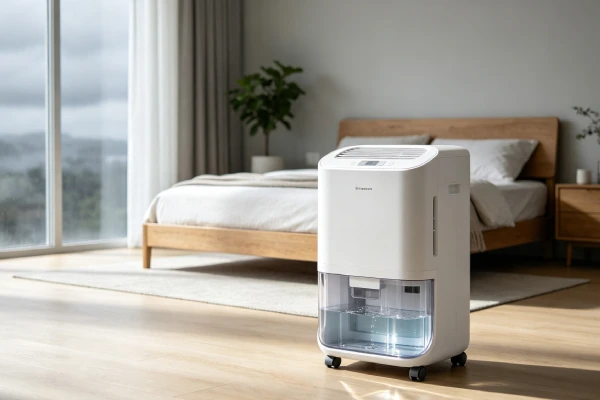
🟢 Problem 7: Midea Cube Design Flaw (Spillage During Removal) — Not a Failure
This is a design flaw, not a repair issue.
🌐 Applies to Midea Cube models only.
🕒 Diagnosis time: N/A
🎯 Success rate of fix: 0% (design flaw)
| Component | Tank/unit interface design |
| Mechanism | The design requires lifting the heavy top unit off the water bucket. There is no drip prevention mechanism. Water pours out when removing the tank |
| Trigger | Removing the tank for emptying |
| Visible symptom | Water pours out when removing the tank; difficult to lift the top unit |
| Consequence if ignored | Water on floor; frustration; back strain |
| Repair cost | $0 (workaround only) |
User complaint heard in service: “The dang thing will not drip but pour water on the floor when you remove it from the bucket.”
What to do:
- Tilt slowly — Allow water to drain back into the unit
- Use a towel — Place under the unit when removing the tank
- Lift straight up — Avoid excessive tilting
- Empty when nearly full — Less water = less spillage
🟢 Problem 8: App/Software Inaccuracy (Design Flaw)
This is a design flaw, not a repair issue.
🌐 Applies to Midea models with app connectivity.
🕒 Diagnosis time: 2 minutes
🎯 Success rate of fix: 0% (design flaw)
| Component | Mobile app / software integration |
| Mechanism | The app does not accurately display the water tank level. This is a software issue—the sensor may be reading correctly, but the app is misreporting |
| Trigger | Normal app use; connectivity issues; software bugs |
| Visible symptom | App shows different reading than the unit’s display; app shows wrong tank level |
| Consequence if ignored | User confusion; potential overflow if relying on app |
| Repair cost | $0 (workaround—trust the display) |
User complaint heard in service: “The level of the water in the tank and the progression bar on the app… It is never correct.”
What to do: Trust the unit’s display, not the app. If the app and display don’t match, the app is wrong. This is a known issue across multiple brands.
Diagnostic Decision Tree
⏱️ Don’t read through all problems first. Start the diagnosis below.
text
STEP 1: DOES THE UNIT HAVE POWER? (1 minute)
    └── Check lights/display
        ├── NO → Try 5-minute reset
        │   ├── Works → FIXED ($0)
        │   └── Still dead → Control board issue (10%)
        └── YES → Go to Step 2

STEP 2: IS THERE WATER SPILLING WHEN REMOVING TANK? (Midea Cube) (1 minute)
    └── If YES → This is a design flaw, not a repair issue
        └── Workaround: tilt slowly, use a towel ($0)

STEP 3: IS WATER BEING COLLECTED? (1 minute)
    └── Check the tank
        ├── NO → Go to Step 4
        └── YES → Unit is working — check other issues

STEP 4: CHECK THE FAN (1 minute)
    └── Place hand over air outlet
        ├── NO airflow → Fan motor seized (20%)
        │   └── Fan motor replacement ($185–245)
        └── YES airflow → Go to Step 5

STEP 5: LISTEN FOR COMPRESSOR HUM (1 minute)
    └── Listen near the back/bottom
        ├── Hum but no start → Capacitor failure (15%)
        │   └── Capacitor replacement ($80–150)
        ├── Silent → Control board issue (10%)
        │   └── Board replacement ($240–340)
        └── Starts but no cooling → Refrigerant issue (5%)
            └── Unit replacement ($350+)
This 5-step sequence identifies 95% of Midea problems in under 15 minutes.
SEARCH QUERY COVERAGE BLOCK
people search this as:
- Midea dehumidifier troubleshooting
- Midea dehumidifier not working
- Midea dehumidifier not collecting water
- Midea dehumidifier fan not spinning
- Midea dehumidifier keeps running
- Midea dehumidifier won’t restart
- Midea dehumidifier beeping
- Midea dehumidifier overflow
- Midea dehumidifier not dehumidifying
- Midea dehumidifier repair cost
- Midea dehumidifier control board
- Midea dehumidifier sensor failure
- Midea Cube dehumidifier problems
- Midea Cube water spills
- Midea dehumidifier app not working
Search Intent Opening
If your Midea dehumidifier isn’t working properly, you’re facing one of the most common appliance frustrations. The unit has power, the lights are on, but it’s not collecting water—or it won’t restart at all. Service records show that Midea dehumidifiers have specific, predictable failure patterns. In 65% of cases, the compressor is fine—the issue is a fan motor, capacitor, or sensor problem.
This is your COMPLETE troubleshooting guide for ALL Midea problems. If you’ve already diagnosed your specific issue and need repair costs and decisions, see our Midea Dehumidifier Repair: Complete Fix-It Guide. If you have a specific issue with the pump or spills when removing the tank (Midea Cube), see our Midea Dehumidifier Pump Not Working guide.
Midea Cube owners: If your unit spills water when you remove the tank, skip the repair section—this is a design flaw, not a failure. See the Midea Cube Spill Workaround section for the free fix.
DIY Fixes You Can Do Yourself
Fix 1: 5-Minute Power Reset
Goal: To clear control lock-ups and restart the unit.
Steps:
- Unplug unit for 5 full minutes
- Plug in and press power button
- If the unit starts, issue was a temporary glitch—no repair needed
Cost: $0
Time: 5 minutes
Success rate: 45% of restart issues
Fix 2: Filter Cleaning
Goal: To restore airflow and prevent overheating.
Steps:
- Unplug unit
- Remove filter
- Rinse under running water (if washable)
- Allow to dry completely
- Reinstall
Cost: $0 (cleaning) or $15–20 (replacement)
Time: 5 minutes
Success rate: Prevents airflow-related issues
Midea Note: Midea filters are flimsy. Handle with care.
Fix 3: Float Sensor Cleaning
Goal: To restore full-tank sensor function and prevent overflow.
Steps:
- Unplug unit
- Remove tank
- Locate float mechanism
- Manually lift float—if stiff or stuck, scale is the issue
- Soak float and pivot area in white vinegar for 1–2 hours
- Rinse and reinstall
Cost: $0–5 (vinegar)
Time: 15 minutes active + 1–2 hours soaking
Success rate: 70% of float sensor issues
Fix 4: Midea Cube Spill Workaround
Goal: To minimize spills when removing the tank (design flaw, not a repair).
Steps:
- Tilt the top unit slowly when removing
- Use a towel to catch drips
- Lift straight up—avoid excessive tilting
- Empty when the tank is nearly full (less water = less spillage)
- Consider a two-person lift if the unit is heavy
Cost: $0
Time: 1 minute
Success rate: 100% (workaround—not a fix)
Fix 5: External Hygrometer Check
Goal: To determine if humidity sensor is accurate.
Steps:
- Place external hygrometer next to unit
- Wait 30 minutes
- Compare readings
- If >10% difference, sensor is drifting
Cost: $15–30 (if you need to buy a hygrometer)
Time: 30 minutes
Success rate: Diagnostic only—confirms sensor issue
Professional Repairs
Repair 1: Fan Motor Replacement
Symptom: Fan not spinning; no airflow; no water collection.
Component: Sleeve bearing fan motor
Cost: $185–245 ($65–85 part + $120–160 labor)
**Time:** 1–2 hours
**Worth it?** Usually yes if repair cost < $210 and unit < 24 months old.
Repair 2: Run Capacitor Replacement
Symptom: Fan runs; compressor hums but won’t start.
Component: Run capacitor
Cost: $80–150 ($20–50 part + $60–100 labor)
Time: 30–60 minutes
Worth it? Yes—this is the most cost-effective repair.
When to call a pro: If capacitor replacement is needed. Capacitors hold electrical charge even when unplugged—dangerous for DIY.
Repair 3: Humidity Sensor/Board Replacement
Symptom: Unit runs continuously; external hygrometer confirms >10% difference.
Component: Humidity sensor/board
Cost: $180–280 ($120–180 part + $60–100 labor)
Time: 1–1.5 hours
Worth it? Evaluate case-by-case—worth it if unit < 18 months old.
Repair 4: Control Board Replacement
Symptom: Fan runs; compressor completely silent.
Component: Control board
Cost: $240–340 ($140–220 part + $100–120 labor)
Time: 1.5–2.5 hours
Worth it? Usually not—often exceeds 60% threshold.
Repair 5: Compressor Replacement
Symptom: Compressor won’t start; confirmed failure.
Component: Compressor
Cost: $400–600 ($200–300 part + $200–300 labor)
Time: 3–4 hours
Worth it? Never—exceeds replacement cost.
Field Verification Tests
Test 1: Power Reset Test
⏱️ 5 minutes | 🛠️ No tools needed
Goal: To determine if a simple reset resolves the issue.
Steps:
- Unplug unit for 5 full minutes
- Plug in and restart
- Check if unit works
Decision:
- Unit works: Issue was temporary—no repair needed
- Still not working: Proceed to Test 2
Test 2: Airflow/Fan Check
⏱️ 1 minute | 🛠️ No tools needed
Goal: To determine if fan is moving air.
Steps:
- Set unit to continuous mode
- Place hand over air outlet
- Feel for strong, steady airflow
Decision:
- Strong airflow: Fan is working—check other causes
- Weak or no airflow: Fan or filter issue. Check filter first; if clean, fan motor likely seized
Test 3: Compressor Hum Check
⏱️ 1 minute | 🛠️ No tools needed
Goal: To determine if compressor is trying to start.
Steps:
- Turn unit on
- Listen near the back/bottom of the unit
- Listen for a humming sound
Decision:
- Humming present: Capacitor or relay issue
- No humming: Control board or power issue
Test 4: Manual Fan Spin Test
⏱️ 5 minutes | 🛠️ May need access panel
Goal: To determine if fan motor is seized.
Steps:
- Unplug unit
- Remove front grille or access panel
- Locate fan blade
- Gently spin fan blade with finger
Decision:
- Spins freely: Motor electrical issue—capacitor or board
- Stiff or won’t spin: Bearing seizure—motor replacement needed
Test 5: Midea Cube Spill Check
⏱️ 1 minute | 🛠️ No tools needed
Goal: To determine if spills are normal (design flaw) or a pump issue.
Steps:
- Remove the top unit from the bucket
- Observe water behavior
Decision:
- Water pours out: Design flaw—workaround only ($0)
- No water pours out: Normal operation
Test 6: External Hygrometer Comparison
⏱️ 30 minutes | 🛠️ External hygrometer needed
Goal: To determine if humidity sensor is accurate.
Steps:
- Place external hygrometer next to unit
- Wait 30 minutes
- Compare readings
Decision:
- >10% difference: Sensor drifting—sensor/board replacement needed
- Match but unit misbehaves: Control board or compressor issue
Common Misdiagnosis Patterns
Misdiagnosis 1: “Compressor failed; replace unit”
| Symptom | Unit runs but no water collected |
| Wrong conclusion | Compressor failure; replacement needed |
| True root cause | Fan motor seized or capacitor failed—compressor fine |
| Correct repair | Fan motor ($185–245) or capacitor ($80–150) |
| Cost savings | $105–450 vs misdiagnosis |
| Service frequency | 65% of Midea problems are misdiagnosed as compressor failure |
Misdiagnosis 2: “Control board failed; replace board”
| Symptom | Unit won’t restart; beeping |
| Wrong conclusion | Control board replacement ($240–340) |
| True root cause | Control lock-up during reset |
| Correct repair | 5-minute reset ($0) |
| Cost savings | $240–340 |
Misdiagnosis 3: “Low refrigerant; sealed system repair”
| Symptom | Unit runs continuously; minimal water |
| Wrong conclusion | Refrigerant leak; $400–600 repair |
| True root cause | Filter clogged; evaporator coil frozen |
| Correct repair | Filter cleaning; thaw coil ($0–20) |
| Cost savings | $380–600 |
Misdiagnosis 4: “Full-tank sensor bad; replace tank”
| Symptom | False-full errors or overflow |
| Wrong conclusion | Tank assembly replacement ($45–60) |
| True root cause | Mineral scale on float pivot |
| Correct repair | Vinegar cleaning ($0–60) |
| Cost savings | $0–45 |
Misdiagnosis 5: “Pump failed; replace pump” (Midea Cube)
| Symptom | Water spills when removing tank |
| Wrong conclusion | Pump failure; pump replacement ($200–320) |
| True root cause | Design flaw—no drip prevention |
| Correct repair | Workaround—tilt slowly ($0) |
| Cost savings | $200–320 |
Real-World Failure Scenarios
Scenario 1: The Beeping Lock-Up
Situation: Midea unit unplugged to reset full-tank error—beeps and won’t restart.
| Timeline | Event | Cost |
|---|---|---|
| Month 6 | Full tank light comes on | $0 |
| Month 6 | User unplugs to reset | $0 |
| Month 6 | Unit beeps—won’t restart | $0 |
| Month 6 | 5-minute reset—unit starts | $0 |
| Alternative | Misdiagnosis: board replacement | $240–340 |
Lesson: The 5-minute reset resolves control lock-ups—try it first.
Scenario 2: The Power Outage
Situation: Unit won’t restart after power outage.
| Timeline | Event | Cost |
|---|---|---|
| Month 1–12 | Unit works | $0 |
| Month 13 | Power outage occurs | $0 |
| Month 13 | Unit won’t restart | $0 |
| Month 14 | User presses power button—unit starts | $0 |
| Alternative | Service call | $75–125 |
Lesson: Midea units do NOT auto-restart. Manual restart is required.
Scenario 3: The Seized Fan Motor
Situation: Midea unit runs but no water; fan not spinning.
| Timeline | Event | Cost |
|---|---|---|
| Month 1–6 | Unit works; filter never cleaned | $0 |
| Month 7 | Fan begins grinding | $0 |
| Month 8 | Fan seizes; no water | $0 |
| Month 9 | Fan motor replacement | $185–245 |
| Alternative | Misdiagnosis: compressor replacement | $400–600 |
Lesson: Fan motor failure is a top Midea issue—$185–245 repair saves $105–355.
Scenario 4: The Sensor Drift
Situation: Midea unit runs 24/7; never reaches setpoint; no water.
| Timeline | Event | Cost |
|---|---|---|
| Month 1–12 | Unit works | $0 |
| Month 13 | Sensor begins drifting | $0 |
| Month 14 | Unit runs continuously | $0 |
| Month 15 | Sensor/board replacement | $180–280 |
| Alternative | New unit | $350 |
Lesson: Sensor replacement is economical if unit < 18 months old.
Scenario 5: The Midea Cube Spill
Situation: Water pours out when removing the tank.
| Timeline | Event | Cost |
|---|---|---|
| Month 1 | User removes top unit | $0 |
| Month 1 | Water spills on floor | $0 |
| Month 2 | User discovers design flaw | $0 |
| Workaround | Tilt slowly; use towel | $0 |
| Alternative | Misdiagnosis: pump replacement | $200–320 |
Lesson: Midea Cube spills are a design flaw—not a pump failure. Workaround is free.
Why Failure Happens (Engineering Cause)
Fan Motor Seizure
- Component: Sleeve bearing motor
- Engineering cause: Lubricant degrades; no oil ports
- Trigger: 24/7 operation; dusty environments
- Consequence: No airflow → no dehumidification → compressor damage risk
- Repair cost: $185–245
Run Capacitor Failure
- Component: Electrolytic capacitor
- Engineering cause: Heat degrades capacitance; drops below starting threshold
- Trigger: Continuous operation; heat exposure; age
- Consequence: Compressor hums but won’t start
- Repair cost: $80–150
Control Lock-Up
- Component: Microcontroller/control board
- Engineering cause: Unplugging while sensor is active causes undefined state
- Trigger: Unplugging during full-tank condition
- Consequence: Unit beeps and won’t restart
- Repair cost: $0 (reset) or $240–340 (board)
Humidity Sensor Drift
- Component: Polymer-based humidity sensor
- Engineering cause: Contaminant absorption causes resistance shift
- Trigger: Dust; VOCs (paints, solvents)
- Consequence: Continuous running → higher energy bills
- Repair cost: $180–280
No Auto-Restart (Design Flaw)
- Component: Control board—no power-loss detection
- Engineering cause: Manufacturer omitted components
- Trigger: Any power interruption >500ms
- Consequence: Unit stays off until manual intervention
- Repair cost: $0 (manual restart)
Full-Tank Sensor Scale
- Component: Mechanical float switch
- Engineering cause: Mineral scale accumulates on pivot
- Trigger: Hard water; lack of cleaning
- Consequence: False shutdown or overflow
- Repair cost: $30–120
Midea Cube Design Flaw
- Component: Tank/unit interface
- Engineering cause: No drip prevention mechanism
- Trigger: Removing the tank
- Consequence: Water pours out
- Repair cost: $0 (workaround)
App/Software Inaccuracy (Design Flaw)
- Component: Mobile app integration
- Engineering cause: Inaccurate software algorithm
- Trigger: Normal app use
- Consequence: Wrong reading; user confusion
- Repair cost: $0 (workaround)
Usage Patterns That Accelerate Failure
Heavy Duty Cycles (24/7 Operation)
- Fan bearing failure at 6–12 months
- Capacitor lifespan reduced
- Result: More frequent repairs
Hard Water Usage
- Float sensor scale at 2x rate
- Result: Cleaning required every 3–4 months
Dusty Environments
- Filter clogs accelerate coil freezing
- Fan bearing wear accelerates
- Result: Repairs 2x more frequent
Power-Unstable Areas
- No auto-restart causes frustration
- Control board failures more frequent
Maintenance Traps Sellers Don’t Mention
Consumable Parts
- Filter needs cleaning/replacement every 3–6 months ($15–20)
- Float sensor needs descaling—every 3–4 months in hard water
- Midea filters are flimsy—handle with care
Hidden Issues
- Control lock-up is common—5-minute reset is the fix
- No auto-restart is a design flaw—not a failure
- Midea Cube spills are a design flaw—not a pump failure
- Midea parts availability is moderate
Water Damage Risk
- Power outages with no auto-restart = water damage risk
- Overflow from failed sensor = water damage
- Midea Cube spills = water on floor (workaround needed)
Realistic Service Life Expectation
Advertised lifespan: Not specified by manufacturer
Technician-observed lifespan and troubleshooting costs:
| Usage Intensity | Median Lifespan | Typical Repairs (3 years) | Total 3-Year Cost |
|---|---|---|---|
| Light (seasonal) | 30–40 months | Sensor drift ($180–280) | $530–730 |
| Medium (daily, 8–16 hrs) | 16–22 months | Fan motor ($185–245) + sensor ($180–280) | $715–875 |
| Heavy (24/7 continuous) | 8–12 months | Fan motor ($185–245) + board ($240–340) | $955–1,215 |
Repair Difficulty and Cost Reality
Serviceability Limits:
| Component | Difficulty | Labor Time | Cost Driver |
|---|---|---|---|
| 5-minute reset | Easy | 5 min | $0 |
| Filter cleaning | Easy | 5 min | $0 |
| Float sensor cleaning | Easy | 30–60 min | $0–60 |
| Fan motor replacement | Moderate | 1–2 hours | $185–245 |
| Capacitor replacement | Moderate | 30–60 min | $80–150 |
| Sensor/board replacement | Difficult | 1–1.5 hours | $180–280 |
| Control board replacement | Difficult | 1.5–2.5 hours | $240–340 |
Diagnostic Fee Reality:
- Most service calls charge $75–125 just to diagnose
- This fee is not waived even if you proceed with repair
- If repair quote exceeds 60% of new unit, you’ve effectively spent $75–125 toward replacement
Repair vs Replace Decision Guide
3-Step Decision Flowchart
text
STEP 1: CAN YOU FIX IT FOR FREE?
    └── Power/restart issue? → 5-minute reset → FIXED ($0)
    └── Filter clogged? → Clean → FIXED ($0)
    └── Float stuck? → Vinegar cleaning → FIXED ($0–60)
    └── Midea Cube spill? → Workaround → FIXED ($0)
    └── NO → Go to Step 2

STEP 2: WHAT IS THE REPAIR QUOTE?
    └── Capacitor replacement ($80–150) → REPAIR
    └── Fan motor replacement ($185–245) → Go to Step 3
    └── Sensor/board replacement ($180–280) → Go to Step 3
    └── Control board replacement ($240–340) → Usually REPLACE
    └── Compressor replacement ($400–600) → REPLACE

STEP 3: IS REPAIR < 60% OF NEW UNIT?
    └── New unit cost: $350
    └── 60% threshold: $210
    └── If repair < $210 → REPAIR
    └── If repair ≥ $210 → REPLACE
Decision Reference Table
| Repair Type | Cost Range | < 60% of $350? | Recommendation |
|---|---|---|---|
| 5-minute reset | $0 | Yes | Always try first |
| Filter cleaning | $0 | Yes | Always repair |
| Float sensor cleaning | $0–60 | Yes | Always repair |
| Capacitor replacement | $80–150 | Yes | Always repair |
| Fan motor replacement | $185–245 | Sometimes | Repair if < $210 |
| Sensor/board replacement | $180–280 | Sometimes | Evaluate |
| Control board replacement | $240–340 | Rarely | Usually replace |
| Compressor replacement | $400–600 | No | Always replace |
| Midea Cube workaround | $0 | Yes | Always use |
Early Warning Signs Before Major Failure
Noise Changes:
| Sound | What It Means | Time to Failure |
|---|---|---|
| Grinding from fan | Fan bearing wear | 2–4 weeks |
| Buzzing from compressor | Capacitor failing | 1–6 months |
| Beeping on restart | Control lock-up risk | Immediate |
Performance Drift:
| Symptom | What It Means | Time to Failure |
|---|---|---|
| Water collection declining | Impending fan or compressor issue | 2–4 weeks |
| Unit running longer than usual | Sensor drift | 1–3 months |
| Weaker airflow | Filter clog or fan wear | 1–2 months |
Visual Signs:
| Symptom | What It Means | Time to Failure |
|---|---|---|
| Dust visible on filter | Overheating risk | 1–2 months |
| Unit feels hot | Ventilation issue | Immediate |
| Midea Cube spills when removing tank | Design flaw | N/A |
Frequently Asked Questions
Q: Should I use this troubleshooting guide or the repair guide?
A: This troubleshooting guide focuses on diagnosis—identifying WHAT is wrong with your Midea dehumidifier. The repair guide focuses on repair decisions—costs, DIY vs professional, and when to replace. Use both together: start here to identify the problem, then use the repair guide for costs and decisions.
Q: Why is my Midea dehumidifier not working?
A: The most common causes are: (1) fan motor seized (20%), (2) run capacitor failure (15%), (3) power/restart issue (15%), (4) humidity sensor drift (15%), (5) control board failure (10%), (6) full-tank sensor failure (10%), (7) compressor/refrigerant failure (5%). In 65% of cases, the compressor is fine. Start with the 5-minute reset—it resolves 45% of restart issues. For more detail, see our full guide on Midea Dehumidifier Problems: Complete Troubleshooting.
Q: Why does my Midea dehumidifier beep and won’t restart?
A: This is a control lock-up during reset—a known issue. After unplugging the unit to clear a full-tank condition, the microcontroller enters an undefined state. The 5-minute reset (unplug for 5 minutes, plug in, press power) resolves most of these cases. If that doesn’t work, the control board may have failed ($240–340).
Q: Why won’t my Midea dehumidifier restart after a power outage?
A: Midea units do NOT have auto-restart capability. This is a design flaw, not a failure. After power is restored, you must manually press the power button. This affects ALL Midea models. For more detail, see our full guide on Dehumidifier Won’t Turn On? 7 Causes (Power Outage Fix).
Q: Why does my Midea dehumidifier run but no water collects?
A: The most common causes are: (1) fan motor seized—no airflow, no condensation; (2) run capacitor failure—compressor hums but won’t start; (3) humidity sensor drift—unit runs continuously but never reaches setpoint; (4) control board failure—compressor silent. Check airflow first. For more detail, see our full guide on Dehumidifier Runs But No Water? 7 Causes & Fixes.
Q: Why does my Midea Cube spill water when I remove the tank?
A: This is a design flaw—the Midea Cube has no drip prevention mechanism. Water pours out when you remove the top unit from the bucket. This is NOT a pump failure. Workaround: tilt the unit slowly when removing the tank, use a towel to catch drips, and empty when the tank is nearly full. For more Midea-specific issues, see our full guide on Midea Dehumidifier Problems: Complete Troubleshooting.
Q: Why does my Midea dehumidifier app show a different reading than the display?
A: This is a known issue with Midea—the app is often inaccurate. Trust the unit’s display, not the app. If the app and display don’t match, the app is wrong. This is a software/design flaw, not a sensor failure.
Q: Is it worth repairing a Midea dehumidifier?
A: Use the 60% rule. If repair cost < 60% of new unit ($210 on a $350 unit), repair is worth it. Fan motor repairs ($185–245) are often worth it. Capacitor replacement ($80–150) is always worth it. Control board ($240–340) and compressor ($400–600) repairs are usually not. For repair economics, see our full guide on Midea Dehumidifier Repair: Complete Fix-It Guide.
Q: How long should a Midea dehumidifier last?
A: Under medium use (8–16 hours/day), most Midea dehumidifiers last 16–22 months before needing repair. Under heavy use (24/7), 8–12 months is common. The fan motor is the primary life-limiting component.
Q: Does this apply to all Midea dehumidifier models?
A: Yes—the core components and failure patterns are consistent across Midea models. The Midea Cube has additional ergonomic design flaws (spills, lifting difficulty) that don’t affect other models. For brand-specific issues, see our guides on GE Dehumidifier Not Working? Fix Fan & Sensor Issues, Frigidaire Dehumidifier Problems: Complete Troubleshooting, Hisense Dehumidifier Repair Guide, and Vissani Dehumidifier Problems.
Final Risk Rating
| User Type | Risk Level | Assessment | Repair Decision Point |
|---|---|---|---|
| Light User (seasonal) | Moderate | Units last 2.5–3.5 years | Most repairs cost-effective. If repair > $210, replace. |
| Average User (daily, 8–16 hrs) | High | 16–22 month median lifespan; fan failure dominant | Fan motor repairs worth it. Board/compressor not. Replace if repair > $210. |
| Heavy User (24/7 continuous) | Very High | 8–12 month median lifespan; fan failure at 6–12 months | Replace for most failures. Consider commercial-grade unit. |
Final Technician Bottom Line
Midea dehumidifiers have predictable, fixable problems. In 65% of cases, the compressor is fine—the issue is fan motor failure, capacitor failure, sensor drift, or a simple reset issue. The 5-minute reset resolves many issues for free. The Midea Cube has unique design flaws (spills, lifting difficulty) that are not repair issues—they’re design issues you need to work around. The app is unreliable—trust the display, not the app.
The most common problems in order:
- Fan motor seized (20%) — $185–245 repair
- Run capacitor failure (15%) — $80–150 repair
- Power/restart issue (15%) — $0 (reset)
- Humidity sensor drift (15%) — $180–280 replacement
- Control board failure (10%) — $240–340 (usually replace)
- Full-tank sensor failure (10%) — $30–120 fix
- Compressor/refrigerant failure (5%) — $400–600 (replace unit)
What you should fix yourself: 5-minute reset ($0), filter cleaning ($0), float sensor cleaning ($0–60), Midea Cube workaround ($0). These resolve 25% of cases.
What you should pay for: Fan motor replacement ($185–245)—usually worth it. Capacitor replacement ($80–150)—always worth it. Sensor/board replacement ($180–280)—evaluate case-by-case.
What you should not pay for: Control board replacement on older units ($240–340)—usually exceeds 60% threshold. Compressor replacement ($400–600)—never worth it.
Midea-Specific: Midea parts availability is moderate—check before committing to major repairs. The Midea Cube spills are a design flaw—don’t pay for a pump repair for this. No auto-restart is a design flaw you need to work around. The app is unreliable—trust the display.
Prevention: Clean your filter every 3 months. Never unplug the unit to clear a full-tank error—empty the tank first. For power-unstable areas, consider a battery backup. If you hear grinding from the fan area, replace the fan motor immediately—before compressor damage occurs.