
Written by an appliance service technician with 10+ years of field experience.
Data source: based on the site’s repair-case observations of dehumidifier failures, 2025–2026.
Last updated: September 2026.
Quick Answer: Most “Runs But No Water” Cases Are Not Compressor Failure
The unit has power. The lights are on. The fan may even be spinning. But the tank stays dry and the room humidity does not drop.
A dehumidifier that runs without collecting water does not automatically mean the compressor has failed. Before assuming the worst, confirm five things in order: is there airflow at the outlet, is the room actually humid, is the evaporator coil getting cold, is the compressor starting, and is the float sensor misreading.
Most field cases trace to airflow restriction, a clogged filter, a low-humidity room, or a sensor fault—not a sealed-system failure. This page walks through the 7 causes in diagnostic order and links to the dedicated guide for any cause that needs deeper coverage.
SEARCH QUERY COVERAGE BLOCK
people search this as:
dehumidifier runs but no water
dehumidifier not collecting water
dehumidifier running but not collecting water
dehumidifier runs but doesn’t collect water
dehumidifier running but no water in bucket
dehumidifier runs but doesn’t dehumidify
dehumidifier not removing moisture
dehumidifier runs continuously but no water
dehumidifier running but not dehumidifying
dehumidifier tank stays empty
dehumidifier blowing warm air no water
dehumidifier compressor running but no water
dehumidifier fan runs compressor not running
dehumidifier not collecting water fix
dehumidifier dehumidification failure
dehumidifier runs but tank stays dry
dehumidifier not pulling moisture from air
dehumidifier stopped collecting water
dehumidifier running no water in tank
dehumidifier airflow weak no water
Quick Diagnosis: Why Is My Dehumidifier Running But Not Collecting Water?
| What You Observe | Most Likely Direction |
|---|---|
| Very little airflow | Filter or fan |
| Strong airflow, but room humidity stays high | Sensor or cooling system |
| Compressor never starts | Capacitor, control board, or compressor |
| Evaporator is not getting cold | Refrigerant or compressor |
| Evaporator is heavily iced | Airflow or filter |
| Bucket-full warning with empty tank | Float or sensor |
| Room humidity is already low | Normal operation |
1. The Room Is Not Humid Enough
What happens. The unit runs, but the room is already at or below the target humidity. The compressor cycles on briefly, but there is not enough moisture in the air to condense into measurable water.
Why it happens. A dehumidifier only produces water when the incoming air carries moisture. In dry seasons, air-conditioned rooms, or rooms with high ventilation, the moisture load may be too low for the unit to collect a visible amount of water.
How to confirm. Place an external hygrometer in the room. If the reading is at or below your target setpoint, the unit is working correctly. There is simply no moisture to remove.
What to do. Lower the humidity setpoint. Run the unit in continuous mode for 30 minutes. If no water appears, the room is genuinely dry. No repair is needed.
2. The Air Filter Is Clogged
What happens. The unit runs. Airflow at the outlet is weak. No water is collected. Frost or ice may be visible on the evaporator coil.
Why it fails. Dust and debris accumulate on the filter. Reduced airflow causes the evaporator coil temperature to drop below freezing. Ice blocks the coil, preventing condensation.
How to confirm. Remove the filter. Hold it up to a light. If the light does not pass through, the filter is clogged.
What to do. Clean or replace the filter. Allow the unit to thaw completely (8–12 hours, powered off) before restarting. Cleaning resolves this cause at $0.
Prevention. Clean the filter every 3 months. This single step prevents evaporator coil freeze and reduces fan motor strain.
3. The Fan Is Running Poorly or Not Moving Enough Air
What happens. The compressor hums. The unit has power. But airflow at the outlet is weak or absent. No water is collected.
Why it fails. The fan motor uses sleeve bearings. Under continuous operation, bearing lubricant degrades and the shaft seizes. The fan stops moving air. Without airflow, the compressor runs but cannot condense moisture.
How to confirm. Place your hand over the air outlet. If there is no airflow but you hear the compressor hum, the fan is the likely issue. To confirm bearing seizure, unplug the unit, remove the access panel, and spin the fan blade by hand. If it is stiff or does not spin, the bearing has seized.
What to do. Fan motor replacement requires disassembly and a replacement motor. See the dedicated guide on dehumidifier fan not working for the full diagnosis and repair procedure.
Risk if ignored. A running compressor without airflow overheats. A fan motor repair can become a compressor replacement if the unit is run in this state.
4. The Humidity Sensor Is Reading Incorrectly
What happens. The unit runs continuously. The setpoint is never reached. The humidity in the room does not drop. The tank stays empty.
Why it fails. The humidity sensor uses a polymer membrane that absorbs contaminants (dust, VOCs, chemical vapors). The contamination shifts the sensor’s resistance curve. The unit reads lower than actual humidity and runs continuously without reaching setpoint.
How to confirm. Place an external hygrometer next to the unit. Wait 30 minutes. Compare the readings. If the difference is greater than 10%, the sensor is drifting.
What to do. Sensor and board replacement are typically combined. See the dedicated guide on dehumidifier not lowering humidity for the full diagnosis and repair economics. If the unit is under 18 months old, repair is usually justified. If older, replacement is usually the rational choice.
5. The Compressor Is Not Producing Enough Cooling
What happens. The fan runs. The unit has power. But the evaporator coil does not get cold. Air at the outlet is room temperature. No condensation forms.
Why it fails. The compressor may not be starting, or it may be running without producing cooling. The two most common causes are a failed run capacitor and a failed compressor winding. A failed run capacitor prevents the compressor from starting. A failed compressor winding prevents the compressor from running. A refrigerant leak reduces cooling capacity over time.
How to confirm. Listen near the back or bottom of the unit. A humming compressor that does not start points to a capacitor fault. A completely silent compressor points to a control board or wiring fault. A running compressor with no cold at the evaporator points to a refrigerant leak or internal compressor failure.
What to do. Capacitor replacement is usually worth it. Compressor and sealed-system repair is not economically justified on most consumer dehumidifiers. See the dedicated guide on dehumidifier repair cost vs replacement for the full decision logic.
6. The Tank or Float Sensor Is Misreading
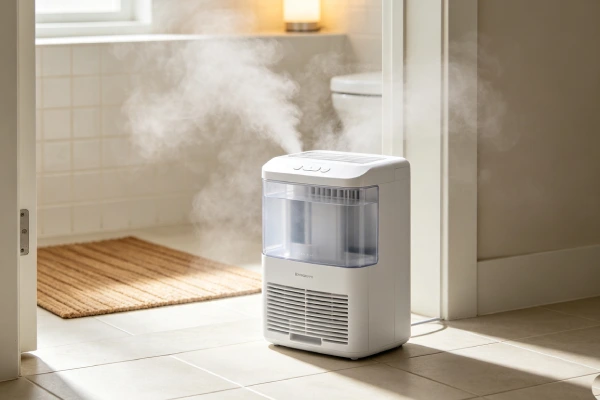
What happens. The unit shuts off before the tank is full. Or the unit overflows when the tank is full. Or the unit reports “bucket full” when the tank is empty.
Why it fails. The float sensor uses a mechanical pivot. Mineral scale from hard water accumulates on the pivot, preventing the float from moving. The unit either falsely reads “full” or fails to detect a full tank.
How to confirm. Remove the tank. Manually raise the float. If it is stiff or stuck, mineral scale is the issue.
What to do. Soak the float and pivot area in white vinegar for 1–2 hours. Rinse and reinstall. Cleaning resolves most float sensor issues at $0–$5. If the float assembly is damaged, see the dedicated guide on dehumidifier bucket full light on.
Risk if ignored. A stuck float can cause the tank to overflow. Water damage repair costs can exceed the value of the unit.
7. The Condensation System Is Failing
What happens. Airflow is normal. The room is humid. The evaporator coil is not getting cold. No water is collected. The unit may run continuously.
Why it fails. This is a sealed-system failure. A micro-leak at a brazed joint or in the evaporator coil allows refrigerant to escape. System pressure drops. Condensation temperature falls below the effective range. The compressor runs but cannot produce condensation.
How to confirm. Confirm all other causes first. Verify airflow is strong, the filter is clean, the room is humid, the sensor is accurate, and the float is free. If all of these are normal and the evaporator is not cold, the sealed system has failed.
What to do. Sealed-system repair is not economically justified on most consumer dehumidifiers. Replace the unit. See the dedicated guide on dehumidifier repair cost vs replacement.
Repair or Replace: Decision Guide
If the cause is a clogged filter, a frozen coil, a stuck float, or a low-humidity room, the fix is $0 and always worth it.
If the cause is a run capacitor, the repair is usually worth it.
If the cause is a fan motor, a sensor, or a control board, compare the repair quote against the price of a new unit. If the repair reaches 60% or more of the replacement price, replacement is the rational choice.
If the cause is a compressor or sealed-system failure, replacement is always the rational choice.
For the full cost breakdown and decision logic, see the dedicated guide on dehumidifier repair cost vs replacement.
Field Verification Tests (No Tools)
Test 1: Airflow check. Turn the unit on. Place your hand over the air outlet. Strong, steady airflow means the fan is working. Weak or no airflow points to a filter or fan fault.
Test 2: Compressor hum check. Listen near the back or bottom of the unit. A steady hum means the compressor is trying to start. No hum means the compressor is not receiving power. A hum that stops and restarts points to a capacitor fault.
Test 3: Evaporator coil temperature check. Run the unit for 10–15 minutes. If accessible, feel the evaporator coil (front metal fins). Cold and frosty means the cooling system is working. Room temperature means no cooling.
Test 4: Manual fan spin test. Unplug the unit. Remove the access panel. Spin the fan blade by hand. Free spin means the motor is electrically faulted. Stiff or stuck means bearing seizure.
Test 5: External hygrometer comparison. Place an external hygrometer next to the unit. Wait 30 minutes. Compare readings. A difference greater than 10% means the humidity sensor is drifting.
Early Warning Signs Before Major Failure
Performance drift. Water collection declining by 20% or more over weeks points to an impending fan or compressor issue.
Cycle time changes. The unit running longer than usual points to sensor drift or airflow restriction.
Noise changes. Grinding or scraping from the fan area points to bearing wear. Buzzing from the compressor points to capacitor failure.
Heat increase. The top panel or cord running warmer than usual points to higher current draw.
Continuous running. The unit running continuously without reaching setpoint points to sensor drift or a cooling system issue.
Final Risk Rating
Light user risk (seasonal use). Units last 2.5–3.5 years. Sensor drift is the most common failure. Most repairs are cost-effective. If repair exceeds the replacement threshold, replacement is the rational choice. Risk level: Moderate.
Average user risk (daily, 8–16 hours). Median lifespan is 16–22 months. Fan failure is the dominant failure mode. Fan motor repairs are usually worth it. Board and compressor repairs are usually not. Risk level: High.
Heavy user risk (24/7 continuous operation). Median lifespan is 8–12 months. Fan failure appears at 6–12 months. Replace for most failures. Consider a commercial-grade unit with ball bearings. Risk level: Very High.
Technician’s Conclusion
A dehumidifier that runs but does not collect water is one of the most misdiagnosed failures in the service log. The compressor is often not the fault. The actual causes are usually airflow restriction, a clogged filter, a low-humidity room, or a sensor fault.
The correct diagnostic order: check the room humidity first, then the filter, then the airflow at the outlet, then the evaporator coil temperature, then the compressor, then the float sensor. Only after all of these are confirmed normal should a sealed-system failure be considered.
What experienced technicians do: start with the airflow check. It takes 2 minutes and identifies the most common cause. Then check the filter and the room humidity. If all three are normal, move to the compressor and sensor checks.
What most users regret not knowing earlier: cleaning the filter every 3 months prevents evaporator coil freeze and reduces fan motor strain. Replacing a seized fan motor immediately prevents compressor damage. Vinegar cleaning resolves most float sensor issues at $0. And a dehumidifier running without collecting water in a dry room is not a failure—it is normal operation.
FAQ
Q: Why is my dehumidifier running but not collecting water?
A: The most common causes are a clogged filter, a seized fan motor, low room humidity, or a sensor fault. Check the airflow at the outlet first. If airflow is weak, the filter or fan is the issue. If airflow is strong but the room is humid, the sensor or cooling system is the issue.
Q: How do I know if my dehumidifier compressor is bad?
A: Listen near the back of the unit. A humming compressor that does not start points to a capacitor fault. A running compressor with no cold at the evaporator points to a refrigerant leak or internal compressor failure. A completely silent compressor points to a control board or wiring fault.
Q: Why does my dehumidifier run continuously but never reach the set humidity?
A: This usually points to humidity sensor drift. Place an external hygrometer next to the unit. If the difference is greater than 10%, the sensor is drifting. See the dedicated guide on dehumidifier not lowering humidity.
Q: Can a clogged filter cause a dehumidifier to run but not collect water?
A: Yes. A clogged filter restricts airflow. The evaporator coil freezes. Ice blocks all airflow. No condensation forms. Clean the filter and allow the unit to thaw completely before restarting.
Q: Why does my dehumidifier have power and the fan runs but no water?
A: The most common cause is fan motor bearing seizure. The fan may appear to run but is not moving enough air. The compressor runs without airflow and cannot condense moisture. See the dedicated guide on dehumidifier fan not working.
Q: Is it worth repairing a dehumidifier that runs but does not dehumidify?
A: If the cause is a clogged filter, a frozen coil, a stuck float, or a low-humidity room, the fix is $0. If the cause is a run capacitor, repair is usually worth it. If the cause is a fan motor, sensor, or control board, compare the repair quote against the replacement price. If the cause is a compressor or sealed-system failure, replacement is always the rational choice.
Q: How long should a dehumidifier last before it stops collecting water?
A: Under medium use (8–16 hours per day), most consumer dehumidifiers last 16–22 months. Under heavy use (24/7), 8–12 months is common. Regular filter cleaning and sensor descaling extend lifespan.
Q: Why does my dehumidifier blow warm air and not collect water?
A: The unit is running but not cooling. This usually means the compressor is not working or refrigerant is low. Check the run capacitor first. It is the cheapest likely fix.
Q: Can I fix a dehumidifier that runs but does not dehumidify myself?
A: You can perform several free fixes: filter cleaning, coil thaw, float sensor cleaning, and a 5-minute power reset. These resolve a significant share of “runs but no water” cases. Fan motor, capacitor, sensor, and control board repairs require professional service.
Q: My dehumidifier is running but the tank stays dry. Is the compressor dead?
A: Not necessarily. A dehumidifier that runs without collecting water does not automatically mean the compressor has failed. Check the room humidity, the filter, and the airflow first. The compressor is often not the fault.
Q: Why does my dehumidifier report “bucket full” when the tank is empty?
A: The float sensor pivot has mineral scale from hard water. The float sticks. Clean the float and pivot area with white vinegar. See the dedicated guide on dehumidifier bucket full light on.
Q: My dehumidifier runs continuously. Should I be worried?
A: Continuous running points to humidity sensor drift, a clogged filter, or an undersized unit for the room. Check the external hygrometer reading first. If the sensor is accurate, check the filter and room size.
Q: Can I use an extension cord with a dehumidifier?
A: No. Extension cords cause voltage drop that can prevent the compressor from starting. Plug the unit directly into a wall outlet.
Q: How do I prevent my dehumidifier from not collecting water?
A: Clean the filter every 3 months. Clean the float sensor every 3–4 months in hard water areas. Run the unit in a well-ventilated space. Do not run the unit 24/7 if not needed. Replace the run capacitor when it fails.
Q: Why did my dehumidifier stop collecting water after a power outage?
A: A power surge can damage the control board or the run capacitor. Unplug the unit for 5 minutes and retest. If the unit still does not collect water, the board or capacitor may have failed.
Related Appliance Failure Reports
Dehumidifier Fan Not Working – 8 causes and easy fixes
Dehumidifier Not Lowering Humidity – Sensor and cooling diagnosis
Dehumidifier Bucket Full Light On – Float sensor cleaning and repair
Dehumidifier Running Constantly – Sensor drift and airflow causes
Dehumidifier Repair Cost vs Replacement – Full repair economics
Dehumidifier Won’t Turn On – Power and startup diagnosis
Dehumidifier Has Power But Not Working – Full failure guide
Dehumidifier Not Collecting Water – General diagnosis guide