
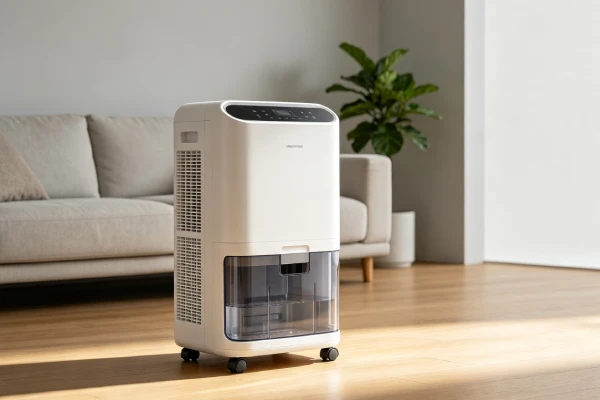
Your Midea dehumidifier has power. The fan may be running. The lights are on. But the tank stays dry — no water is being collected. This is one of the most common complaints among Midea dehumidifier owners, especially Midea Cube owners.
This guide is written specifically for Midea dehumidifiers that run but do not collect water. It is not a generic dehumidifier template. It covers:
- Midea Cube vs traditional Midea dehumidifiers
- The difference between not collecting water and spilling water when removing the tank
- Midea-specific fan motor, capacitor, sensor, control, and app-related issues
- A practical 7-step diagnostic sequence
- Repair vs replace decisions using local replacement cost as the baseline
If you have a different brand, see our general guide: Dehumidifier Not Collecting Water? 7 Causes & Fixes.
If your Midea unit has a pump issue or spills when removing the tank, see: Midea Dehumidifier Pump Not Working? 6 Causes & Fixes.
Midea Cube Not Collecting Water vs Water Spilling From the Tank
Midea Cube owners often report two different problems at the same time. They are not the same issue, and they should not be diagnosed together.
A. Midea Cube not collecting water
This means the unit runs, but the tank stays empty or collects very little water. The cause is usually related to:
- Fan motor not spinning
- Compressor not starting
- Restricted airflow
- Clogged filter
- Frozen evaporator coil
- Humidity sensor drift
- Control board not sending start signal
- Wrong operating mode or target humidity
B. Midea Cube spilling water when removing the tank
This means the unit is collecting water, but water pours out when you remove the top unit from the bucket. This is related to:
- Tank design
- Water path inside the bucket
- Tank removal angle
- Lack of drip prevention
- Removing the tank when it is too full
- Drainage structure between the top unit and the bucket
Midea Cube drainage structure: what to check
The Midea Cube uses a bucket-style tank. The top unit sits on the bucket. Water drains from the evaporator area into the bucket through a water path and drainage opening. When you lift the top unit, residual water in the water path can spill if:
- The tank is too full
- The unit is tilted too quickly
- The drainage opening is partially blocked
- The top unit is lifted at an angle instead of straight up
- The bucket is not seated correctly during operation
Check these points before assuming a pump failure.
Important: Do not pay for a pump replacement just because your Midea Cube spills when you remove the tank. Confirm whether the unit is actually collecting water first.
Midea Cube vs Traditional Midea Dehumidifiers
Midea Cube and traditional Midea dehumidifiers share some components, but their water collection and tank behavior are different. Use this table to identify which design you have and which symptoms apply.
| Feature | Midea Cube | Traditional Midea |
|---|---|---|
| Water tank design | Bucket-style with top unit sitting on tank | Front-removable or side-removable tank |
| Water removal | Lift top unit from bucket | Pull tank out from front/side |
| Continuous drainage | Supported on many models | Supported on many models |
| Airflow layout | Compact top-unit airflow path | Traditional front/rear airflow path |
| Filter access | Usually behind grille or top section | Usually front or side panel |
| Common water-collection symptom | Tank stays empty, or spills when removing tank | Tank stays empty, weak airflow, no water |
| Common spill symptom | Water pours out during tank removal | Less common; usually overflow or float issue |
| Typical first check | Airflow, mode, tank seating, float | Airflow, filter, compressor, float |
| Design-related complaint | Spills when removing tank | No auto-restart after power outage |
Verification source: Based on service observations, user reports, and publicly available Midea model manuals. Actual behavior varies by model, production year, and region. Verify against your specific model manual before making repair decisions.
Midea App Says It Is Working but the Tank Stays Empty
Many Midea dehumidifiers include app control. The app can show:
- Current humidity
- Target humidity
- Operating mode
- Bucket status
- Fan status
- Compressor status
- Error codes
- Wi-Fi connection status
In some situations, the app may show the last known state rather than real-time mechanical behavior. Always verify with physical checks.
What to check in the app
- Operating mode — Is it in Continuous, Auto, Comfort, or a dry mode that actually calls for the compressor?
- Target humidity — If the target is higher than the room humidity, the unit may run the fan but not collect water.
- Bucket status — If the app says the bucket is full but the tank is empty, check the float sensor.
- Humidity reading — Compare the app reading with an external hygrometer.
- Restart/reset — If the app shows the unit as on but the compressor is silent, try a 5-minute power reset.
- Wi-Fi/app behavior vs machine behavior — The app may not reflect real-time mechanical state. Verify airflow, compressor hum, tank level, and external humidity.
Do not assume the app is always wrong. Instead, verify with physical checks: airflow, compressor hum, tank level, and external humidity reading.
Note: App features and behavior vary by Midea model, app version, and Wi-Fi module. Check your model manual for supported functions.
Midea Runs but Does Not Collect Water — Diagnostic Sequence
Use this sequence in order. It is more reliable than jumping to a single “most likely cause.”
Step 1: Confirm room humidity
Place an external hygrometer near the unit. If the room humidity is already below the target humidity, the unit may not call for the compressor. No water collection may be normal.
Step 2: Confirm operating mode and target humidity
Check the control panel and app. Make sure the unit is in a mode that should collect water. If the target humidity is set too high, lower it below the current room humidity.
Step 3: Check airflow at the outlet
Place your hand over the air outlet.
- Strong airflow: fan is likely working
- Weak or no airflow: check filter, fan blade, and fan motor
If there is no airflow but you hear the compressor humming, the fan motor may be seized.
Step 4: Inspect the evaporator coil
Unplug the unit. Remove the filter and access panel if possible. Look for:
- Ice or frost
- Heavy dust
- Dirty coil
- Restricted airflow path
If the coil is frozen, turn the unit off and let it thaw completely before restarting.
Step 5: Confirm whether the compressor is starting
Listen near the back or bottom of the unit.
- Humming but no cooling: capacitor or compressor issue
- Complete silence: control board or power issue
- Humming and cooling: compressor is likely running
Step 6: Check the tank and float sensor
Remove the tank. Check:
- Float moves freely
- No mineral scale on pivot
- Tank seats correctly
- Full-tank switch is not stuck
- Drain path is not blocked
Clean the float area with white vinegar if it is stiff or scaled.
Step 7: Consider sensor, control board, or sealed system
Only after Steps 1–6 should you consider:
- Humidity sensor drift
- Control board failure
- Compressor failure
- Refrigerant leak
- Sealed system repair
These are less common and usually more expensive.
7 Midea-Specific Causes of “Not Collecting Water”
These are the main Midea-specific causes. The order below is for explanation, not diagnosis. Use the 7-step sequence above to diagnose.
Cause 1: Fan Motor Seized
What happens: The fan motor stops spinning. The compressor may still run, but without airflow, moisture cannot condense. The tank stays empty.
Why Midea: Many Midea models use sleeve bearing fan motors. These can seize over time, especially under continuous operation or dusty conditions.
Symptoms:
- Power on
- Compressor hums
- Fan not spinning
- No airflow
- No water collection
Diagnosis:
- Airflow check
- Manual fan spin test
Repair cost: $185–245
Risk if ignored: Compressor overheating and damage.
Cause 2: Run Capacitor Failure
What happens: The capacitor weakens and cannot start the compressor. The compressor may hum but not run.
Symptoms:
- Fan runs
- Compressor hums but does not start
- No cooling
- No water collection
Diagnosis:
- Listen for compressor hum
- Professional capacitor test
Repair cost: $80–150
Note: Capacitors can hold a charge. This is not a safe DIY repair for most owners.
Cause 3: Air Filter Clogged
What happens: Dust restricts airflow. The evaporator coil may freeze. The unit runs but cannot collect water properly.
Symptoms:
- Weak airflow
- Unit runs continuously
- Ice on coil
- Little or no water
Diagnosis:
- Visual inspection
- Coil inspection
Repair cost: $0–20
Cause 4: Power or Restart Issue
What happens: The control board retains a charge or enters a lock-up state. The unit may beep or fail to restart after being unplugged.
Symptoms:
- Unit beeps
- Won’t restart
- No display
- No water collection
Diagnosis:
- 5-minute power reset
Repair cost: $0 reset, or $240–340 if board replacement is needed
Cause 5: Humidity Sensor Drift
What happens: The humidity sensor reads incorrectly. The unit may run continuously or stop too early.
Symptoms:
- Unit runs constantly
- Never reaches setpoint
- External hygrometer differs by more than 10%
- Little or no water collection
Diagnosis:
- External hygrometer comparison
Repair cost: $180–280
Cause 6: Control Board Failure
What happens: The board does not send power to the compressor. The fan may run, but the compressor stays silent.
Symptoms:
- Fan runs
- Compressor completely silent
- No water collection
Diagnosis:
- Multimeter testing
- Professional diagnosis
Repair cost: $240–340
Decision: Often exceeds the local repair threshold. Replacement may be better.
Cause 7: Compressor or Refrigerant Failure
What happens: The compressor fails or refrigerant leaks. The unit runs but does not cool or collect water.
Symptoms:
- Unit runs
- Warm air
- No water
- No cooling
Diagnosis:
- Professional sealed system test
Repair cost: $400–600
Decision: Usually not worth repairing for standard residential Midea units. Evaluate for high-capacity or warranty-covered models.
Midea Cube Spills Are a Design Characteristic, Not a Pump Failure
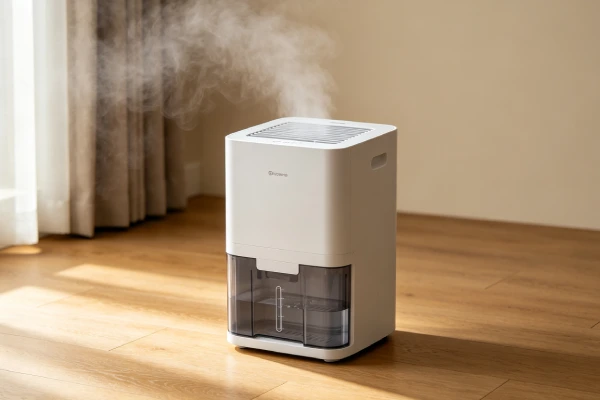
If your Midea Cube spills water when you remove the tank, this is usually not a pump failure. It is related to the tank and water path design.
| What it IS | What it is NOT |
|---|---|
| A tank removal design characteristic | A pump failure |
| Common on Midea Cube models | A defect unique to your unit |
| Managed with a workaround | Fixed by pump replacement |
| $0 to manage | $200–320 if misdiagnosed |
Workaround:
- Tilt slowly when removing the top unit
- Use a towel to catch drips
- Empty when the tank is nearly full
- Lift straight up when possible
- Use two people if the unit is heavy
Cost: $0
Do not: Pay for a pump replacement unless the pump itself is confirmed faulty.
DIY Fixes You Can Do Yourself
Fix 1: 5-Minute Power Reset
- Unplug the unit for 5 full minutes.
- Plug it back in.
- Press the power button.
- If it starts, the issue was a control lock-up.
Cost: $0
Success rate: Resolves many restart issues.
Fix 2: Filter Cleaning
- Unplug the unit.
- Remove the filter.
- Rinse if washable.
- Let it dry completely.
- Reinstall.
Cost: $0–20
Fix 3: Float Sensor Cleaning
- Unplug the unit.
- Remove the tank.
- Locate the float.
- Check if it moves freely.
- Soak the float and pivot in white vinegar for 1–2 hours.
- Rinse and reinstall.
Cost: $0–5
Fix 4: Midea Cube Spill Workaround
- Tilt slowly.
- Use a towel.
- Empty when nearly full.
- Lift straight up.
Cost: $0
Fix 5: External Hygrometer Check
- Place an external hygrometer next to the unit.
- Wait 30 minutes.
- Compare readings.
- If difference is more than 10%, the sensor may be drifting.
Cost: $15–30 for a hygrometer
Professional Repairs
| Repair | Symptom | Cost | Worth It? |
|---|---|---|---|
| Fan motor replacement | No airflow, compressor hums | $185–245 | Usually yes if caught early |
| Capacitor replacement | Compressor hums but won’t start | $80–150 | Yes |
| Humidity sensor/board | Runs constantly, never reaches setpoint | $180–280 | Evaluate |
| Control board replacement | Fan runs, compressor silent | $240–340 | Usually no |
| Compressor replacement | No cooling, confirmed failure | $400–600 | Usually no for standard residential units |
| Midea Cube spill workaround | Water spills when removing tank | $0 | Always use |
Repair vs Replace Decision Guide
Use your local replacement cost as the baseline. In the US, many standard residential Midea units sell for roughly $300–400. A practical starting threshold is:
- If repair cost is well below the local replacement cost, repair is usually worth it.
- If repair cost approaches or exceeds the local replacement cost, replacement is usually better.
| Repair | Cost | Recommendation |
|---|---|---|
| 5-minute reset | $0 | Try first |
| Filter cleaning | $0 | Always |
| Float sensor cleaning | $0–60 | Always |
| Capacitor replacement | $80–150 | Repair |
| Fan motor replacement | $185–245 | Repair if below local threshold |
| Sensor/board replacement | $180–280 | Evaluate |
| Control board replacement | $240–340 | Usually replace |
| Compressor replacement | $400–600 | Usually replace for standard residential units |
| Midea Cube workaround | $0 | Always use |
Field Verification Tests
Test 1: Airflow Check
Place your hand over the outlet. Strong airflow means the fan is working. Weak or no airflow means check the filter and fan motor.
Test 2: Compressor Hum Check
Listen for a hum. Humming but no cooling suggests capacitor or compressor issue. Silence suggests control board or power issue.
Test 3: Evaporator Coil Inspection
Look for ice, frost, or dust. Ice means airflow restriction. Let the unit thaw before restarting.
Test 4: Manual Fan Spin Test
Unplug the unit. Gently spin the fan blade. If it is stiff or won’t spin, the motor may be seized.
Test 5: Midea Cube Spill Check
Remove the top unit slowly. If water pours out, it is likely the tank design, not the pump.
Test 6: External Hygrometer Comparison
Compare the unit reading with an external hygrometer after 30 minutes. A difference greater than 10% suggests sensor drift.
Common Misdiagnosis Patterns
| Misdiagnosis | Wrong Conclusion | True Root Cause | Correct Repair |
|---|---|---|---|
| Compressor failed | Replace unit | Fan motor seized | Fan motor replacement |
| Low refrigerant | Sealed system repair | Filter clogged or coil frozen | Clean filter, thaw coil |
| Control board failed | Board replacement | Control lock-up | 5-minute reset |
| Full-tank sensor bad | Replace tank | Mineral scale on float | Vinegar cleaning |
| Pump failed | Pump replacement | Midea Cube tank design | Workaround |
Real-World Failure Scenarios
Scenario 1: Seized Fan Motor
Unit works for months. Fan starts grinding. Then fan stops. Tank stays empty. Fan motor replacement: $185–245. If misdiagnosed as compressor failure: $400–600.
Scenario 2: Capacitor Failure
Fan runs. Compressor hums but won’t start. Capacitor replacement: $80–150. If misdiagnosed as compressor failure: $400–600.
Scenario 3: Control Lock-Up
Unit unplugged during full-tank error. Beeps and won’t restart. 5-minute reset: $0. If misdiagnosed as board failure: $240–340.
Scenario 4: Sensor Drift
Unit runs 24/7. Never reaches setpoint. Sensor/board replacement: $180–280. If unit is under 18 months old, repair may be worth it.
Scenario 5: Midea Cube Spill
Water pours out when removing tank. Workaround: $0. If misdiagnosed as pump failure: $200–320.
Frequently Asked Questions
Why is my Midea dehumidifier not collecting water?
Common causes include fan motor seizure, capacitor failure, clogged filter, humidity sensor drift, control board failure, and compressor/refrigerant failure. Start with the 7-step diagnostic sequence.
Why does my Midea dehumidifier run but the tank stays empty?
One frequently reported cause is fan motor seizure. The compressor may run, but without airflow, no water is collected. Check airflow first.
Why does my Midea Cube spill water when I remove the tank?
This is usually a tank design characteristic, not a pump failure. Use the workaround: tilt slowly, use a towel, and empty when nearly full.
Why does my Midea dehumidifier beep and won’t restart?
This may be a control lock-up. Unplug for 5 full minutes, plug in, and press power. If it still won’t start, the board may have failed.
Why won’t my Midea dehumidifier restart after a power outage?
Many Midea models do not support auto-restart after power loss. After a power outage, you may need to press the power button manually.
How much does it cost to fix a Midea dehumidifier that’s not collecting water?
Fan motor: $185–245. Capacitor: $80–150. Sensor/board: $180–280. Control board: $240–340. Compressor: $400–600. Compare repair cost with your local replacement cost before deciding.
Is it worth repairing a Midea dehumidifier that’s not collecting water?
If repair cost is well below your local replacement cost, repair is usually worth it. Capacitor replacement is often cost-effective. Compressor replacement is usually not cost-effective for standard residential units.
How long should a Midea dehumidifier last before it stops collecting water?
Under medium use, 16–22 months is commonly reported. Under heavy 24/7 use, 8–12 months is commonly reported. The fan motor is often the limiting component. Actual lifespan varies by model, environment, and maintenance.
Final Technician Bottom Line
Midea dehumidifiers that run but do not collect water usually have a mechanical or airflow-related cause. The most important first check is airflow. If the fan is not moving air, the compressor may run but no water will be collected.
For Midea Cube owners, separate the two issues:
- Not collecting water — diagnose fan, compressor, airflow, filter, coil, sensor, and control.
- Spilling when removing the tank — this is usually a tank design characteristic, not a pump failure.
Use the 7-step diagnostic sequence before replacing parts. Repair the fan motor or capacitor when cost-effective. Replace the unit when the control board or compressor fails on an older machine.
After these checks, consider sensor, control board, or sealed system issues.
Prevention:
- Clean the filter every 3 months.
- Do not unplug the unit to clear a full-tank error. Empty the tank first.
- Use a battery backup in power-unstable areas.
- If you hear grinding from the fan, stop the unit and replace the fan motor before compressor damage occurs.
Related Midea Guides
- Midea Dehumidifier Problems: Complete Troubleshooting
- Midea Dehumidifier Pump Not Working? 6 Causes & Fixes
- Midea Dehumidifier Repair: Complete Fix-It Guide
General Dehumidifier Guides
- Dehumidifier Not Collecting Water? 7 Causes & Fixes
- Dehumidifier Runs But No Water? 7 Causes & Fixes
- Dehumidifier Fan Not Working? 8 Causes & Easy Fixes
- Dehumidifier Compressor Not Working? 7 Causes & Fixes
- Dehumidifier Repair Cost vs Replacement: When to Fix