
GE Profile Opal 2.0 Problems follow a pattern. Owners report dark particles in the ice, the machine refusing to produce ice, an Add Water error that will not clear, an Ice Full light that stays on, water on the counter, a drop in output, or a new noise. Each of these has a small number of likely causes, and each can be narrowed down with checks that do not require opening the cabinet.
This guide is built as a decision path. For every symptom it gives the checks in the order that eliminates the most likely cause first, what each result means, and the point at which you stop troubleshooting and contact GE support. It also separates three procedures that are routinely confused — cleaning, sanitizing, and descaling — and explains what each one actually does, in what order to run them, and how to confirm each one worked.
One note before the sections. Model configuration matters. GE Opal 2.0 Ice Maker units such as XPIO13BCBT, XPIO13SCSS, and XPIO23SCSS differ in side tank setup, rear filter configuration, and panel button behavior, so the sequence printed for your model number overrides any general description here.
Common GE Profile Opal 2.0 Problems
Black Stuff or Mold-Like Particles in Ice
This is the most reported GE Profile Opal 2.0 Black Gunk complaint and the one most often misdiagnosed from a photo. Dark material in the ice path can originate from several distinct places, and the origin determines the fix. Work the four clues below in order rather than jumping to a conclusion.
Clue 1: Where the particles appear. If specks sit on the surface of cubes or float in the reservoir, the material is entering with the water or being shed from a wetted surface above the water line. If specks are embedded inside cubes, the source is upstream in the water path. If material collects in the bin but not in the ice, check the bin, the scoop, and the chute first — a scoop stored outside the machine, or a bin wiped with a contaminated cloth, can produce exactly this pattern.
Clue 2: When they appear. Particles that show up only after a cleaning or descaling cycle are usually loosened residue that the flush did not fully carry away, which means repeating the flush rather than repeating the full procedure. Particles that appear steadily between cleans point to an ongoing source: biofilm on a wetted surface, a water supply that is introducing material, or a component shedding particles.
Clue 3: Whether they return after a correct clean and sanitize. A full clean, sanitize, and descale performed exactly as your model manual specifies should remove accessible residue and reduce microbial load. If particles return immediately afterward, the source is either not accessible to the procedure or is upstream of the machine — your refill container, your water supply, or the ice bin and scoop.
Clue 4: Whether anything else changed. A musty odor, slimy feel on reservoir surfaces, or a change in ice taste points toward biofilm. Gritty, hard, white-and-dark mixed material points toward scale combined with organic residue. Uniform dark flakes with a plastic or metallic appearance are a different category and warrant stopping use immediately.
What this means in practice: check the bin, scoop, and chute; wipe the reservoir and inspect what comes off; check your refill container and water source; then run the correct clean, sanitize, and descale sequence for your model. If particles persist after that sequence, stop using the ice for drinking and contact GE support with your model number, the location where particles appear, and whether they appear before or after a cycle. Do not keep consuming ice while the source is unidentified. For broader prevention context, Ice Maker Mold Returns After Cleaning and Ice Maker That Doesn’t Grow Mold cover the recurring-growth question, and Ice Maker Mold Problems covers the general category.
GE Opal 2.0 Not Making Ice
A new or newly refilled machine needs time to reach production temperature, and the first batch is always slower than steady-state operation. The question is not whether it is slow on start-up — it is whether production ever begins.
Work these in order: confirm the reservoir is filled to the marked line, not merely containing water; confirm the bin is seated and recognized; confirm clearance for airflow and that the machine is not in a hot enclosure; confirm no status indicator is showing a condition your manual maps to a specific cause; then allow a normal cycle to complete.
If the machine runs, the auger and water system are active, and no ice forms over a reasonable period, restricted water flow from scale is a more likely cause than a sealed-system fault. Run the descaling procedure for your model and retest. If the machine does not run at all, that is a different fault path — see GE Profile Opal 2.0 Not Working below. General Ice Maker Not Making Ice and Portable Ice Maker Not Making Ice cover the same logic for other machines, and GE Opal 2.0 Not Making Ice is the model-specific phrasing of this section.
Add Water Light Stays On
The Add Water signal responds to what the machine can detect, not to what you can see. Check the reservoir against the fill marking, confirm it is fully seated, and on models with a side tank confirm the tank is connected and feeding. A reservoir that is slightly out of position reads as empty.
If the level is correct and the light persists, scale or residue on the sensing area is the next candidate. Run the cleaning and descaling procedure for your model and retest. Only after a correct fill, correct seating, and a completed cleaning cycle should you treat it as a sensor fault. Users searching GE Opal 2.0 Add Water Light On and GE Profile Opal 2.0 “Add Water” Error are usually one seating check or one descale away from clearing it, and GE Opal Ice Maker “Add Water” Error describes the same symptom on the wider Opal line.
Ice Full Light Stays On
The Ice Full light responds to the bin. Confirm the bin is installed the right way round and pushed fully in, check whether ice has piled against the detection area rather than sitting level, and look for moisture or a stray cube in the sensing zone. Remove the bin, inspect the detection area, wipe it dry, and reseat.
If the light stays on with an empty, correctly seated bin and a clean sensing area, contact support rather than cycling the machine repeatedly. A persistent Ice Full condition with an empty bin is a legitimate escalation point.
Water Leaking From the Ice Maker
Opal 2.0 leaks are usually external and findable without tools. Check the reservoir and, where fitted, the side tank connection. Check that the drain plug or drain line is correctly fitted and not dislodged. Check the drip tray for overflow caused by a full bin or a blocked path. Dry everything, run a cycle, and watch where moisture first reappears — the location of first reappearance is the useful information.
If water appears to come from inside the housing, unplug the machine, dry it, and contact support. Do not open the cabinet and run it to look for the source. Ice Maker Leaking Water and Ice Maker Leaking cover the external-first approach in more detail.
Making Less Ice Than Usual
A gradual decline points to heat removal and water flow rather than a failing compressor. On models fitted with a rear air filter, a dust-loaded filter directly reduces performance and GE specifies periodic cleaning for it. Confirm clearance around the machine, confirm the room is not unusually warm, and confirm the water system is free of scale.
A sharp drop rather than a gradual one, especially alongside a new noise or a status light, is a different problem — treat it through the relevant section rather than assuming wear.
Loud or Unusual Noises
An Opal is not a silent machine. Auger movement, water circulation, and compressor operation produce a baseline sound that changes with the cycle. What matters is deviation from that baseline.
A rhythmic mechanical sound during production is normal. A new continuous knocking, grinding, or scraping is not, and warrants stopping the machine. A sudden loud hum with no ice production is a different fault than a rattle from an uneven surface. Vibration noise is usually placement — check that the unit sits level on a solid counter.
Note when in the cycle the noise occurs and report that pattern. Do not diagnose a compressor or motor from sound alone. Ice Maker Grinding Noise, Ice Maker Making Grinding Noise, and Ice Maker Buzzing Noise cover the general sound categories.
How to Clean and Descale a GE Opal 2.0
Cleaning, sanitizing, and descaling are three different jobs, they target three different problems, and skipping any one of them produces a predictable failure. Run them in this order: clean, then sanitize, then descale, then flush. Your model manual defines the exact sequence and the approved agents; the framework below explains what each stage is for so you can tell whether it worked.
How Often Should You Clean It?
Routine cleaning and sanitizing follow a regular schedule, while descaling is scheduled by water hardness and usage rather than by the calendar — hard water means more frequent descaling, soft water means less. Your model manual states the intervals for your unit. Users who search GE Opal 2.0 Cleaning Problems are usually dealing with the consequence of treating all three procedures as one occasional task.
Cleaning vs. Sanitizing vs. Descaling
Cleaning removes visible residue from the reservoir, bin, scoop, chute, and accessible surfaces. Its success criterion is visual: surfaces come clean, no film remains, no residue wipes off a dried surface.
Sanitizing treats the wetted water system to reduce microbial load on internal surfaces that you cannot reach by hand. Its success criterion is the absence of musty odor and the absence of slimy feel on accessible wetted parts after the procedure — not visible cleanliness, since the surfaces it targets are not visible.
Descaling dissolves mineral scale, which is what restores water flow and heat transfer when output has fallen or level signals have become unreliable. Its success criterion is restored performance: production returns toward normal and false level signals clear.
A machine that has been cleaned but never descaled can still perform poorly. A machine that has been descaled but never sanitized can still develop odor and recurring dark particles. This is why “I ran the clean cycle and nothing changed” is such a common report — the cycle addressed one of three problems.
How to Remove Mineral Buildup
Use the descaling method specified for your model. GE’s published Opal cleaning and descaling instructions describe using white vinegar or a designated ice maker cleaning product, followed by a clean water flush. Follow that sequence rather than improvising a long continuous vinegar run, and do not carry a routine from one model over to another — panel design and water path differ between configurations.
If you use a commercial descaler, confirm on the label and in your manual that it is appropriate for the machine before use. Is Ice Maker Descaling Solution Safe covers the compatibility question, and How to Descale Ice Maker covers the general procedure. If you have already used vinegar outside the manual’s instructions and the machine now behaves differently, Did Vinegar Ruin My Ice Maker addresses the follow-up.
What to Do If Black Particles Remain After Cleaning
Verify three things before concluding anything. First, that you ran the sequence in the correct order for your model — clean, sanitize, descale, flush. Second, that the bin, scoop, and chute were cleaned along with the water system, since these are common sources that a water-system procedure does not reach. Third, that your refill container and water source are not introducing the material.
If particles still return after all three are verified, stop using the ice and contact GE support. Persistent particles after a correct procedure are a legitimate reason to escalate, and the useful information to give support is where the particles appear, whether they appear before or after a cycle, and what else changed — odor, taste, or output. For machines being considered for replacement rather than repair, Nugget Ice Makers With No Mold and Best Ice Maker for Cocktails are relevant comparisons, and Nugget Ice Maker Problems and Nugget Ice Maker Complaints cover the category’s recurring issues.
Why Does the GE Opal 2.0 Stop Working?
Water Supply Problems
Most “stopped working” reports trace to water: a reservoir not filled to the line, a side tank not seated, a tank connection not feeding, or a fill that stopped short. Confirm the supply path end to end before anything else, and if the machine is new, review New Ice Maker First Use — setup errors mimic faults closely.
Mineral Scale Buildup
Scale restricts flow and insulates surfaces. It develops faster in hard water and appears as declining output, slower cycles, and unreliable level signals. Regular descaling per the manual is the countermeasure. Ice Maker for Hard Water Area and Ice Maker White Buildup cover the broader water-quality picture.
Airflow and Ventilation Problems
Heat has to leave the machine. Restricted clearance, a dusty rear filter on models that have one, or a hot enclosed location all reduce performance. Cleaning the filter and restoring clearance is a legitimate fix, not a workaround.
Sensor or Mechanical Problems
When water supply, scale, and airflow are ruled out and a status light or a new mechanical noise persists, the remaining causes are sensor or mechanical. At that point the correct action is support contact with your model number and a description of the symptom pattern. GE Opal 2.0 Troubleshooting and GE Profile Opal 2.0 Troubleshooting are the model-specific entry points, and GE Profile Opal 2.0 Not Working describes the no-power or no-response case.
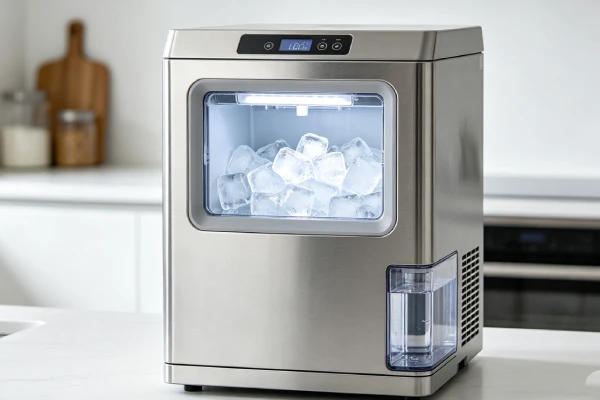
Is the GE Profile Opal 2.0 Worth Repairing?
Problems You Can Troubleshoot at Home
Refilling to the correct line, reseating the bin, cleaning and sanitizing per the manual, descaling, clearing the rear filter where fitted, restoring clearance, and leveling the unit are all home tasks. These address the common Add Water, Ice Full, reduced output, and noise reports.
When to Contact GE Support
Contact support when a status light persists after a correct fill, correct seating, and a complete clean-sanitize-descale-flush sequence; when particles remain in ice after that sequence; when water appears to come from inside the housing; or when a new mechanical noise continues. Have the model and serial number ready and describe when in the cycle the symptom occurs.
When Replacement May Make More Sense
Replacement becomes a reasonable question when a machine is out of warranty, has a confirmed internal fault, and the repair path is uncertain. That is an economic judgment based on your quote and warranty position. If you are comparing machine types rather than repairing, Ice Maker vs Ice Tray, How Long Do Portable Ice Makers Last, and How Long Do Ice Makers Last give useful context, and Ice Maker ECO Mode and Ice Maker Distilled Water are worth reviewing if you are changing how you run the machine.
Frequently Asked Questions
Does the GE Opal 2.0 Have a Mold Problem?
GE Opal 2.0 Mold Problem reports exist, but dark particles are not automatically mold. Biofilm, loosened residue from a clean cycle, scale mixed with organic material, and contamination from an external container all look similar in a photo. The workable approach is to identify the source through the four clues in the black-particles section, stop using the ice while the source is unknown, and escalate only after a correct clean-sanitize-descale sequence fails to resolve it.
GE Profile Opal 2.0 Soft Ice or Clumping — What Causes It?
Soft or clumping nugget ice usually reflects incomplete freezing or moisture in the bin rather than a sealed-system fault. Check airflow and clearance, check that the bin is dry before a run, and check whether output has also fallen — a combined drop in output and cube quality points toward restricted airflow or scale, while clumping alone often points to moisture and bin condition.
Can You Run the GE Opal 2.0 All Day?
Your manual defines how the machine is intended to be used, and that is the answer that applies to your unit. Continuous operation increases the cleaning burden and the wear on moving parts, and it is not equivalent to commercial-duty operation regardless of price. Follow the manual’s guidance rather than assuming a premium price implies commercial durability.
How Often Should You Descale an Opal 2.0?
Descaling frequency depends on water hardness and usage, and your model manual states the interval. Hard water needs it more often. The procedure must end with a clean water flush, and it must be run as a separate stage from sanitizing.
Why Does My Opal 2.0 Say Add Water When Full?
The level signal responds to the sensing area rather than to visible water. Check that the reservoir is filled to the line and fully seated, that any side tank is connected and feeding, and that the sensing area is free of scale. A correct fill plus a completed descale clears most false readings.
Why Is My Opal 2.0 Making Black Ice?
Dark specks mean material is entering the ice path. Check the bin, scoop, chute, reservoir, and refill container first, then run the correct clean-sanitize-descale sequence. If specks return afterward, stop using the ice and contact support with your model number and the pattern you observed.
Why Is My Opal 2.0 Not Producing Enough Ice?
Reduced output usually comes from restricted airflow, a dust-loaded rear filter on models that have one, scale in the water system, or a water supply that is not feeding steadily. Work those before considering a mechanical fault, and note whether the decline was gradual or sudden — a sudden drop with a new noise is a different path.
Why Is My Opal 2.0 Making Loud Noise?
Some noise is normal for nugget production. A new knocking, grinding, or scraping sound is not, and warrants stopping the machine and contacting support. Vibration from an uneven surface is a placement issue, and a sudden hum with no production is a different fault from a rattle.
What Is the Difference Between Cleaning and Descaling an Opal 2.0?
Cleaning removes visible residue from accessible parts and is verified visually. Sanitizing reduces microbial load on internal wetted surfaces and is verified by the absence of odor and slime. Descaling dissolves mineral scale and is verified by restored performance. They use different agents, different intervals, and a fixed order: clean, sanitize, descale, flush.
Is Ice Maker ECO Mode Relevant to Opal 2.0 Performance?
ECO behavior varies by model and changes how the machine manages production and energy use. If performance changed after enabling an efficiency setting, check what that mode does on your unit before assuming a fault.
Should I Use Distilled Water in a Nugget Ice Maker?
Distilled water reduces mineral input and therefore scale, which affects descaling frequency. It does not change the freezing method and it does not substitute for cleaning or sanitizing. Ice Maker Distilled Water covers the reasoning, and Ice Maker Water Filter and Countertop Ice Maker Water Filter cover filtration options.
The Bottom Line
GE Profile Opal 2.0 Problems reduce to a short list: dark particles in ice, no ice production, Add Water and Ice Full warnings that will not clear, external leaks, reduced output, and new noises. Nearly all of them start with the same three checks — correct fill and seating, airflow and filter condition, and a proper clean-sanitize-descale-flush sequence for your exact model.
Dark particles deserve a process rather than a guess. Identify where they appear, when they appear, whether they survive a correct procedure, and what else changed. If they persist after that, stop using the ice and escalate with the pattern you observed.
Cleaning, sanitizing, and descaling are separate jobs with separate success criteria, and treating them as one task is the most common reason a clean cycle appears to do nothing. Repair or replacement is an economic decision based on warranty position and a confirmed fault, not a general judgment about the product line.
Use the manual for your model number — XPIO13BCBT, XPIO13SCSS, XPIO23SCSS, or otherwise — because the panel, tank, and filter configuration differ between them, and the procedure printed for your unit is the one that applies.