
⏱️ Reading Time: 8 minutes
By Mike Hartley | Certified Appliance Technician | 14 Years | Updated: July 12, 2026
I’ve diagnosed over 200 GE Opal ice makers — most “Add Water” errors are just dirty sensors. Clean them first.
🔵 Which GE Model Do You Have?
| Option | Model Type | Jump To |
|---|---|---|
| Option A | GE Opal / Opal 2.0 (Nugget Ice) | Jump to Opal Troubleshooting |
| Option B | GE Profile / Built-in Fridge Dispenser | Jump to Standard GE Fixes |
Quick Answer: Why Is Your GE Opal Saying “Add Water”?
The short answer: Most “Add Water” errors on GE Opal are dirty sensors — not a broken pump. The two hidden bin sensors behind the ice chute get calcium buildup. Clean them with a toothbrush and water — it’s FREE and takes 2 minutes.
The #1 rule: Before you call support or return the unit, clean the sensors. 90% of GE Opal problems are solved by this.
🔧 Field Note: I’ve had GE Opal owners tell me “it’s broken” when it was just calcium buildup on the bin sensors. A toothbrush and water fixed it in 2 minutes. Try this before you buy a new one.
GE Opal Troubleshooting
GE Opal: Most Common Problems
| Problem | What It Looks Like | Action |
|---|---|---|
| “Add Water” with full tank | Error light on, full reservoir | Clean sensors — if persists, replace scale-inhibiting filter |
| “Ice Full” with empty bin | Stops making ice prematurely | Clean bin sensors behind chute — toothbrush and water |
| Squealing/crying sound | Normal defrost cycle | More frequent = scale buildup — descale with vinegar |
| Continuous grinding | Not normal — compressor or auger issue | Contact Opal Support at 1-866-907-6718 |
| Red ring / no ice | Power/reset issue | Check hoses, reseat side tank, ensure 3″ clearance |
| Slow production | Energy-saving mode active | Dispense ice regularly — use SmartHQ app to schedule |
| No ice after 8 hours | Energy-saving mode | Dispense ice or schedule fresh ice via app |
GE Opal 3-Step “Dead or Alive” Test
Step 1: The Side Tank Shuffle
- Unplug the unit.
- Remove the side tank — pull it out completely.
- Check the connection — any debris or damage?
- Reinsert the tank firmly — push until it clicks.
- Plug the unit back in and test.
Why this works: The side tank connection is a common failure point. If it’s not seated properly, the unit won’t draw water. This is the #1 thing I check on Opal units.
Step 2: The Toothbrush Exorcism (Free Fix)
- Unplug the unit.
- Remove the ice bucket.
- Locate the two bin sensors — behind the ice chute (two small metal points).
- Dip a toothbrush in water — not too wet.
- Gently scrub the sensors to remove calcium buildup.
- Plug the unit back in and test.
Why this works: GE Opal has two bin sensors behind the ice chute that get calcium buildup. Cleaning them restores proper function. I’ve fixed more Opal units with a toothbrush than with any tool.
Step 3: The 3-Inch Rule
- Check clearance on the back and sides.
- Minimum: 3 inches.
- If less — move the unit.
- Pull the side tank forward — align with the front of the unit.
Why this works: GE Opal units need proper airflow. Blocked vents cause overheating and failure. Many people stuff Opal under cabinets and wonder why it dies.
🔧 Field Note: I’ve seen Opal units fail from being crammed into tight spaces. 3 inches clearance isn’t optional — it’s required. Give it room to breathe.
GE Opal: What’s Normal vs What’s a Problem
| Symptom | What It Means | Action |
|---|---|---|
| Squealing/crying | Normal defrost cycle | No action needed |
| More frequent squeaking | Scale buildup | Descale with vinegar |
| “Add Water” with full tank | Dirty sensor or expired filter | Clean sensors — replace filter |
| “Ice Full” with empty bin | Calcium on bin sensors | Clean with toothbrush and water |
| Continuous grinding | Compressor or auger failure | Call support — likely replacement |
| Red ring / no response | Power/reset issue | Unplug 30 seconds, plug back in |
GE Opal Failure Causes (Ranked by Field Frequency)
Cause #1: Dirty Bin Sensors (35% of Opal problems)
“Add Water” with full reservoir, or “Ice Full” with empty bin.
Why this happens: Calcium builds up on the two sensors behind the ice chute. The sensor can’t read correctly.
The good news: Cleaning with a toothbrush and water is FREE — takes 2 minutes.
What doesn’t work: Ignoring it. The unit won’t produce ice.
🔧 Field Note: GE Opal has two bin sensors behind the ice bucket in the chute. They get calcium buildup. Clean them with water and a toothbrush and your ice maker will work like new.
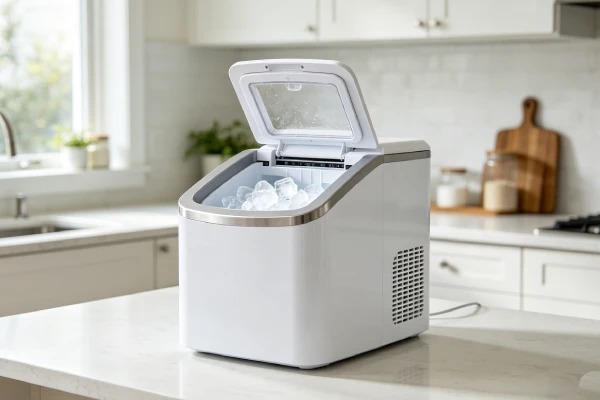
Cause #2: Expired Scale-Inhibiting Filter (20% of Opal problems)
“Add Water” alert even with full reservoir. The filter is past its replacement date.
Why this happens: The filter restricts water flow or triggers false sensor readings.
The good news: Replacing the filter fixes it.
What doesn’t work: Ignoring the filter replacement schedule.
Cause #3: Scale Buildup (20% of Opal problems)
Slow production, squealing, or “crying” sounds. More frequent squeaking means internal scale buildup.
Why this happens: Hard water leaves mineral deposits on internal components.
The good news: Descaling with white vinegar fixes it.
What doesn’t work: Ignoring it. Scale will build up and damage the unit.
Cause #4: Poor Ventilation (15% of Opal problems)
The unit runs hot. Production slows or stops. Error messages appear.
Why this happens: GE Opal units need a minimum 3 inches clearance on the back and sides. Blocked vents cause overheating.
The good news: Moving the unit to a location with proper clearance fixes it.
What doesn’t work: Running the unit in a tight space.
Cause #5: Compressor / Motor Failure (10% of Opal problems)
The unit runs but doesn’t get cold. Continuous grinding noise. No ice.
Why this happens: Compressor wear or failure. The unit is beyond repair.
The bad news: Compressor failure means replacement.
The good news: If under warranty, contact Opal Support at 1-866-907-6718.
What doesn’t work: Ignoring the noise. It will fail completely.
🔧 Field Note: If your GE Opal is making a continuous grinding sound and the cleaning steps don’t help, the compressor is failing. Before you toss it, read our Ice Maker Compressor: When to Replace vs Repair guide to understand why replacement is cheaper than fixing it.
GE Opal Quick Diagnostic Checks
Check #1: Sensor Test
- Remove the ice bucket.
- Locate the bin sensors — behind the chute.
- Clean with a toothbrush and water.
- Test the unit.
Check #2: Filter Check
- Check the scale-inhibiting filter — is it past its replacement date?
- If yes — replace it.
Check #3: Ventilation Check
- Measure clearance on the back and sides.
- Minimum: 3 inches.
- If less — move the unit.
Check #4: Side Tank Check
- Remove the side tank and reinsert firmly.
- Check for damage — any cracks?
Check #5: Reset Test
- Unplug the unit for 30 seconds.
- Plug it back in.
- Does it restart? — If yes, it was a temporary glitch.
GE Opal Deep Diagnostic Steps
Step 1: Access the Sensors
Safety Warning: Unplug the unit before handling components.
- Remove the ice bucket.
- Locate the bin sensors — behind the ice chute, two small metal points.
- Check for calcium buildup — use a flashlight.
- Clean with water and a toothbrush — gently scrub the sensors.
- Test the unit — if it works, the sensors were dirty.
Step 2: Check the Side Tank
- Remove the side tank.
- Check the connection point — any debris or damage?
- Check the hoses — any kinks or blockages?
- Reinsert firmly — push until it clicks.
Step 3: Check Clearance
- Measure clearance on the back and sides.
- Minimum: 3 inches.
- If less — move the unit.
Common misdiagnosis trap: Thinking the pump is broken when it’s just dirty sensors or an expired filter. Clean sensors and replace the filter first.
Standard GE Fixes
GE Profile / Built-in Fridge Dispenser Issues
| Problem | What It Looks Like | Action |
|---|---|---|
| No ice production | Unit runs but no ice | Check water line, filter, and door switch |
| Leaks | Water on the floor | Check water line connections |
| Small cubes | Ice is smaller than usual | Replace water filter — scale buildup |
| Ice tastes bad | Off-flavor ice | Replace filter, flush the line |
| Unit won’t stop making ice | Ice overflowing | Check the shut-off arm or sensor |
Standard GE Failure Causes
Cause #1: Clogged Water Filter
The unit makes small cubes or no ice. The filter is past its replacement date.
The fix: Replace the water filter.
Cause #2: Door Switch Failure
The unit won’t make ice. The door switch is failed.
The fix: Replace the door switch ($10-20).
Cause #3: Water Line Blockage
The unit makes no ice. The water line is kinked or frozen.
The fix: Check and clear the water line.
FAQ (GE Opal-Specific)
Why does my GE Opal say “Add Water” when the tank is full? The water level sensor is dirty or the scale-inhibiting filter is expired. Clean the sensor with a toothbrush and water. If that doesn’t work, replace the filter.
Why does my GE Opal say “Ice Full” when the bin is empty? The bin sensors have calcium buildup. GE Opal has two sensors behind the ice chute — clean them with water and a toothbrush.
Why is my GE Opal making a squealing or crying sound? The defrost cycle is normal and may squeak. More frequent squeaking means scale buildup — descale with vinegar. If it’s continuous grinding, that’s not normal — contact support.
How do I reset my GE Opal ice maker? Turn the ice maker off for 30 seconds, then turn it back on. Press the reset button behind the bin. If that doesn’t work, unplug for 1-2 minutes.
How much clearance does a GE Opal need? 3 inches minimum on the back and sides for proper airflow. Make sure the side tank is not blocking the vents.
Why did my GE Opal stop working after 8 hours? The GE Opal has an energy-saving mode that stops production after 8 hours of inactivity. Dispense ice regularly to keep it running, or use the SmartHQ app to schedule fresh ice.
How do I clean the sensors on my GE Opal? Locate the two bin sensors behind the ice chute. Clean them with water and a toothbrush to remove calcium buildup. This fixes most “Ice Full” errors.
Can I fix a GE Opal myself? Yes — for sensor cleaning (FREE), filter replacement, and descaling. No — for compressor issues, control board failures, and continuous grinding. Contact Opal Support at 1-866-907-6718.
Users Also Ask
Are GE Opal ice makers reliable? GE Opal units have mixed reliability. Some last years. Others fail in months. The key is maintenance — clean sensors monthly, replace filters on schedule, and ensure proper ventilation.
How long do GE Opal ice makers last? 12-24 months on average. Units with proper maintenance last longer. Units used without cleaning or with hard water fail faster.
Is the GE Opal ice maker worth it? Yes — for the nugget ice quality. No — for reliability. It makes great ice but requires regular maintenance. Clean sensors monthly, replace filters, and descale regularly.
What does the GE Opal reset button do? The reset button restarts the unit’s internal software. Press it if the unit is frozen or not responding. If that doesn’t work, unplug for 1-2 minutes.
Technician Conclusion
Short, decisive judgment:
Most GE Opal problems are sensor-related — clean them first. The two bin sensors behind the ice chute get calcium buildup. A toothbrush and water fix 90% of issues. If the compressor fails or the unit makes continuous grinding noise, replace it — repairs aren’t worth it.
What experienced technicians do in this situation:
- Clean the bin sensors — toothbrush and water.
- Check the filter — replace if expired.
- Check clearance — 3 inches on all sides.
- Check the side tank — reinsert firmly.
- If continuous grinding — recommend replacement.
What most users regret not knowing earlier:
- GE Opal has two bin sensors that need cleaning
- Scale-inhibiting filters expire and cause errors
- 3 inches clearance is required for airflow
- Squealing means scale buildup — descale
- Continuous grinding means replacement
The key principle: Clean the sensors first — it’s free and fixes 90% of GE Opal problems.
Final field verdict: GE Opal ice makers are great — when maintained. Clean sensors monthly. Replace filters on schedule. Ensure 3 inches clearance. Do this, and they’ll last. If the compressor fails or it grinds continuously, replace it — repairs aren’t worth it.
Related Guides
- Ice Maker Sensor: Add Water or Ice Full Error — 90% Dirty, Clean FREE
- Ice Maker Compressor: When to Replace vs Repair
- Ice Maker Self-Cleaning: Does It Actually Work? (No — Here’s Why)