
If your Hisense dehumidifier has power but the fan will not spin, start by checking whether the problem is limited to airflow or whether the entire unit is failing to start. A fan that is blocked, a motor that hums without turning, and a fan that stops after running for a while can point to different issues, and they are not solved the same way.
Switch off and unplug the unit before inspecting accessible areas. Check the air filter, visible air openings, and any accessible fan area for obstructions, following the instructions for your specific model. Do not remove internal panels or touch electrical components unless you are qualified to do so.
This guide covers the fan and airflow path only. Other Hisense Dehumidifier Not Working symptoms — a unit that runs but collects no water, a bucket-full warning, or a restart problem — follow different diagnostic paths and are noted where they branch off.
Important: If the fan remains stationary after the external checks, the cause may involve the motor, its electrical supply, a control component, or another internal fault. A freely moving fan blade does not prove the motor is electrically sound, and a humming sound alone does not identify the failed part.
Quick Diagnosis: What Is the Fan Doing?
Identify which case matches your unit before checking anything else. The table is an entry point; each row points to the section that expands the check.
| What you observe | What it usually points to | Check this first | Section to read next |
|---|---|---|---|
| Fan does not spin at all | Blade blocked, motor seized, or no power to the motor | Accessible fan area for visible debris; confirm panel lights are on | Fan Won’t Spin but the Unit Has Power |
| Fan spins but airflow is weak | Clogged filter or blocked air path | Filter condition and inlet/outlet clearance | Check for External Obstructions |
| Fan turns slowly, even with a clean filter and clear air path | Loose or damaged blade, or a motor running below normal speed | Blade condition from the outside; note whether speed changes under load | Fan Hums, Grinds, or Stops Intermittently |
| Fan hums but does not turn | Mechanical block, start component, supply, or motor fault | Accessible fan area for debris; where the hum comes from | Fan Won’t Spin but the Unit Has Power |
| Fan makes grinding, screeching, or rattling noise | Obstruction, damaged blade, or worn bearings | Accessible area for debris; whether the blade is visibly cracked or bent | Fan Hums, Grinds, or Stops Intermittently |
| Fan starts then stops after a few minutes | Thermal overload, often from restricted airflow | Filter, clearance, and visible coil condition | Fan Hums, Grinds, or Stops Intermittently |
| Entire unit does not start (fan and compressor both off) | Power or control issue, not a fan-only fault | Power, tank seating, outlet | When Professional Diagnosis Is Needed |
A running fan does not prove the compressor is working. A non-spinning fan does not prove the motor has failed. Use the table row that matches your symptom, then follow the section it points to.
Check for External Obstructions
Do this with the unit unplugged. Every step below is a no-disassembly check — if a step would require removing a panel the manual does not describe as user-removable, stop and treat it as a service task.
- Unplug the unit.
- Remove the air filter and inspect it for dust and debris.
- Check the air inlet and outlet for obstructions.
- Check the accessible fan area for visible debris. Do not remove internal panels unless the manual allows it.
- Confirm the unit has the clearance stated in the manual around it.
What this can and cannot fix: Clearing a visible blockage or cleaning a clogged filter can restore airflow if that was the only problem. If the airflow path is clear and the fan still does not spin, the cause is likely internal — motor, electrical supply, or control. Cleaning is the first step, not the only step.
Where the no-disassembly line is: Steps 1–5 are external. Anything beyond them — removing a cover, reaching past the grille, testing a connector — is outside the no-disassembly scope and belongs to the next section.
If the unit runs but collects no water even with airflow restored, the cause may be outside the fan path — see Hisense Dehumidifier Not Collecting Water and Dehumidifier Running but No Water.
Fan Won’t Spin but the Unit Has Power
If the panel lights up and the unit appears to run but the fan does not turn, the fan is either blocked or not receiving what it needs to start.
What you can check safely (unit unplugged):
- Visible debris in the accessible fan area
- Filter condition and air path clearance
- Whether the hum, if any, comes from the fan area or the compressor area
- Whether the tank is seated and no full-tank or error state is showing — see Hisense Dehumidifier Says Full and Hisense Dehumidifier Error Codes
What requires professional testing: Confirming whether the motor receives the correct supply, testing the start component, and checking winding condition all require a multimeter and safe handling procedures. Do not open internal panels or test live electrical parts unless you are qualified. These tests involve live voltage and stored capacitor charge, which is why they are not user steps even with the unit unplugged.
Important: A hum from the fan area does not, on its own, confirm a failed start component. A blocked blade can produce the same hum as an electrical fault. Check for visible debris first; if the blade is clear, the hum needs professional testing.
If the unit hums but neither the fan nor the compressor starts, that is a power or control branch rather than a fan-only fault — see Hisense Dehumidifier Humming But Not Starting and Hisense Dehumidifier Won’t Turn On.
Fan Hums, Grinds, or Stops Intermittently
Different sounds and timing point to different parts of the fan path.
Fan hums but does not spin. The motor is receiving power but not turning. Possible causes include a mechanical obstruction, a start component not delivering enough current, a seized motor, or a supply or control issue. Check the accessible area for debris and confirm the filter is clean. Internal testing needs a technician.
Fan grinds, screeches, or rattles. Possible causes include an obstruction contacting the blade, a loose or damaged blade, worn or dry motor bearings, or a motor losing speed under load. Check the accessible area for debris and note whether the blade is visibly cracked or bent. Do not attempt to lubricate or disassemble the motor unless the manual lists motor lubrication or disassembly as a user task with instructions. Grinding does not automatically mean the motor must be replaced — it points to the mechanical or motor path needing diagnosis.
Fan turns slowly with a clean filter and clear air path. A slow blade with no airflow restriction points to a loose or damaged blade, or a motor running below normal speed. Note whether the speed changes when the unit is under load. If the blade is visually intact and the air path is clear, the next step is professional testing.
Fan starts then stops after a few minutes. Possible causes include thermal overload protection tripping, often triggered by restricted airflow, dirty coils or a clogged filter, a supply or control issue, or a motor losing performance under load. Clean or replace the filter, confirm inlet and outlet clearance, and confirm the coils are not visibly clogged from the accessible side. If the fan still stops after cleaning and airflow is confirmed, do not keep restarting the unit — arrange professional testing.
If the unit shuts off entirely rather than just the fan, that is a different symptom — see Hisense Dehumidifier Keeps Shutting Off and Dehumidifier Keeps Shutting Off.
When Professional Diagnosis Is Needed
Stop external troubleshooting and arrange service if any of these apply:
- The fan does not spin after visible obstructions are cleared and airflow is confirmed
- The fan hums but does not turn, with no visible obstruction
- The fan repeatedly stops after a few minutes despite clean airflow
- You hear grinding, screeching, or rattling from the motor area
- The unit shows an error code alongside the fan symptom — see Hisense Dehumidifier Error Codes and Dehumidifier Error Codes
- The unit trips a breaker or GFCI — see Dehumidifier Trips Breaker and Dehumidifier Trips GFCI
- You smell burning or see discoloration — see Dehumidifier Smells Like Burning and Dehumidifier Burning Smell
A technician may need to test the motor supply, the start component, the control board, and the wiring. These checks involve live voltage and stored capacitor charge, and unplugging the unit does not guarantee that internal capacitors have discharged. Do not open internal panels or test live electrical parts yourself.
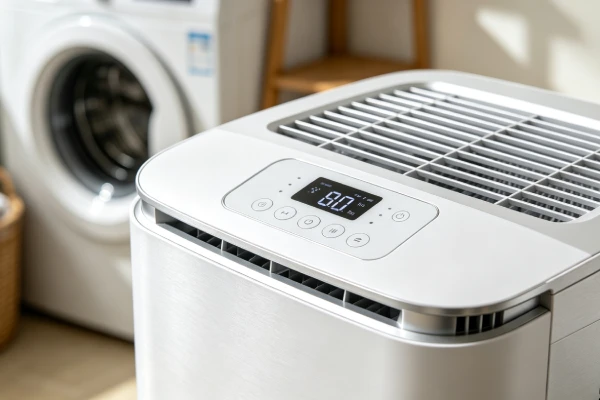
Hisense Fan Repair Costs
Repair costs vary by model, region, parts availability, labor rates, and warranty coverage. The ranges below are general estimates for portable residential dehumidifiers, not Hisense-specific price lists and not guaranteed quotes. Parts and labor are shown separately because the parts figure alone is not a repair quote.
| Item | Part estimate | Typical total with labor | Notes |
|---|---|---|---|
| Fan blade (if user-replaceable) | Varies by model | Varies; often a low-cost part | Confirm the blade is sold as a separate part for your model |
| Fan motor | Varies by model and availability | Commonly quoted in the low-to-mid hundreds including labor, depending on model and region | Confirm part availability and lead time before committing |
| Start component | A low-cost part on many models; labor is often the larger share of this repair | Varies | Requires professional testing to confirm it is the failed part |
| Diagnostic fee | — | Commonly quoted separately before repair | Ask whether it is applied to the repair if you proceed |
| Comparable new unit (reference) | — | Price of a similar-capacity unit in your area | Use the current local price, not a fixed figure |
Because part prices and labor rates differ so widely between models and regions, this guide does not quote fixed dollar figures. A figure you see online for a part is not the same as a total repair quote.
What to ask before authorizing a repair:
- What exactly failed?
- Is the part available for your model, and what is the lead time?
- What is the total cost, including parts, labor, and any diagnostic fee?
- Is there a warranty on the repair?
- How does the total compare with the price of a comparable new unit in your area?
Repair or Replace?
Whether the fan motor needs repair or replacement depends on the confirmed cause and the specifics of your model.
| Situation | What to consider |
|---|---|
| Visible debris blocking the blade | Cleaning or removing the obstruction |
| Loose fan blade | Tightening or reseating the blade |
| Damaged fan blade | Replacing the blade if it is a user-replaceable part |
| Motor runs hot or stops after minutes | Checking airflow first, then professional testing |
| Motor hums but does not spin with no obstruction | Professional diagnosis of the motor, supply, or start component |
| Motor confirmed failed | Fan motor replacement if the part is available |
| Unit under warranty | Contact Hisense before authorizing any repair |
Compare the total repair quote with the current price of a comparable replacement unit. Include parts, labor, the diagnostic fee, warranty coverage, and any additional faults found during diagnosis.
Age and condition matter, but they are inputs to the decision, not a rule that decides it on their own.
Factors that favor repair: the unit is under warranty or the repair is covered; the confirmed fault is an obstruction, blade, or start component; the unit is otherwise sound; the quote is well below a comparable replacement; the part is available without a long lead time.
Factors that favor replacement: a confirmed motor or control fault on an older out-of-warranty unit; the quote approaches the price of a comparable new unit; the part is backordered or unavailable; the unit has a history of repeated failures.
Common Misdiagnosis Patterns
| Misdiagnosis | What is actually happening | How to check |
|---|---|---|
| “The motor is dead” when the blade is blocked | A blocked blade can make the motor hum without spinning | Check the accessible fan area for debris before assuming motor failure |
| “The motor is dead” when the start component has failed | A failed start component can prevent the fan from spinning even when the motor is intact | This needs professional testing; do not assume the motor must be replaced |
| “The compressor has failed” when the fan has stopped | If the fan stops and the compressor overheats, the compressor may be tripping on thermal overload rather than failed | Check the fan and airflow first — see Dehumidifier Compressor Starts Then Stops |
| “The unit is defective” when airflow is restricted | A clogged filter or blocked vent can prevent the fan from moving air | Clean the filter and check the vents before concluding the unit is defective |
FAQ
Why is my Hisense dehumidifier fan not spinning?
Common causes include a visible obstruction in the fan area, a clogged filter restricting airflow, a loose or damaged blade, a motor that is not receiving power, or a motor that has seized or failed. Start by checking for visible obstructions and confirming airflow is clear.
Why does the fan hum but not turn?
A hum means the motor is receiving power but not turning. This may involve a mechanical obstruction, a start component, a supply issue, or a motor fault. A hum alone does not confirm which part has failed — check for visible debris first, then professional testing may be needed.
Why is my Hisense dehumidifier fan making a grinding or rattling noise?
Grinding, screeching, or rattling usually points to an obstruction contacting the blade, a loose or damaged blade, or worn motor bearings. Check the accessible area for debris and note whether the blade is visibly cracked or bent. If the blade and air path are clear, the noise needs professional diagnosis.
Why does the fan stop after running for a few minutes?
A fan that runs then stops may be tripping a thermal overload, often triggered by restricted airflow. Clean the filter, confirm the coils are not visibly clogged, and confirm the unit has clearance. If the fan still stops after cleaning, the cause may be internal — professional diagnosis is the next step.
When should I call a technician for a fan problem?
Call a technician if the fan does not spin after you have cleared visible obstructions and confirmed airflow, if the fan hums but does not turn, if the fan repeatedly stops after a few minutes, or if you hear unusual noises from the motor area. Do not open internal panels or test live electrical components yourself.
Why is my Hisense dehumidifier not collecting water even though the fan is running?
A running fan does not mean the unit is dehumidifying. If the fan runs but the unit collects no water, the issue may involve humidity conditions, the coil, the tank sensor, or the cooling system — see Hisense Dehumidifier Not Collecting Water for that path.
Does this apply to all Hisense dehumidifier models?
The general principles apply to most Hisense dehumidifiers. Component layout, fan design, and control logic vary by model. Confirm the specifics in your model’s manual.
Related Topics
- Hisense Dehumidifier Not Working
- Hisense Dehumidifier Fan Making Noise
- Hisense Dehumidifier Humming But Not Starting
- Hisense Dehumidifier Keeps Shutting Off
- Hisense Dehumidifier Not Collecting Water
- Hisense Dehumidifier Says Full
- Hisense Dehumidifier Float Switch Not Working
- Hisense Dehumidifier Error Codes
- Hisense Dehumidifier Won’t Turn On
- Hisense Dehumidifier Repair Cost
- Dehumidifier Fan Not Working – Causes and Safe Checks
- Dehumidifier Coils Freezing Up – Causes and Safe Troubleshooting
- Dehumidifier Compressor Starts Then Stops
- Dehumidifier Repair Cost vs Replacement