
If your Hisense dehumidifier won’t restart, the first thing to establish is what happened before it stopped. A unit that went off after a power outage, a unit that beeped after the tank filled, and a unit that simply died are three different situations, and each leads to different checks.
This guide covers how to reset a Hisense dehumidifier using the procedure for your specific model, what to do when a Hisense Dehumidifier Won’t Restart after a power interruption, how to handle a beeping unit or a full-tank light that won’t clear, and how to read any error code shown on the display. It also explains when to stop resetting and have the unit checked.
Important: Reset procedures vary by model. The steps below are general patterns, not a universal sequence. Check your owner’s manual for the exact button sequence, hold time, and restart behavior for your unit. Do not open the electrical compartment or test live wiring.
Quick Checks Before Resetting
Before any reset, rule out the simple causes. These checks cost nothing and prevent a reset attempt on a unit that simply has no power or is being held off by a tank or float condition.
| Check | What to do | What it tells you |
|---|---|---|
| Outlet power | Plug a lamp or phone charger into the same outlet | If the outlet is dead, the fault is the outlet or breaker, not the unit |
| Plug and cord | Confirm the plug is fully seated and the cord is undamaged | A loose plug looks like a dead unit |
| Water tank | Remove, empty, and reseat the tank firmly | A tank that is not seated can stop the unit from running |
| Panel prompts | Note any lights, beep pattern, or code shown on the display | A code or beep points to a specific check |
| Float | On models where the float is user-accessible, confirm it moves freely | A stuck float can hold the unit in a full-tank state |
If the outlet is dead, stop here and check the circuit breaker. If the tank was misaligned or the float was stuck, reseating or cleaning it may resolve the restart problem without any further reset step — see Hisense Dehumidifier Says Full and Hisense Dehumidifier Float Switch Not Working.
How to Reset a Hisense Dehumidifier
A reset clears the control board’s memory so it can restart cleanly. The exact procedure depends on your model, so confirm it in the manual before trying it.
Common reset patterns described in owner’s manuals:
- Unplug the unit, wait the interval stated in the manual, plug it back in, and press the power button.
- On some models, a specific button or button combination performs a reset; the manual identifies which.
- On models with an app, the manual may describe removing and re-pairing the device, or a reset option in the app.
What not to assume:
- Do not assume a 60-second unplug works on every model. Some manuals specify a different interval, some rely on a button sequence instead, and some give no fixed time at all.
- Do not assume a long-press of the power button is universal. Hold time and button combinations vary by model and generation.
- Do not assume an app reset applies to a unit that is not app-connected.
If the reset procedure in your manual does not match what you have read online, follow the manual. It is the only source that applies to your specific unit.
Once the reset is complete, observe what the unit does next. It either restarts normally, stays off, or returns to the same beeping or error state. That result determines the next step.
Won’t Restart After a Power Outage?
A unit that goes off during a power interruption and stays off when power returns is a common Hisense Dehumidifier Reset complaint. The first question is whether your model is designed to restart on its own.
Check your model’s restart behavior. Some dehumidifiers resume automatically after power returns; others require a manual press of the power button. This is a design feature that varies by model, not a defect across the brand. Your manual should state which behavior your unit has.
If your model requires a manual restart: press the power button after power returns. If it restarts, the unit was waiting for that input and nothing is broken.
To find out which behavior your unit has: while the unit is running normally, unplug it, wait the interval stated in the manual (or at least 30 seconds if the manual gives none), plug it back in, and observe. If it resumes on its own within that window, it has automatic restart. If it stays off until you press the button, it requires a manual restart. Record which one applies so you know what to expect after the next outage.
If the unit still will not start after the manual restart procedure, the fault is no longer a restart-behavior question. Separate the possibilities before calling for service:
- Power side: confirm the outlet is live, the cord is undamaged, and the breaker or GFCI has not tripped — see Dehumidifier Trips Breaker and Dehumidifier Trips GFCI.
- Control side: the unit may be held in a fault state by the board or a sensor. This needs diagnosis, not another reset.
- Component side: a fan, pump, or compressor fault can prevent a normal start — see Dehumidifier Fan Not Working, Dehumidifier Pump Not Pumping Water, and Dehumidifier Compressor Not Working.
If unattended operation matters to you — a basement, a rental, a vacation property — a unit with automatic restart is worth confirming before purchase. That is a buying consideration, not a repair.
Beeping or Full-Tank Light Won’t Clear
A unit that beeps and will not restart after the tank was emptied is a different situation from a power-outage restart.
Check these in order:
- Tank seating. Remove the tank and reseat it firmly. A tank that is not fully seated can keep the unit in a full-tank state.
- Float movement. On models where the float is user-accessible, check that it moves freely. Mineral scale can hold the float in the “up” position — see Hisense Dehumidifier Float Switch Not Working and Dehumidifier Says Full When Empty.
- Moisture or debris at the water-level sensor. If the manual identifies a user-cleanable sensor area, clean it as described. Do not use liquids on electronic sensors.
- Reset per manual. After the tank and float checks, perform the reset procedure for your model.
What this is and is not: A beeping unit after a full tank can be held in a full-tank state that needs a reset once the tank is empty. That is a control-logic behavior, not proof that the control board has failed. Do not order a board based on the beep alone — confirm the tank, float, and reset first. A false bucket-full warning with an empty tank is covered under Hisense Dehumidifier Says Full and Dehumidifier Bucket Full Light On.
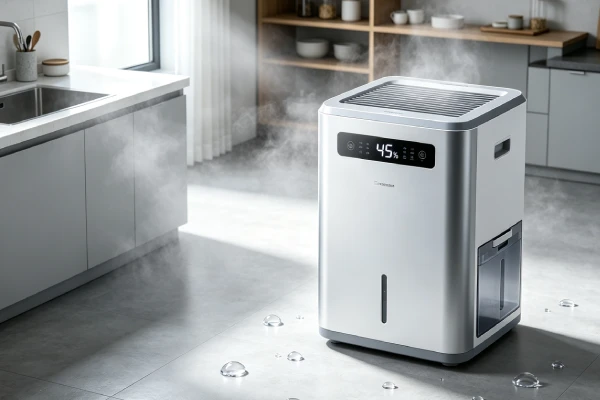
Error Codes and What to Check
If the display shows a code, the code is the most specific information you have. Look it up in your model’s manual before doing anything else.
- Codes are model-specific. The same letters or numbers can mean different things on different Hisense models and generations.
- Record the exact code and when it appears — at power-on, during a run cycle, or when the tank fills.
- Once you have the code, the manual’s code table tells you what to check for that specific code. If the manual does not list the code, record the code, model number, and when it appears, then contact Hisense support or an authorized service center.
The general categories below are starting points, not a substitute for your manual’s code table.
| Code appears when… | Likely category to check first |
|---|---|
| At power-on, unit will not start | Power or control state — confirm outlet and restart procedure first |
| During a run cycle, unit stops | Sensor or water-level condition — check tank, float, and visible ice |
| When the tank fills | Full-tank detection — check tank seating and float movement |
| With a beep and no display change | Control state or sensor — check the manual’s reset and sensor notes |
See Hisense Dehumidifier Error Codes and Dehumidifier Error Codes for general code categories, but treat the manual as the authority for your unit. Units that beep or blink without a code are covered under Dehumidifier Beeping and Dehumidifier Power Light Blinking.
When Resetting Doesn’t Work
If the manual reset procedure has been tried, the tank and float are confirmed, and the unit still will not start or still returns to the same fault state, stop resetting and move to diagnosis.
Separate the possibilities with external checks first:
- Power side. Confirm the outlet is live with a lamp, check the cord, and check the breaker and GFCI. A unit that trips a breaker or GFCI has a power-side fault, not a reset problem — see Dehumidifier Trips Breaker and Dehumidifier Trips GFCI.
- Control side. If the outlet is live and the unit still shows no response, the board may not be sending power, or a sensor may be holding it in a fault state. This needs a technician to confirm — do not assume the board has failed.
- Component side. If the unit powers on but will not run normally, a fan, pump, or compressor fault can prevent a normal start. These are not reset problems — see Dehumidifier Fan Not Working, Dehumidifier Pump Not Pumping Water, and Dehumidifier Compressor Not Working.
Do not conclude that the control board has failed based on a beep or a failed reset alone. A technician should confirm which side the fault is on before any part is ordered. Ask for a diagnosis and a written quote that separates parts, labor, and the diagnostic fee.
Reset Prevention and Maintenance
A little routine maintenance removes several of the conditions that lead to a restart problem. These tasks overlap with the Quick Checks table above by design: the Quick Checks are what to do when the unit will not start, and this table is what to do on a routine schedule to prevent it.
| Task | Frequency | Why it helps |
|---|---|---|
| Reseat and empty the tank carefully | Every emptying | Prevents a tank-seating lockout |
| Check that the float moves freely (where accessible) | Monthly in hard water areas | Prevents a stuck float holding the unit off |
| Clean the air filter per manual | Every few weeks in dusty spaces | Prevents airflow and icing problems that cause shutdowns |
| Confirm restart behavior once | When you first set up the unit | You know whether to press power after an outage |
| Use a surge protector | Always | Reduces control-board stress from power fluctuations |
If the unit shuts off repeatedly rather than failing to restart once, that is a different symptom — see Hisense Dehumidifier Keeps Shutting Off and Dehumidifier Keeps Shutting Off.
FAQ
How do I reset my Hisense dehumidifier that won’t restart?
Follow the reset procedure in your owner’s manual for your specific model. Common patterns are an unplug-and-replug sequence or a button combination, but the interval and buttons vary by model. Do not assume a 60-second unplug or a long-press works on every unit.
Why won’t my Hisense dehumidifier restart after a power outage?
Restart behavior varies by model. Some units resume automatically when power returns; others require a manual press of the power button. Check your manual, then press the power button if your model requires it. If it still will not start after that, the fault is no longer a restart-behavior question — check the outlet, cord, and breaker first.
Why is my Hisense dehumidifier beeping and won’t restart?
A beeping unit after a full tank is often held in a full-tank state. Check that the tank is seated, that the float moves freely where accessible, and that any user-cleanable sensor area is clean. Then perform the reset procedure for your model. Do not assume the control board has failed based on the beep alone.
How do I know if my Hisense dehumidifier has auto-restart?
While the unit is running normally, unplug it, wait the interval stated in the manual (or at least 30 seconds), plug it back in, and observe. If it resumes on its own within that window, it has automatic restart. If it stays off until you press the button, it requires a manual restart.
What do the error codes on my Hisense dehumidifier mean?
Codes are model-specific. Look up the exact code in your owner’s manual before doing anything else. The manual’s code table tells you what to check for that code. If the manual does not list it, record the code, model number, and when it appears, then contact Hisense support or an authorized service center.
When should I stop resetting and call for service?
Stop when the manual reset has been tried, the tank and float are confirmed, and the unit still will not start or still returns to the same fault. Also stop if the unit trips a breaker or GFCI, shows a persistent error code, or smells like burning. Have the fault diagnosed before any part is ordered.
Related Topics
- Hisense Dehumidifier Won’t Turn On
- Hisense Dehumidifier Keeps Shutting Off
- Hisense Dehumidifier Says Full
- Hisense Dehumidifier Beeping
- Hisense Dehumidifier Error Codes
- Hisense Dehumidifier Float Switch Not Working
- Hisense Dehumidifier Not Working
- Hisense Dehumidifier Repair Cost
- Dehumidifier Won’t Turn On – Power and Reset Guide
- Dehumidifier Has Power But Not Working
- Dehumidifier Beeping – Causes and Fixes
- Dehumidifier Trips Breaker – Causes and Fixes
- Dehumidifier Error Codes – Meaning and Fixes