
If you bought an ice maker from Amazon or Best Buy and it is not working, the first thing to check is the return deadline on your order, not the manufacturer’s warranty. The two retailers work differently: Amazon generally allows more time, while Best Buy generally offers faster in-store resolution. Neither policy is uniform across every product, and the date that matters is the one shown in your order details.
This page explains the return windows as currently published by both retailers, what happens with opened and defective units, whether the original box matters, and how to start a return. It is not a fault-diagnosis guide; if the unit is not making ice, the general ice maker not making ice guide covers that separately. If you are still choosing a unit, the most reliable ice maker guide covers what to look for before buying. If the return window has already closed, the ice maker warranty guide and the out-of-warranty repair cost guide cover the next steps.
Policy note: retailer policies change, and the terms that apply to your order are the ones shown on the product page and in your order details at the time of purchase. Treat the figures below as a current summary to verify, not as a guarantee.
Amazon vs. Best Buy Ice Maker Return Policy
The table below summarizes the two policies for typical consumer purchases. Special categories, marketplace sellers, activated devices, and some membership tiers can differ, so confirm the specific terms on your order before relying on any row. The figures are current as published by each retailer and may change.
| Factor | Amazon | Best Buy |
|---|---|---|
| Standard return window | 30 days after delivery for most items | 15 days for most items |
| Membership extension | No equivalent blanket membership extension published; check the item page | My Best Buy Plus and My Best Buy Total members typically get 60 days for eligible items |
| Returning an opened item | Depends on item eligibility, condition, and reason | Depends on product category, condition, and the applicable policy |
| Return shipping or fees | Depends on the return option selected and the reason | Depends on the item terms and the return method |
| Where to confirm your deadline | Return eligibility and deadline in the order details | Order details and the official return policy |
Two corrections matter here, because both are widely repeated online and both are wrong as general statements. Best Buy’s standard window is not 14 days; the current published standard is 15 days for most items. And Amazon’s 30-day window is not counted from the purchase date for every order; for most items it runs from delivery. Always check the date shown on your own order.
Can You Return an Opened Ice Maker?
Opening the box and running a test cycle is normal and expected for an appliance you need to verify. Whether an opened unit can still be returned depends on the item, its condition, and the reason for the return, and the answer differs between retailers and between products.
- Unopened: generally the simplest return, subject to the standard window.
- Opened and tested, in resalable condition: often returnable, but the applicable policy and any fee depend on the item category and reason.
- Opened, used over time, or missing accessories: more likely to be refused or subject to a fee, again depending on the specific terms.
- Damaged by the user: generally not returnable as a change-of-mind return.
One case deserves its own line on an ice maker: adding water and running a full cycle. This is the step that confirms whether the unit works, so it is a reasonable thing to do on arrival, but it also moves the unit from “unopened” to “tested.” Whether that affects eligibility or fees depends on the retailer and the item category. If you are unsure, start the return process and read the instructions before adding water, rather than assuming either way.
Do not assume that opening the box automatically means a restocking fee, and do not assume it is always free. Whether a fee applies depends on the product category, the return reason, and the applicable terms. Categories that commonly carry different terms include large appliances, activated devices, and items sold by marketplace sellers rather than the retailer itself.
Can You Return a Defective Ice Maker?
A defective unit is handled differently from a change-of-mind return, and the practical steps are similar at both retailers. Returns, exchanges, and manufacturer warranty are three separate routes, and they are not interchangeable.
- Damaged on arrival: photograph the packaging and the unit before disposing of anything, then start the return through the order page as a damaged item.
- Does not make ice, leaks, or fails within days: document the fault with photos or a short video, keep the order confirmation, and submit the return with the reason that matches the fault.
- Fails after the return window: this is no longer a retailer return in most cases. The manufacturer’s warranty and the retailer’s own after-sales options apply instead.
If you want the same model rather than your money back, ask about an exchange rather than a return. Exchanges are often handled under the same window and the same condition rules, but availability and eligibility vary, so confirm with the retailer before shipping the unit back. A warranty claim is a third route: it covers defects for the period stated in the warranty and is handled by the manufacturer, not the retailer.
Keep the return reason accurate. Selecting a change-of-mind reason for a genuinely defective unit can change which terms apply.
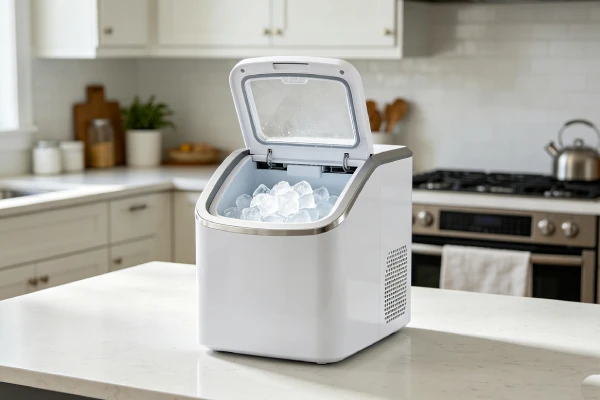
Do You Need the Original Box to Return an Ice Maker?
Keeping the original box, foam, manual, and accessories makes a return easier and avoids disputes, but you should not assume that every return at either retailer requires the original packaging. The requirement depends on the item and the return method, and the specific instructions appear when you start the return.
Practical approach: keep the packaging and all accessories until the return window closes, and follow the instructions shown on the order page rather than a general rule from a forum or a summary article.
How to Return an Ice Maker on Amazon or Best Buy
- Open the order and check the return eligibility and deadline shown there.
- Choose the return reason that matches the actual problem.
- Prepare the unit, accessories, and packaging as the retailer’s instructions specify.
- Return by the method offered (shipping or in-store, depending on the retailer) and keep the receipt or drop-off confirmation.
- Track the refund status in the order until it is completed.
If you are unsure whether the item qualifies, contact the retailer’s support before shipping anything. Returning an ineligible item may result in it being sent back to you, and the shipping cost may not be refunded.
What If the Ice Maker Return Window Has Expired?
Missing the return window does not mean the unit has no options, but the options change.
- Retailer after-sales: open the order page and check the after-sales options shown there. Amazon and Best Buy each list support, repair, or replacement options for some items outside the standard return window, and the available route depends on the item and your membership status.
- Manufacturer warranty: this covers defects for the period stated in the warranty, which varies by product. It is not a substitute for a return, and it usually does not cover change-of-mind returns.
- Consumer rights: local consumer protection rules may provide additional rights depending on where you bought the item and where you live.
Do not assume that a single fixed period, such as one year, applies to every ice maker warranty or every retailer. Check the documents that came with your unit.
Frequently Asked Questions
How long do you have to return an ice maker to Amazon?
For most items, 30 days from delivery, but the exact deadline is shown in your order details. Marketplace sellers and some product categories can differ.
What is Best Buy’s return window for an ice maker?
The current standard window is 15 days for most items. Eligible My Best Buy Plus and My Best Buy Total members typically get 60 days. Confirm the deadline in your order details, since some categories have separate rules.
Can you return an opened ice maker?
Often yes, but it depends on the item, its condition, and the reason. Opening the box does not automatically mean a fee, and it does not automatically mean a free return either.
Does adding water to test the ice maker affect the return?
It can, because testing moves the unit from unopened to used. Check the return instructions before adding water if you are unsure, and keep the packaging and accessories until the window closes.
Can you return an ice maker that does not make ice?
Yes, if it is within the return window. Document the fault, select the reason that matches the problem, and follow the return process. Outside the window, the manufacturer’s warranty is the usual path.
Do you need the original box?
Keep it if you can, because it makes the return smoother. Do not assume every return at either retailer requires the original packaging; follow the instructions shown when you start the return.
What happens after the return window expires?
The retailer’s standard return option generally ends. The manufacturer’s warranty, any retailer after-sales program, and local consumer rights may still apply, depending on the product and where you bought it.
Summary
The practical difference between the two retailers is time versus convenience: Amazon generally gives you more time to test the unit, while Best Buy generally offers faster in-store resolution. The exact deadline, fee treatment for opened items, packaging requirement, and defective-item handling all depend on the specific product and the terms shown on your order. Check the order details before you act, keep the packaging and accessories until the window closes, and select the return reason that matches the actual fault. Because these policies change, verify the current terms on the retailer’s own page before relying on any summary, including this one.